Bài giảng môn Tin học đại cương | Trường Đại học Kinh Tế Quốc Dân
Bài giảng môn Tin học đại cương | Trường Đại học Kinh Tế Quốc Dân. Tài liệu được sưu tầm giúp bạn tham khảo, ôn tập và đạt kết quả cao. Mời bạn đọc đón xem.
Môn: Tin học ứng dụng trong thống kê (NEU) 2 tài liệu
Trường: Trường Đại học Kinh Tế Quốc Dân 8.9 K tài liệu
Tác giả:












Preview text:
© Trần Trọng Huy Sept. 2024
https://youtube.com/c/TrongHuyTran TRAN TRONG HUY (tronghuy@ftu.edu.vn) INFORMATICS
Chapter 1. Information - Informatics - Computers
Chapter 2. Computer Network - Internet Chapter 3. Microsoft Windows Chapter 4. Microsoft Word Chapter 5. Microsoft Excel
Chapter 6. Microsoft PowerPoint 30/09/24 10:53 AM 2
Informatics - Foreign Trade University 1 © Trần Trọng Huy Sept. 2024
https://youtube.com/c/TrongHuyTran Text books - References Text books:
Tô Thị Hải Yến (Chief Author), Trần Trọng Huy, Phạm Hoàng Anh, Giáo
trình tin học đại cương, Hồng Đức Publisher, 2011
Trần Phương Chi - Bài tập tin học đại cương - ĐH Bách Khoa Hà Nội Publisher, 2016 References:
Books, Ebooks: Microsoft Windows, Internet, Microsoft Word, Excel, ... 30/09/24 10:53 AM 3 The Requirements
Students must have below documents (the hard copy) when sitting in class room: Text books Slide handouts: hard copy Do not make noise: Voice Mobile phone Food is not accepted 30/09/24 10:53 AM 4
Informatics - Foreign Trade University 2 © Trần Trọng Huy Sept. 2024
https://youtube.com/c/TrongHuyTran Study and Evaluation method Number of Credits: 3 credits Theory : 30 hours Practice : 30 hours Subject score: Attendance : 10% Mid-term test : 30% Final exam : 60% 30/09/24 10:53 AM 5
Study and Evaluation method (cont.) Mid-term test:
Multiple choice (on paper or MS TEAMS/ online) 30 questions 30 minutes Final exam:
Method: do exercises on a lab computer, 75 minutes Exam parts:
• MS Word: 2 exercises (questions) (4 points)
• MS Excel: 2 database exercises; 1 financial exercise (4 points) • MS Power Point: 2 points 30/09/24 10:53 AM 6
Informatics - Foreign Trade University 3 © Trần Trọng Huy Sept. 2024
https://youtube.com/c/TrongHuyTran Communication • Facebook Group:
“TIN206E.4 K63 HK1 2024-2025” • Email • FB Messenger - Chat on MSTEAMS • Face to face (A904) • Call, SMS… 30/09/24 10:53 AM 7
CHAPTER 1: INFORMATION - INFORMATICS - COMPUTERS
1.1. Information and information processing
1.2. Informatics and application of informatics 1.3. Computers
1.4. Information management in computer 30/09/24 10:53 AM 8
Informatics - Foreign Trade University 4 © Trần Trọng Huy Sept. 2024
https://youtube.com/c/TrongHuyTran
1.1. Information and information processing 1.1.1. Concept of information Data:
Are separate, discrete events represented through symbols in different formats.
In computer science, DATA are considered numbers, letters, images,
sounds ... that computers can receive and process.
Data themselves often don't make sense to people. 30/09/24 10:53 AM 9
1.1. Information and information processing 1.1.1. Concept of information Information:
Is a col ection of new perceptions, which are acquired, understood, and
evaluated as useful to solve any problem.
Is data which is used and interpreted by people, is a combination of
data that facilitates easier decision-making. 30/09/24 10:53 AM 10
Informatics - Foreign Trade University 5 © Trần Trọng Huy Sept. 2024
https://youtube.com/c/TrongHuyTran
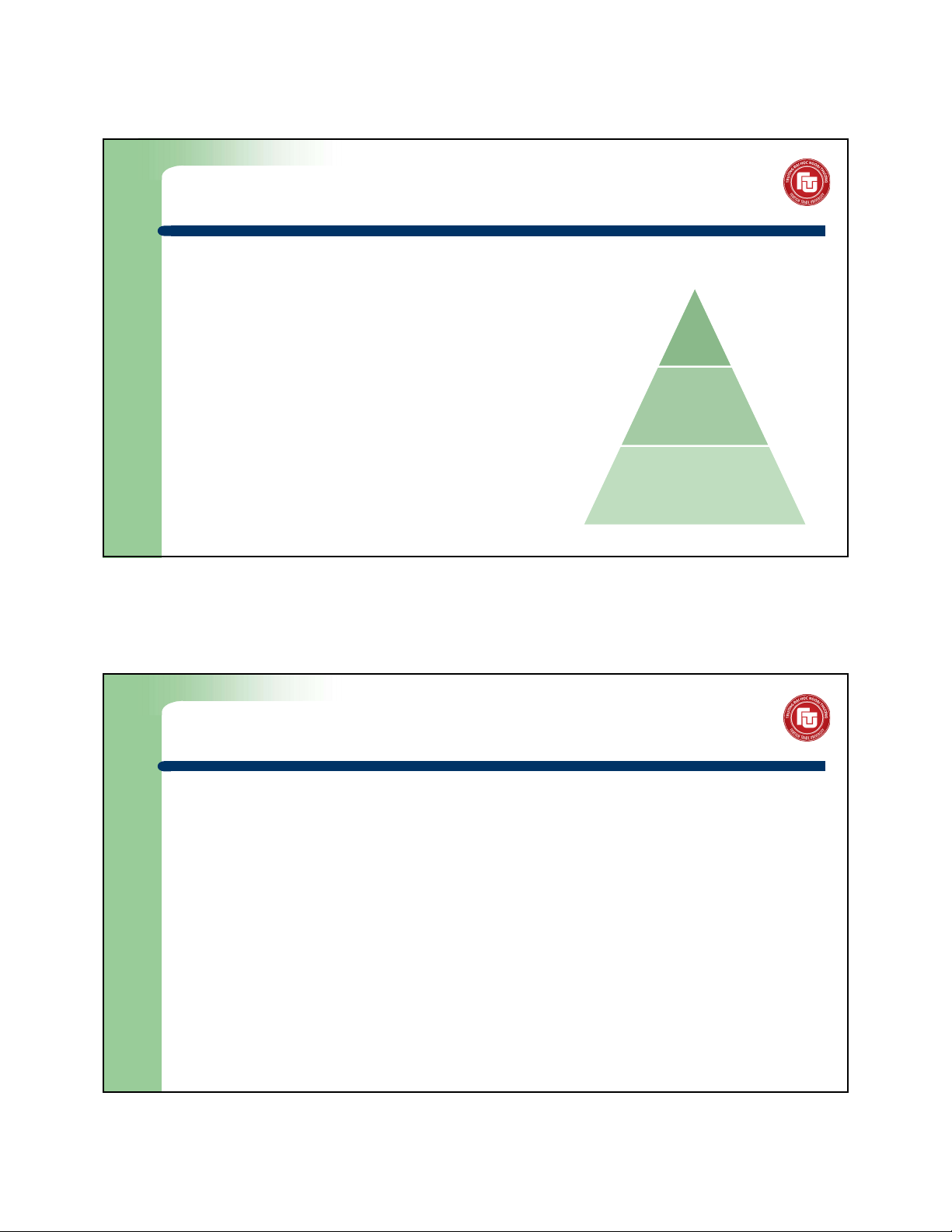
1.1. Information and information processing 1.1.1. Concept of information Knowledge:
is a familiarity, awareness, or Knowledge
understanding of someone or something,
such as facts, information, descriptions,
or skil s, which is acquired through
experience or education by perceiving, Information discovering, or learning Data 30/09/24 10:53 AM 11
1.1. Information and information processing 1.1.2. Information forms
Language, symbols, signals, images, sounds … Information carrier:
Things can contain/transport information are cal ed the information carrier. Example:
Traditional media carriers: books, newspapers
Communication devices: TV, radio Camera film
In information technology: magnetic tapes, magnetic discs, memory sticks ... 30/09/24 10:53 AM 12
Informatics - Foreign Trade University 6 © Trần Trọng Huy Sept. 2024
https://youtube.com/c/TrongHuyTran
1.1. Information and information processing
1.1.3. Information transmission methods
By audio/sound: language, radio, speakers,...
By symbols: hands communication between deaf people, brail e of blind people...
By signal: Mocse signal, computer network....
Through documents, books ... 30/09/24 10:53 AM 13
1.1. Information and information processing 1.1.4. Information Properties
Usefulness: Perceptions that bring new understanding, enrich the
recipient's knowledge are considered informative.
Orientation: Al information when used needs to be clearly defined
where it is sent and where it is received.
Relativity: Information wil bring different values to different receivers, locations, times ... 30/09/24 10:53 AM 14
Informatics - Foreign Trade University 7 © Trần Trọng Huy Sept. 2024
https://youtube.com/c/TrongHuyTran
1.1. Information and information processing
1.1.5. Information processing procedure Information Extraction Information Information Information Acquisition Processing Storing Transmission 30/09/24 10:53 AM 15
1.2. Informatics and application 1.2.1. Informatics concept
Informatics is the study of the structure, behavior, and
interactions of natural and engineered computational systems
Informatics is a branch of information engineering. It
involves the practice of information processing and the
engineering of information systems, and as an academic field
it is an applied form of information science (Wikipedia) 30/09/24 10:53 AM 16
Informatics - Foreign Trade University 8 © Trần Trọng Huy Sept. 2024
https://youtube.com/c/TrongHuyTran
1.2. Informatics and application
1.2.1. Informatics concept (cont.)
Easy understanding: Informatics may include everything that
related to computer equipment or office applications.
“Computer science is no more about computers than
astronomy is about telescopes” (Edsger Dijkstra) 30/09/24 10:53 AM 17
1.2. Informatics and application 1.2.2. Informatics components
Hardware: includes techniques to produce computer devices
FPT: Elead computer (Past); CMC, CMS, Thánh Gióng computer HP, Del , Acer, Thinkpad…
Software: computer programs that solve reality problems
System software: are the program to ensure the computer works properly (Operating System).
hệ điều hành đthoại của google •
Windows, Linux/Unix, Vietkey Linux - iOS, Android (smart phones), BOS (BKAV corp.),
Application software: including programs that solve application/reality problems (from big to smal ) •
Zing Mp3, ZingNews app, Flappy birds (game mobile - Nguyễn Hà Đông), Zalo app, Bluezone, Momo, Zalopay, vietel pay; Unikey app, 30/09/24 10:53 AM 18
Informatics - Foreign Trade University 9 © Trần Trọng Huy Sept. 2024
https://youtube.com/c/TrongHuyTran
1.2. Informatics and application
1.2.3. History of computer & informatics
1st computer generation: mechanical/ electromechanical
2nd computer generation: vacuum tubes
3rd computer generation: discrete transistors, integrated circuit (IC)
4th computer generation (now): large IC
Theoretical/experimental: Quantum computer, Chemical computer, DNA computing, Optical computer, … 30/09/24 10:53 AM 19
1.2. Informatics and application
1.2.4. Application of Informatics Connecting sciences.
Receiving and processing information fast.
Liberating people from harmful and heavy jobs, improving the cultural and spiritual life.
Creating conditions for people to have lifelong learning and get the knowledge of humankind (via the Internet). … 30/09/24 10:53 AM 20
Informatics - Foreign Trade University 10 © Trần Trọng Huy Sept. 2024
https://youtube.com/c/TrongHuyTran 1.3. Computers
A computer is a programmable machine designed to perform
arithmetic and logical operations automatically and sequential y on
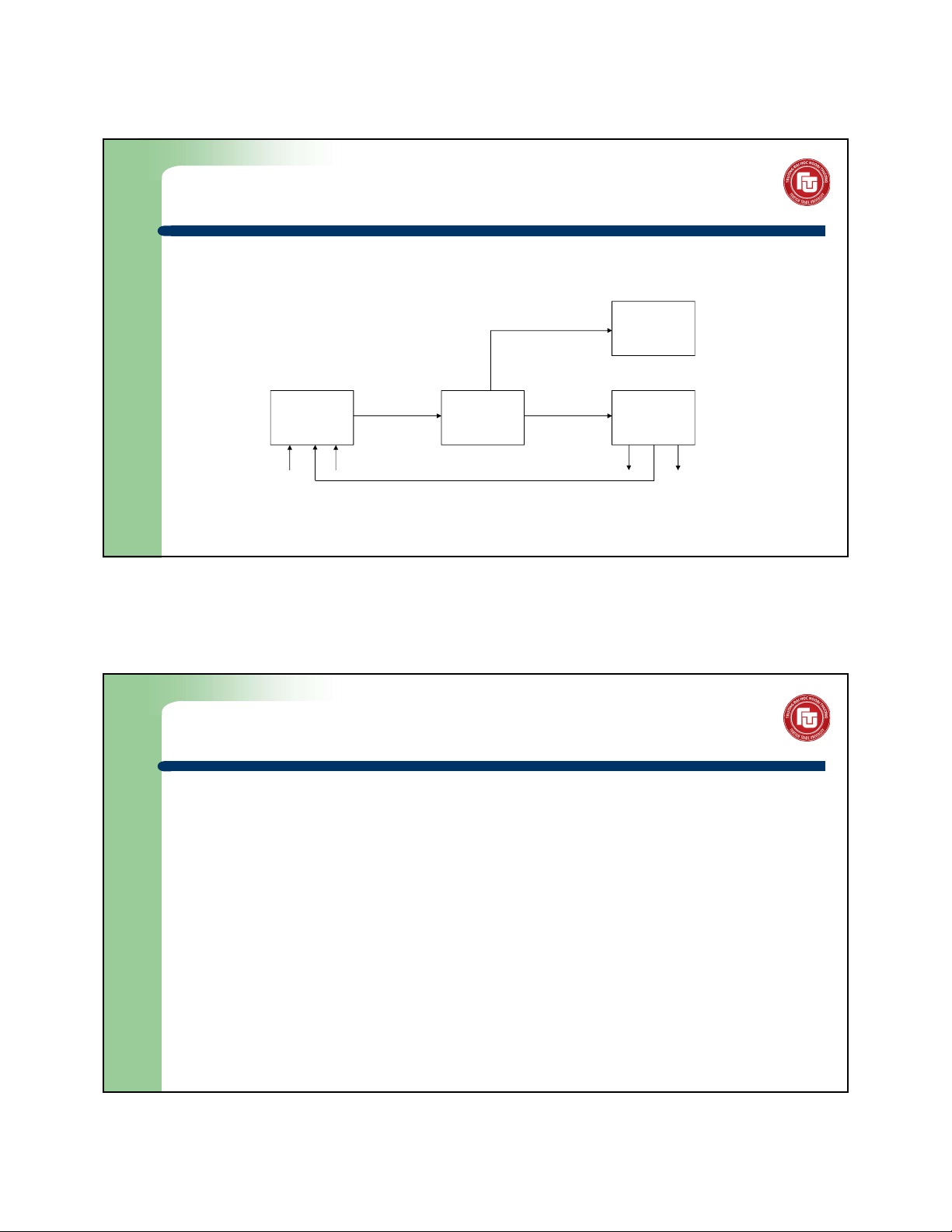
the input given by the user and gives the desired output after processing. 30/09/24 10:53 AM 21 1.3. Computers 1.3.1. Structure diagram input device output device 30/09/24 10:53 AM 22
Informatics - Foreign Trade University 11 © Trần Trọng Huy Sept. 2024
https://youtube.com/c/TrongHuyTran 1.3. Computers Structure diagram: 1 - Monitor 2 - Main board bo mạch chủ 3 - CPU (Chip) 4 - ATA/SATA ports 5 - RAM 6 - Expansion/PCI cards 7 - Power 8 - CD, DVD 9 - HDD 10 - Key board 11- Mouse 30/09/24 10:53 AM 23 1.3. Computers 1.3.2. Computer components 1.3.2.1. Case
Encloses most of the components of the system;
Provides mechanical support and protection for internal elements;
Controls and directs the flow of cooling air over internal components. 30/09/24 10:53 AM 24
Informatics - Foreign Trade University 12 © Trần Trọng Huy Sept. 2024
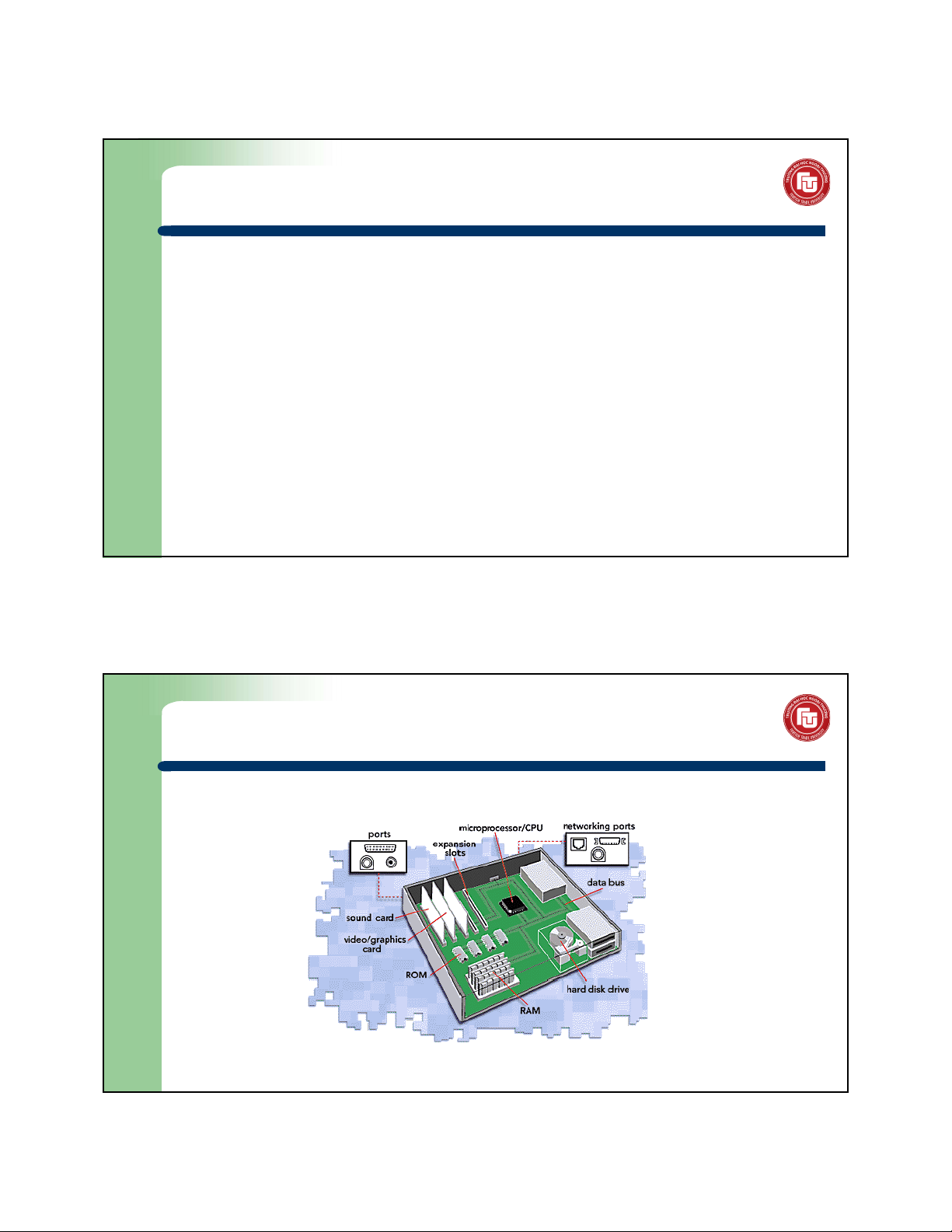
https://youtube.com/c/TrongHuyTran 1.3. Computers The mainboard (motherboard):
Main component of a computer
Connects the other parts of the computer including the CPU, the RAM, the disk drives
(CD, DVD, hard disk,…) as wel as any peripherals connected via the ports or the expansion slots.
Components directly attached to or to part of the mainboard include:
Central Processing Unit - CPU or Microprocessor or chip: performs most of the
calculations which enable a computer to function
Memories: store information, data 30/09/24 10:53 AM 25 1.3. Computers Inside a computer case 30/09/24 10:53 AM 26
Informatics - Foreign Trade University 13 © Trần Trọng Huy Sept. 2024
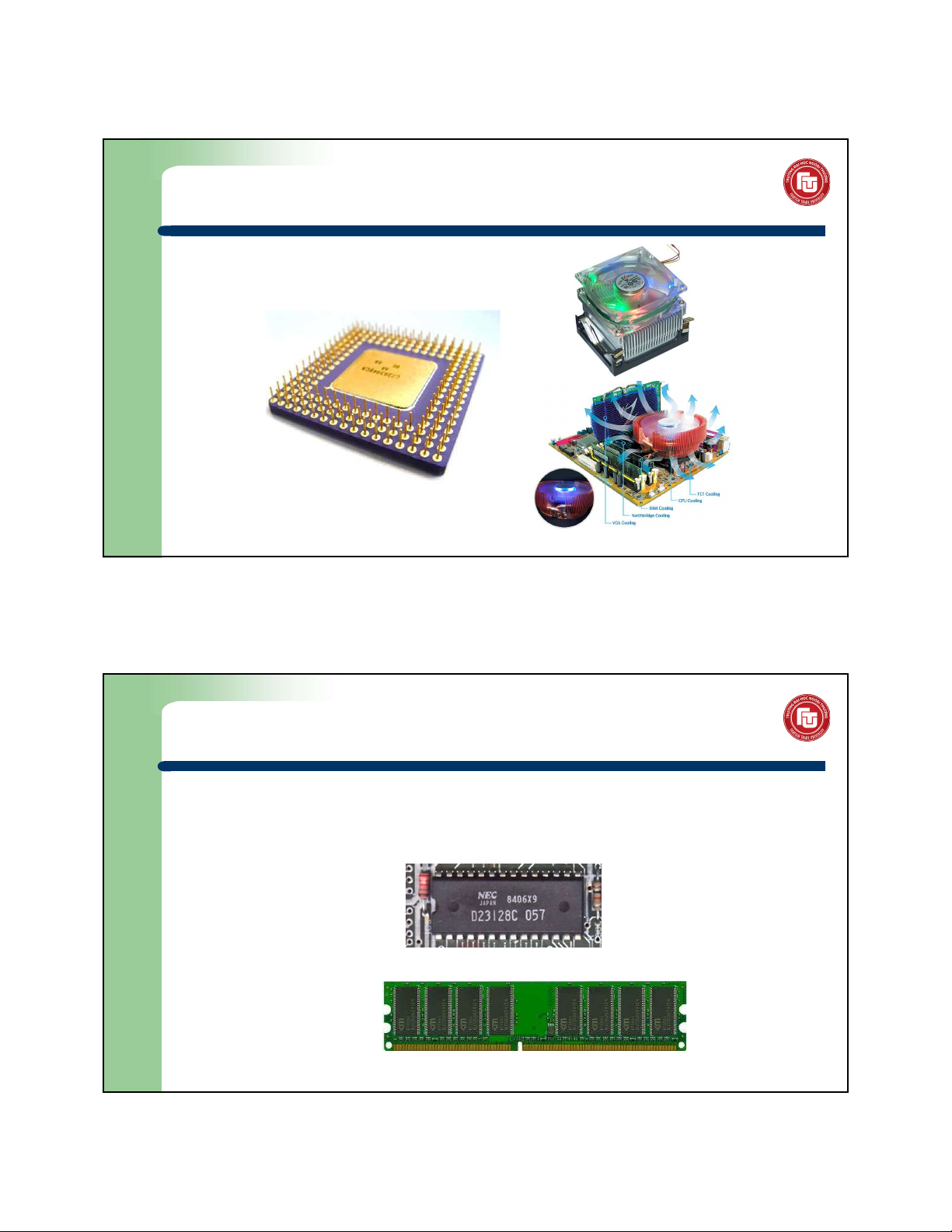
https://youtube.com/c/TrongHuyTran 1.3. Computers CPU (chip) 30/09/24 10:53 AM 27 1.3. Computers Memories: Internal memories: hard to find • ROM (Read Only Memory)
• RAM (Random Access Memory): normal y ≥ 1 GB easy to see
ram lớn =>. tốc độ càng nhanh 30/09/24 10:53 AM 28
Informatics - Foreign Trade University 14 © Trần Trọng Huy Sept. 2024
https://youtube.com/c/TrongHuyTran 1.3. Computers
External memories (storages):
• HDD (Hard Disk Drive): ≥ 100 GB
• SSD (Solid-State Drive): use flash memory 30/09/24 10:53 AM 29 1.3. Computers • CD (650MB), DVD (2-4GB)
• Flash USB (Universal Serial Bus) : 2GB, 4GB...
• FDD (Floppy Disk Drive): 1,44 MB 30/09/24 10:53 AM 30
Informatics - Foreign Trade University 15 © Trần Trọng Huy Sept. 2024
https://youtube.com/c/TrongHuyTran 1.3. Computers Computer ports: 30/09/24 10:53 AM 31 1.3. Computers 30/09/24 10:53 AM 32
Informatics - Foreign Trade University 16 © Trần Trọng Huy Sept. 2024
https://youtube.com/c/TrongHuyTran 1.3. Computers 1.3.2.2. Monitor Concept:
Monitor is a device used to display information from a computer, where
users receive and exchange information. Resolution:
Text mode: the screen is divided into 25 lines and 80 columns, displaying 25x80 characters
Graphics mode: divided into pixels, 800x600, 1024x768 ... resolution 30/09/24 10:53 AM 33 1.3. Computers 1.3.2.3. Printer
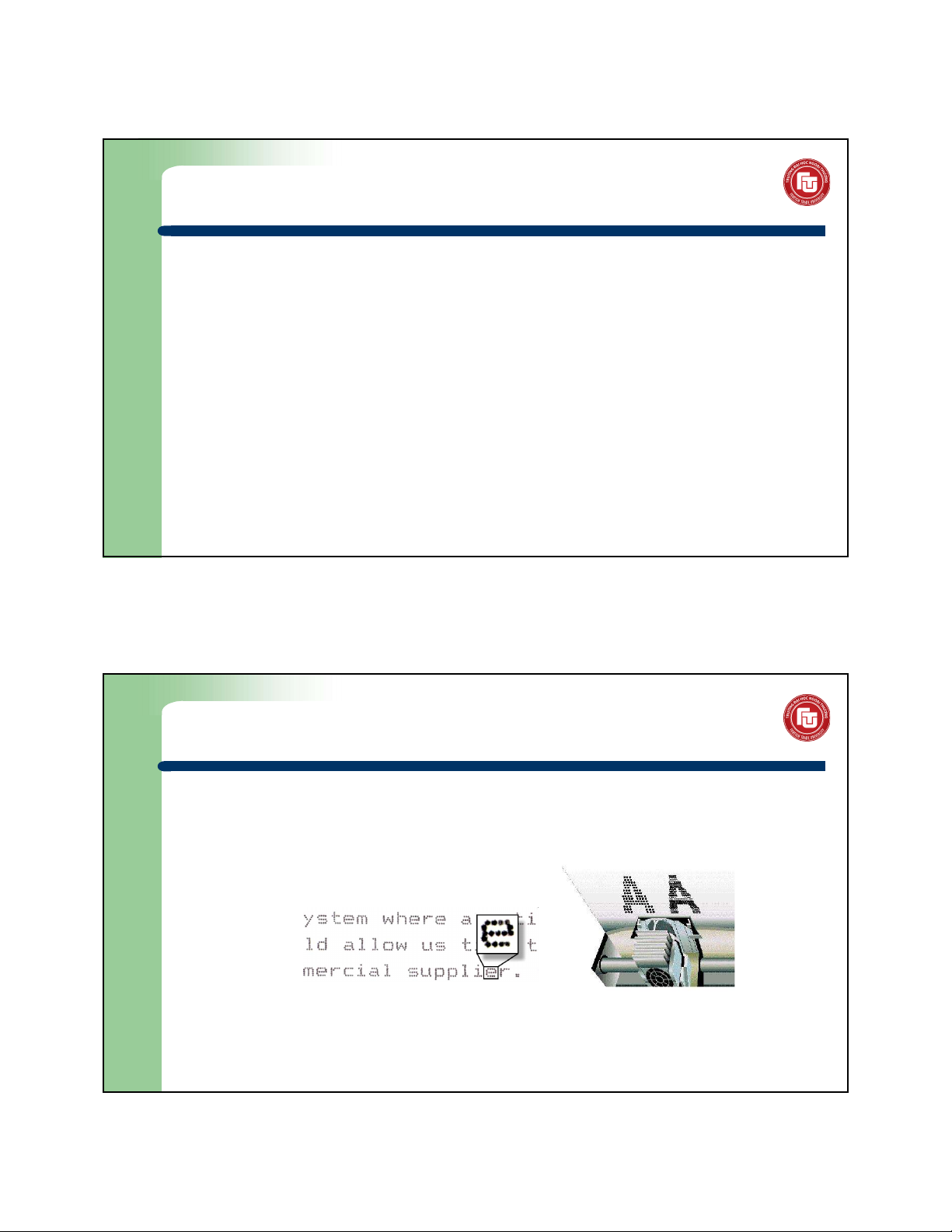
Printer is a peripheral device which makes a persistent representation of graphics or text on paper. Popular types:
Dot-matrix printer: 9 or 24 pins
Laser printer: high speed, good quality text, expensive
Liquid inkjet printers: inkjets are expensive 30/09/24 10:53 AM 34
Informatics - Foreign Trade University 17 © Trần Trọng Huy Sept. 2024
https://youtube.com/c/TrongHuyTran 1.3. Computers 1.3.2.4. Mouse
Is a hand-held pointing device that detects two-dimensional motion
relative to a surface, translated into the motion of a pointer on a display.
Used to control computer in graphics mode. 1.3.2.5. Key board
Is main input device, used to put information into computer. 30/09/24 10:53 AM 35 1.3. Computers
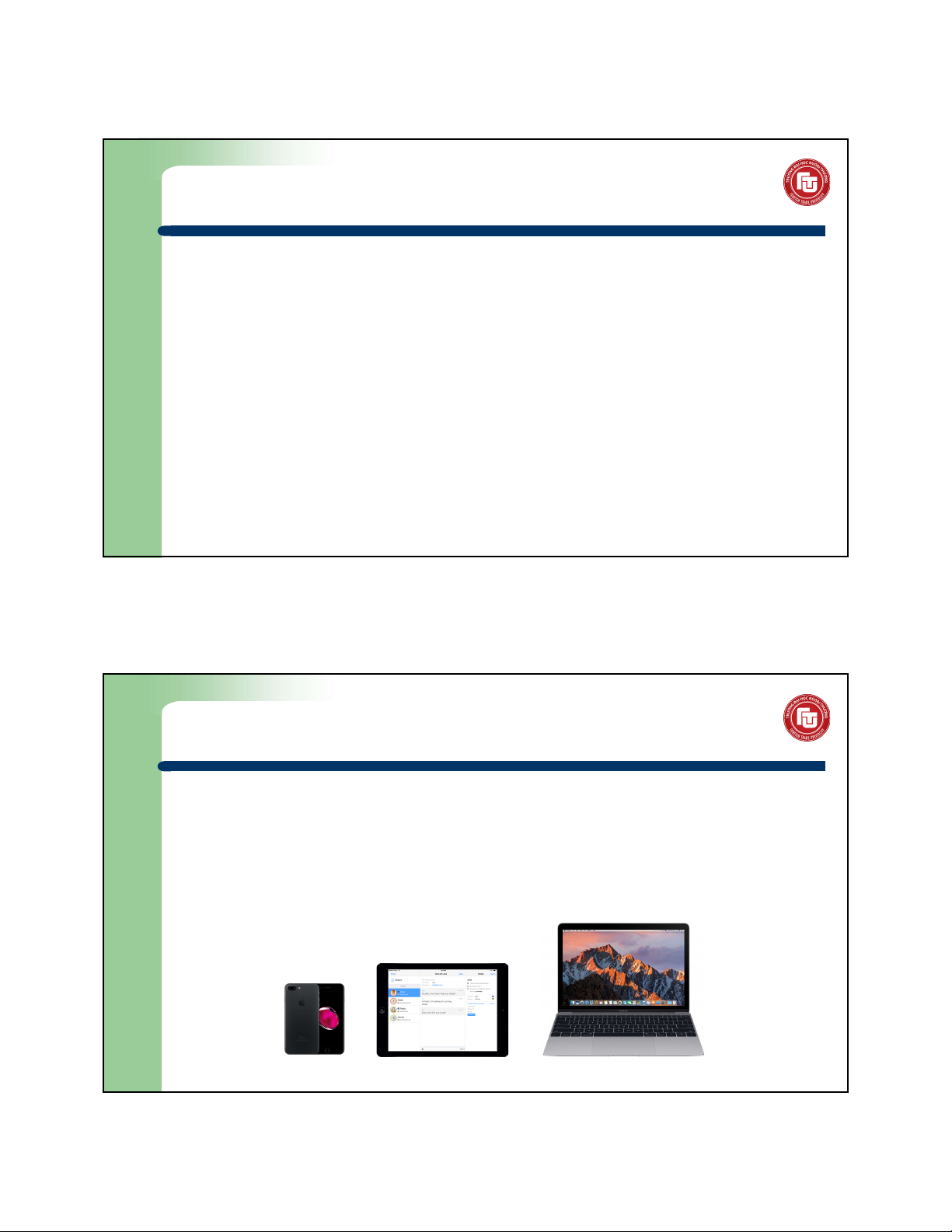
1.3.3. The modern electronic devices
Laptops: smal and portable PCs Tablets Smartphones 30/09/24 10:53 AM 36
Informatics - Foreign Trade University 18 © Trần Trọng Huy Sept. 2024
https://youtube.com/c/TrongHuyTran
1.4. Data management in computer 1.4.1. Data units
Different data carrier has different units. Example:
Books, newspaper: words, author pages (~1000 words), pages.
Communication: unit of time (minutes, seconds…) 30/09/24 10:53 AM 37
1.4. Data management in computer 1.4.1. Data units (cont.) Informatics:
Bit (b): is the basic unit of information, a binary variable that is 0 or 1 Byte (B): 1 byte = 8 bit
Kilo byte (KB): 1 KB = 1024 B
Megabyte (MB): 1 MB = 1024 KB ~ 1 mil ion bytes
Gigabyte (GB): 1 GB = 1024 MB ~ 1 bil ion bytes
Terabyte (TB): 1 TB = 1024 GB
Petabyte (PB): 1 PB = 1024 TB 30/09/24 10:53 AM 38
Informatics - Foreign Trade University 19 © Trần Trọng Huy Sept. 2024
https://youtube.com/c/TrongHuyTran
1.4. Data management in computer 1.4.2. File
A computer file is a computer resource for recording data discretely in a computer storage device. File name structure: .
File name: should be short, clear, understandable
File type (format or extension): indicates the content type of the file,
(e.g. .txt, .doc, .COM, etc.). Has 3 or 4 characters 30/09/24 10:53 AM 39
1.4. Data management in computer 1.4.3. Folder
A folder is a file system cataloging structure which contains
references to other computer files, and possibly other directories
Folder name: should be short, clear, understandable and no extension.
E.g.: My Documents, Tin hoc...
Folders structure: in a hierarchical file system, files and directories are
organized in a pattern that resembles a tree 30/09/24 10:53 AM 40
Informatics - Foreign Trade University 20