CấuHìnhVíDụ1



Preview text:
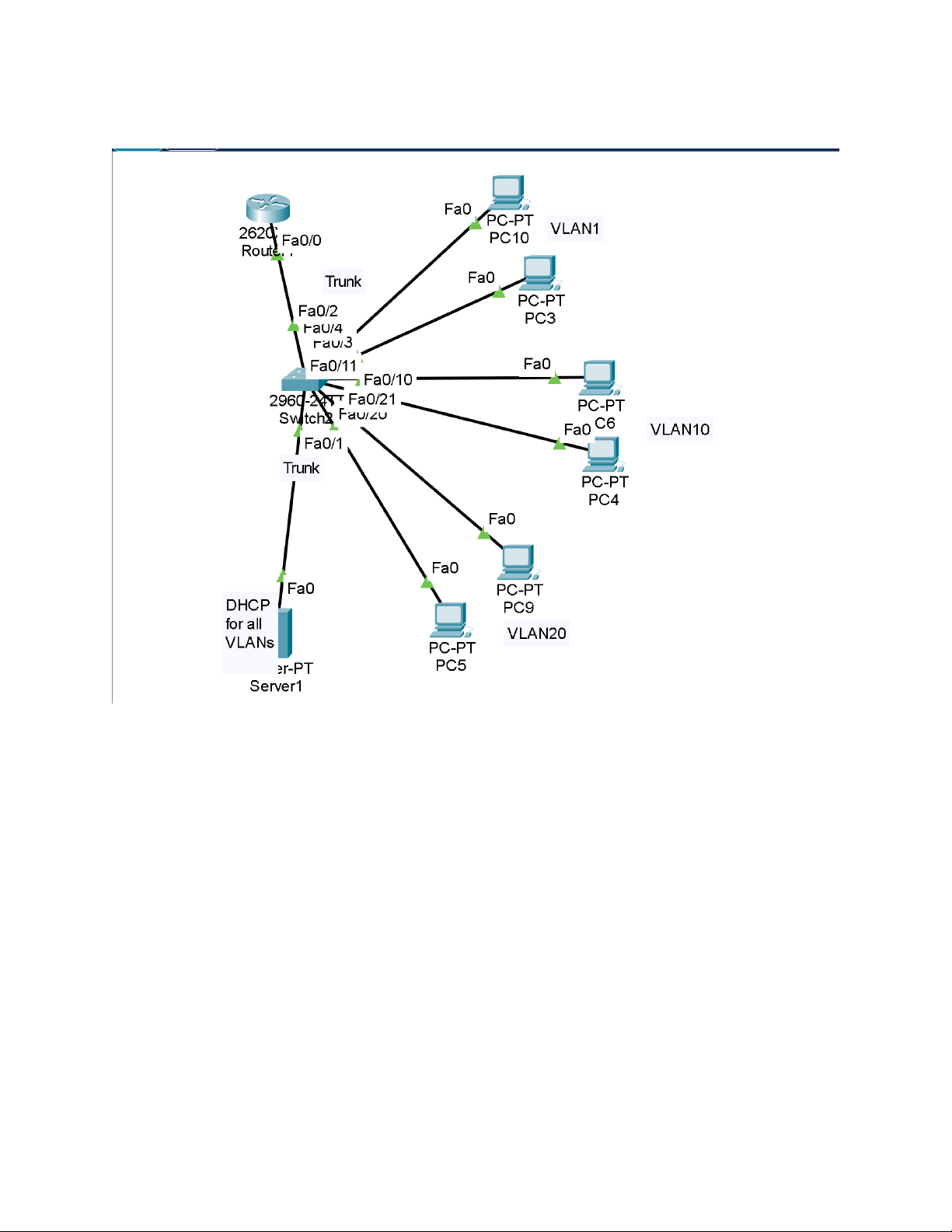
VÍ DỤ 1:
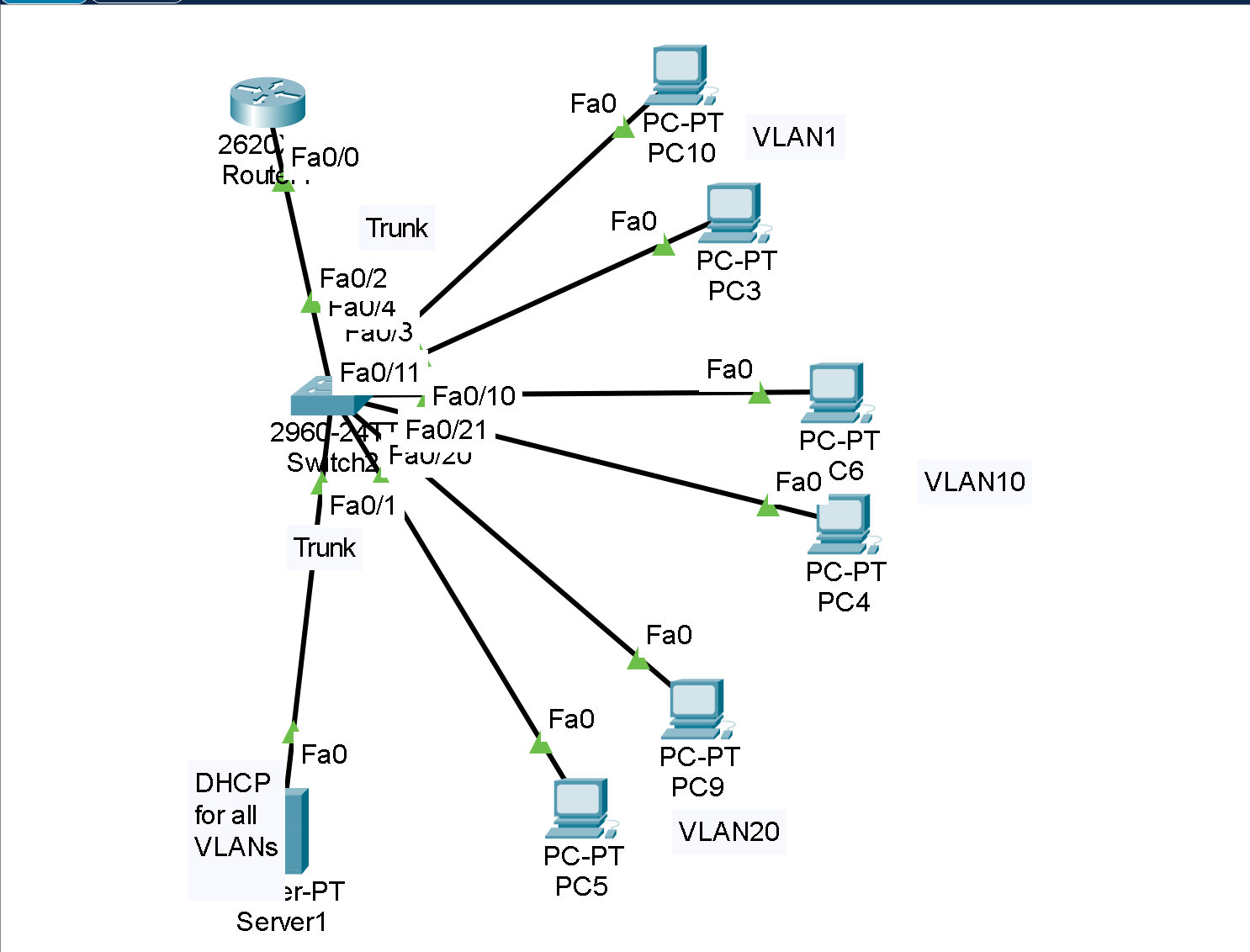
CÁC BƯỚC CẤU HÌNH :
Cấu hình Router (2620)
Router> enable
Router# conf t
Router(config)# hostname Router
Router(config)# no ip domain-lookup
! Tạo các subinterface cho từng VLAN
Router(config)# interface fa0/0.1
Router(config-subif)# encapsulation dot1Q 1 native
Router(config-subif)# ip address 192.168.1.1 255.255.255.0
Router(config)# interface fa0/0.10
Router(config-subif)# encapsulation dot1Q 10
Router(config-subif)# ip address 192.168.2.1 255.255.255.0
Router(config)# interface fa0/0.20
Router(config-subif)# encapsulation dot1Q 20
Router(config-subif)# ip address 192.168.3.1 255.255.255.0
Router(config-subif)# no shutdown
Cấu hình DHCP Server (Server1)
ip dhcp pool VLAN1
network 192.168.1.0 255.255.255.0
default-router 192.168.1.1
ip dhcp pool VLAN10
network 192.168.2.0 255.255.255.0
default-router 192.168.2.1
ip dhcp pool VLAN20
network 192.168.3.0 255.255.255.0
default-router 192.168.3.1
Cấu hình Switch (2960)
Switch> enable
Switch# conf t
! Tạo các VLAN
Switch(config)# vlan 1
Switch(config)# vlan 10
Switch(config)# vlan 20
! Gán cổng vào VLAN
Switch(config)# int fa0/10
Switch(config-if)# switchport mode access
Switch(config-if)# switchport access vlan 10
Switch(config)# int fa0/20
Switch(config-if)# switchport mode access
Switch(config-if)# switchport access vlan 20
! Cấu hình trunk lên router
Switch(config)# int fa0/1
Switch(config-if)# switchport mode trunk
Switch(config-if)# switchport trunk encapsulation dot1q
Kiểm tra
Switch# show vlan brief
Router# show ip interface brief
PC> ipconfig /renew
PC> ping 192.168.2.1
Ý NGHĨA VÀ MỤC ĐÍCH
Phân tách VLAN trên Switch
Định tuyến liên VLAN
Cấu hình DHCP theo VLAN
Kiểm tra bằng ping và show ip interface brief.