Báo cáo Môn Phát triển ứng dụng cho thiết bị di động | Đại học Bách Khoa Hà Nội
Báo cáo Môn Phát triển ứng dụng cho thiết bị di động. Tài liệu được sưu tầm gồm 10 trang, giúp bạn ôn tập tốt hơn. Mời các bạn đón xem.
Môn: Phát triển ứng dụng cho thiết bị di động 21 tài liệu
Trường: Đại học Bách Khoa Hà Nội 5.6 K tài liệu
Tác giả:


Preview text:
lOMoAR cPSD| 61552889 Mã lớp: 151902 Giảng viên hướng dẫn lOMoAR cPSD| 61552889 Mục lục
1. Learn about operators and types............................................................................................................. 3
a. Explore numeric operators .................................................................................................................. 3
b. Practice using types ............................................................................................................................. 3
c. Learn the value of variable types ......................................................................................................... 4
d. Learn about strings and characters ..................................................................................................... 5
2. Compare conditions and booleans .......................................................................................................... 5
3. Learn about nullability .............................................................................................................................. 6
a. Learn about nullability .......................................................................................................................... 6
b. Learn about the ? and ?: operators ..................................................................................................... 6
c. A point about null pointers .................................................................................................................. 7
4. Explore arrays, lists, and loop .................................................................................................................. 7
a. Make lists ............................................................................................................................................. 7
b. Create arrays ........................................................................................................................................ 7
c. Create loops ......................................................................................................................................... 8 lOMoAR cPSD| 61552889
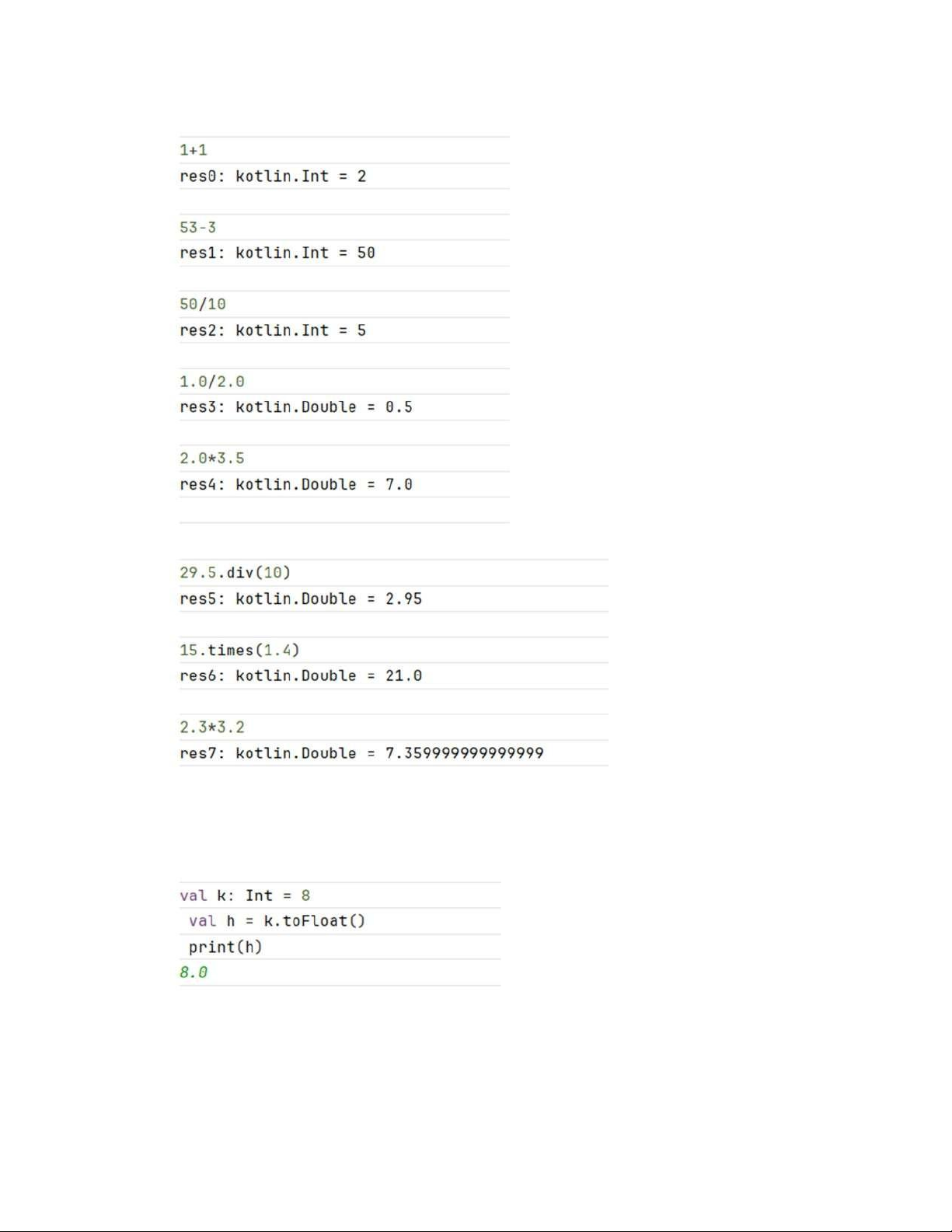
1. Learn about operators and types a. Explore numeric operators b. Practice using types
- To explore possible type casts, create a variable of type Int in the REPL, convert it to a byte
using the .toByte() method, and then print the variable's value .
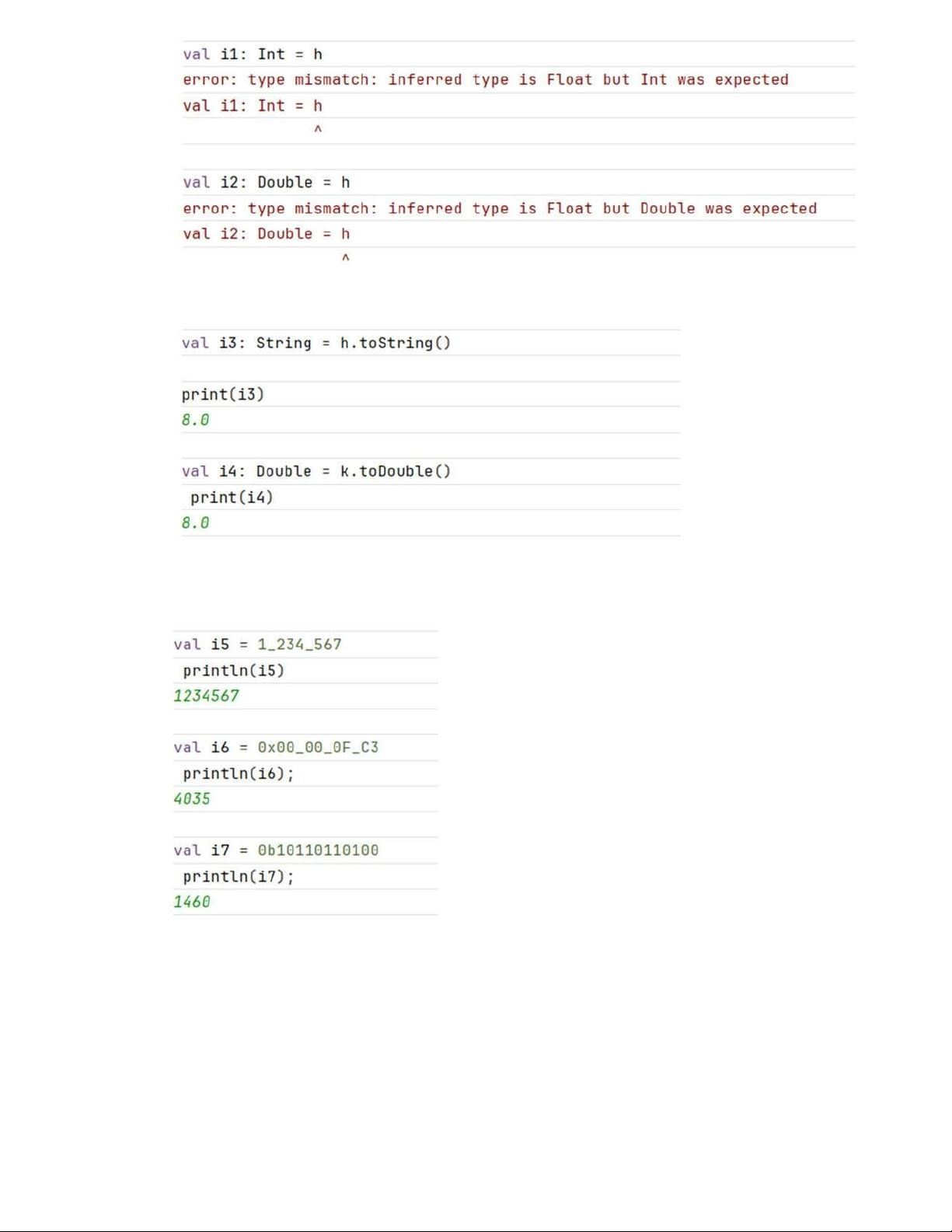
- Assign a Byte value to variables of different types. lOMoAR cPSD| 61552889
- For the assignments that returned errors, try casting them instead
- To make long numeric constants more readable, Kotlin allows you to place underscores in
the numbers, where it makes sense to you. Try entering different numeric constants.
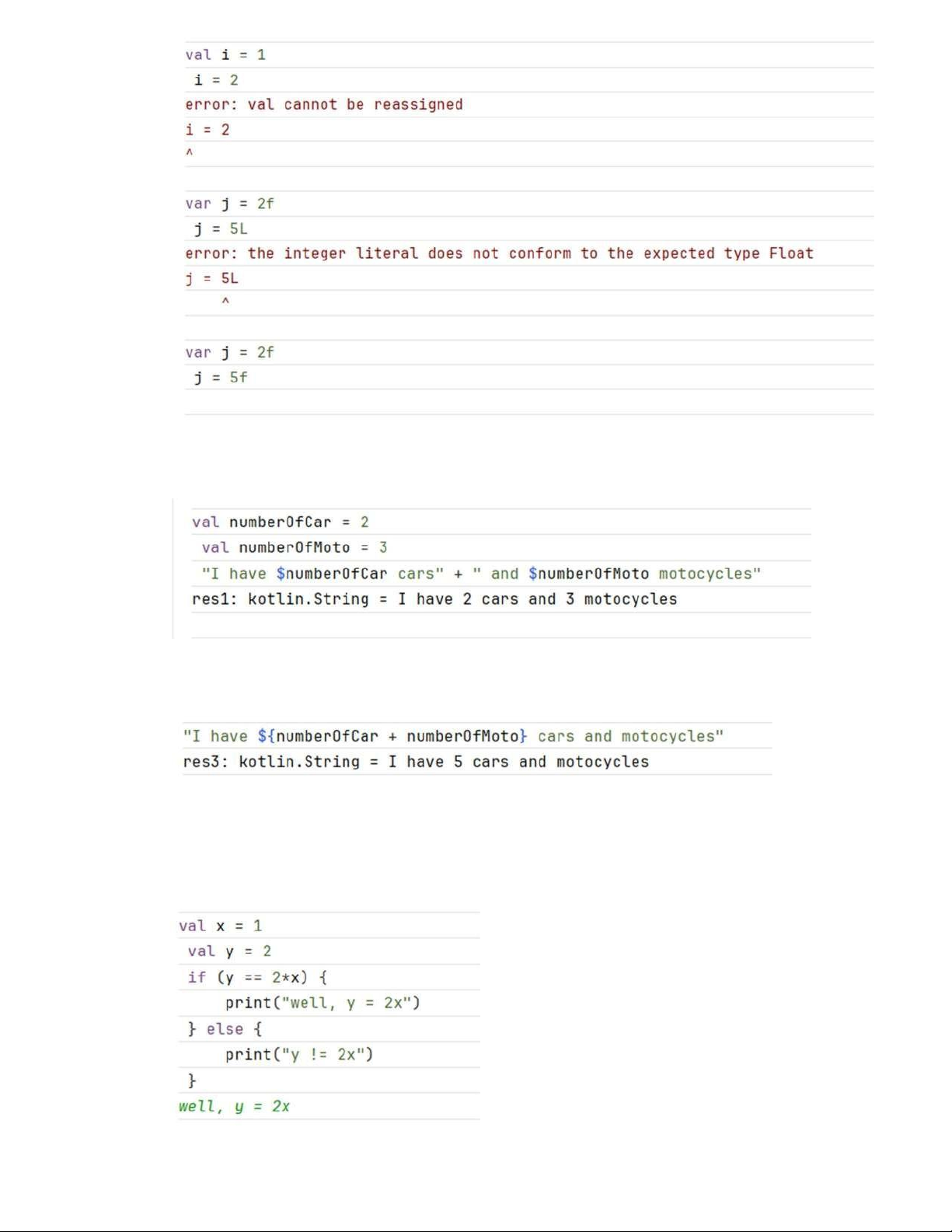
c. Learn the value of variable types -
Define variables using val and var and then assign new values to them. -
Define some variables and specify the type explicitly. lOMoAR cPSD| 61552889
d. Learn about strings and characters - Create a string template.
- Create a string template with an expression in it. As in other languages, the value can be the
result of an expression. Use curly braces {} to define the expression.
2. Compare conditions and booleans - Write an if/else statement. lOMoAR cPSD| 61552889
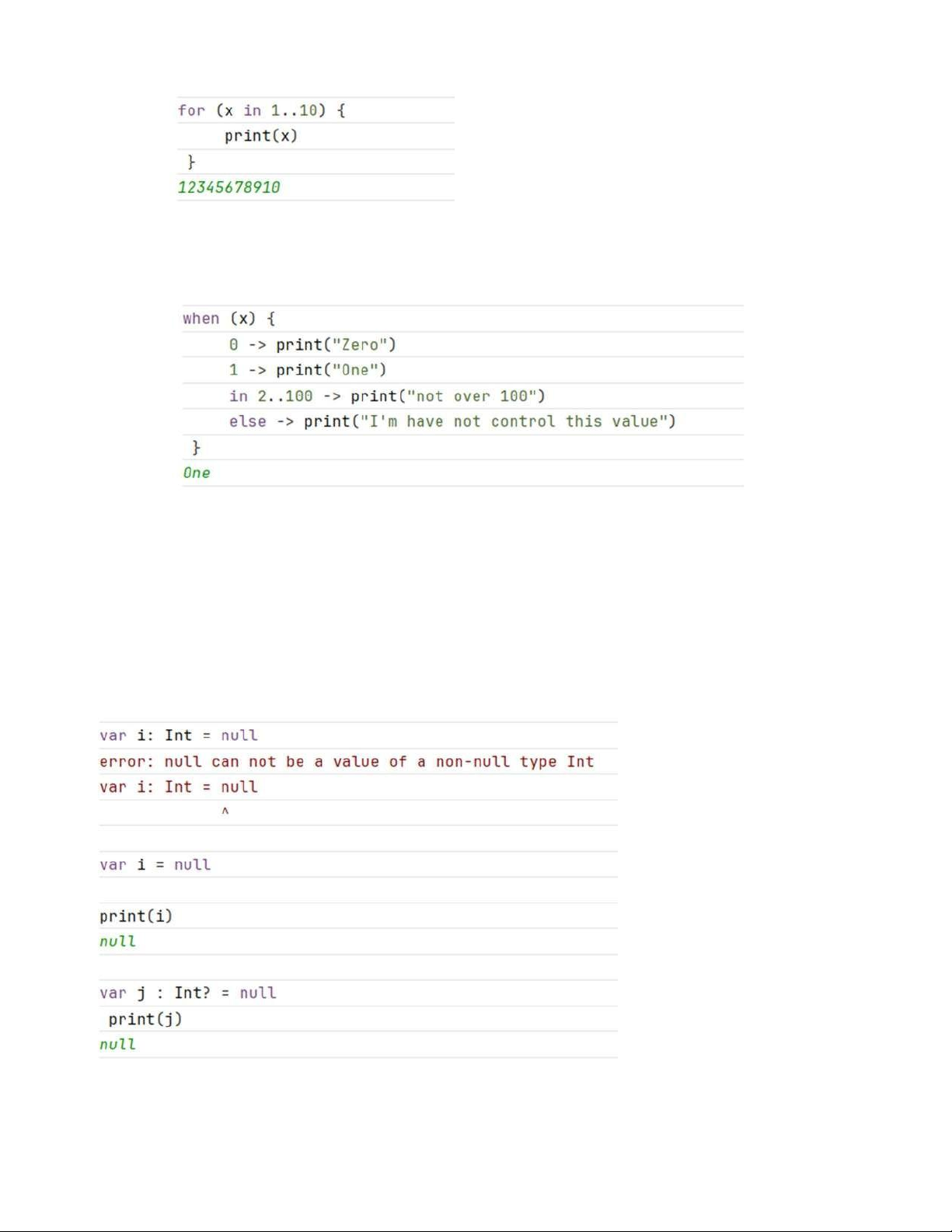
- Kotlin allows defining a range of values using the ".." operator. Ranges can also be used in
conditions within if statements.
- A when statement in Kotlin is a convenient alternative to multiple if/else statements, similar
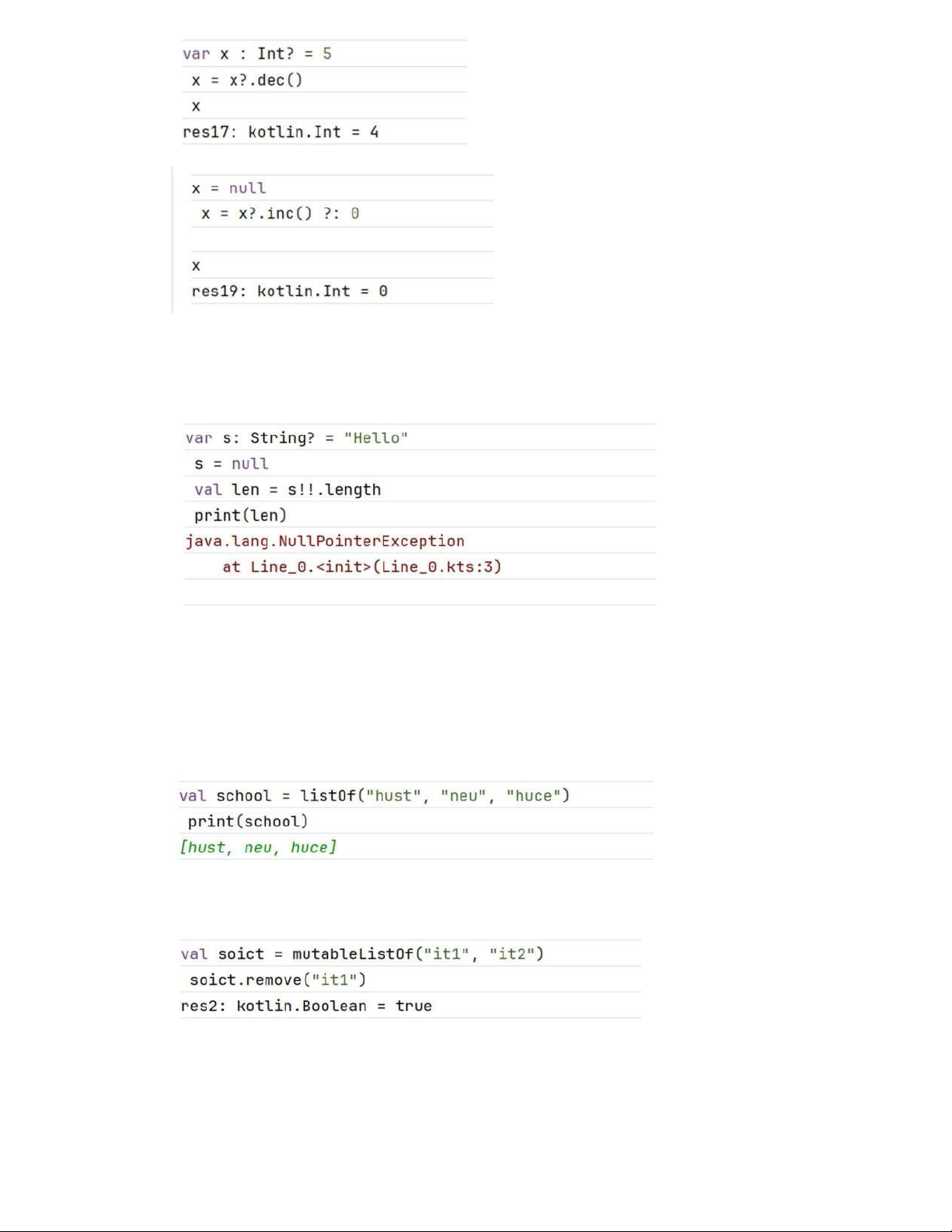
to the switch statement in other languages. It can also handle conditions using ranges. 3. Learn about nullability a. Learn about nullability
b. Learn about the ? and ?: operators lOMoAR cPSD| 61552889
c. A point about null pointers
- The not-null assertion operator, !! (double-bang), converts any value to a non-null type and
throws an exception if the value is null.
4. Explore arrays, lists, and loop a. Make lists
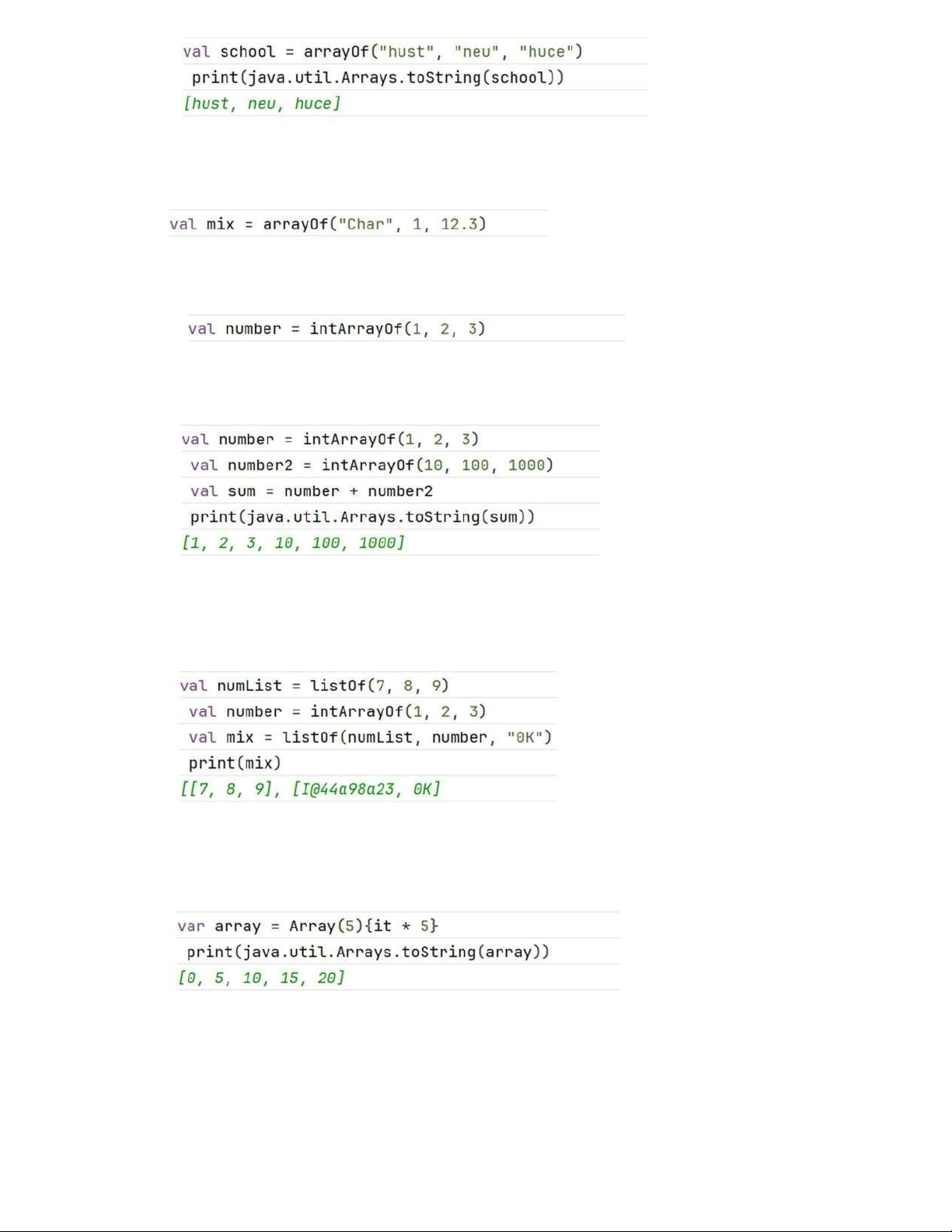
- Declare a list using listOf and print it out. This list cannot be changed.
- Declare a list that can be changed using mutableListOf. Remove an item. b. Create arrays
- Declare an array of strings using arrayOf. Use the java.util.Arrays.toString() array utility to print it out. lOMoAR cPSD| 61552889
- An array declared with arrayOf doesn’t have a type associated with the elements, so you can
mix types, which is helpful. Declare an array with different types.
- You can declare arrays with a single type for all elements. For an array of integers, use
intArrayOf(), and there are similar functions for other types.
- Combine two arrays with the + operator.
- Experiment with various combinations of nested arrays and lists. Just like in other languages,
you can nest arrays within arrays or lists within lists, resulting in arrays of arrays or lists of
lists. The elements of an array can be lists, and the elements of a list can be arrays.
- One nice feature of Kotlin is that you can initialize arrays with code instead of initializing them to 0. Try this example: c. Create loops
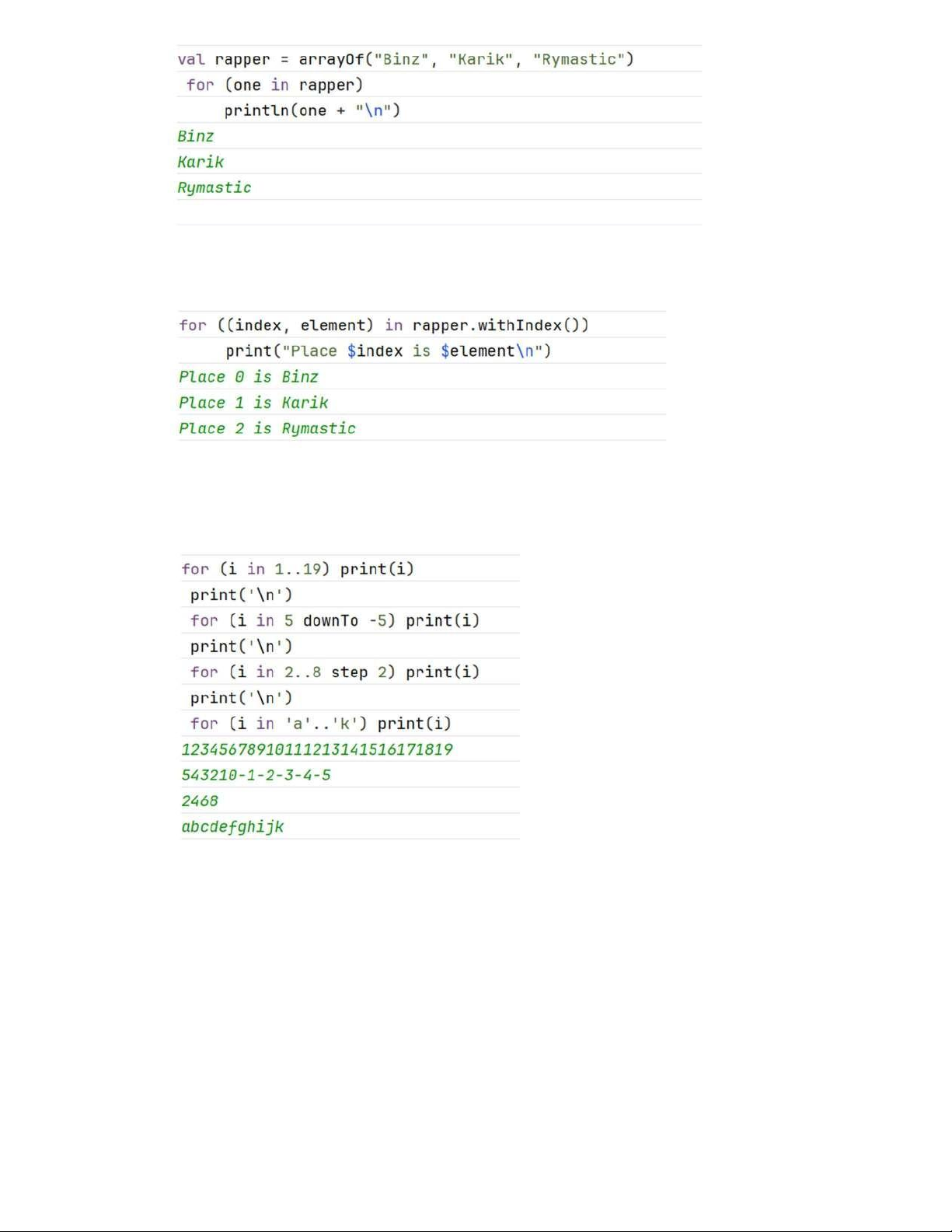
- Create an array. Use a for loop to iterate through the array and print the elements. lOMoAR cPSD| 61552889
- In Kotlin, you can loop through the elements and the indexes at the same time. Try this example:
- Experiment with different step sizes and ranges. You can specify numeric or alphabetical
ranges and step forward or backward using downTo.
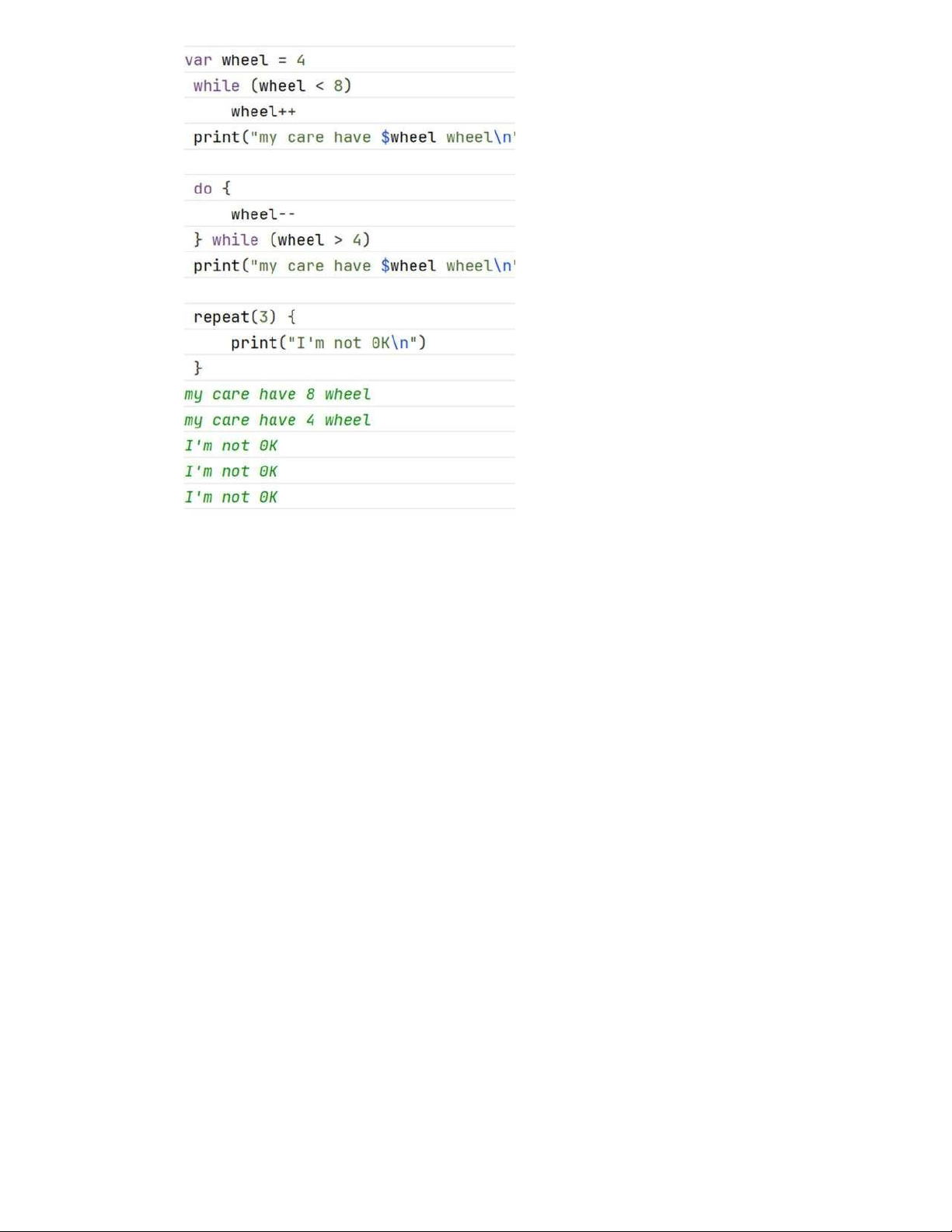
- Try out some loops. Like other languages, Kotlin has while loops, do...while loops, and ++
and – operators. Kotlin also has repeat loops lOMoAR cPSD| 61552889
Tài liệu liên quan:
-

Báo cáo Lession 5 Môn Phát triển ứng dụng cho thiết bị di động | Đại học Bách Khoa Hà Nội
62 31 -

Báo cáo bài 2 Môn Phát triển ứng dụng cho thiết bị di động | Đại học Bách Khoa Hà Nội
65 33 -
Nhập môn kỹ thuật truyền thông_Cô Ngô Quỳnh Thu| Bài giảng Nhập môn kỹ thuật truyền thông| Trường Đại học Bách Khoa Hà Nội
381 191 -
Đề và đáp án trắc nghiệm MobileQuiz| Đề thi Phát triển ứng dụng cho thiết bị di động| Trường Đại học Bách Khoa Hà Nội
773 387