Báo cáo bài 2 Môn Phát triển ứng dụng cho thiết bị di động | Đại học Bách Khoa Hà Nội
Báo cáo bài 2 Môn Phát triển ứng dụng cho thiết bị di động. Tài liệu được sưu tầm gồm 12 trang, giúp bạn ôn tập tốt hơn. Mời các bạn đón xem.
Môn: Phát triển ứng dụng cho thiết bị di động 23 tài liệu
Trường: Đại học Bách Khoa Hà Nội 5.8 K tài liệu
Tác giả:







Preview text:
lOMoAR cPSD| 61552889
ĐẠI HỌC BÁCH KHOA HÀ NỘI lOMoAR cPSD| 61552889
Trường Công nghệ thông tin và Truyền thông BÁO CÁO LESSION 2
Môn: Phát triển ứng dụng cho thiết bị di ộng – IT4785 Mã lớp: 151902 Giảng viên hướng dẫn : Thầy Nguyễn Hồng Quang Họ và tên – MSSV : Nguyễn Văn Minh - 20215092 Contents
1. Explore the main() function ........................................................................................ 3
2. Learn why (almost) everything has a value ................................................................. 4
3. Learn more about functions ....................................................................................... 5
4. Explore default values and compact functions ........................................................... 7
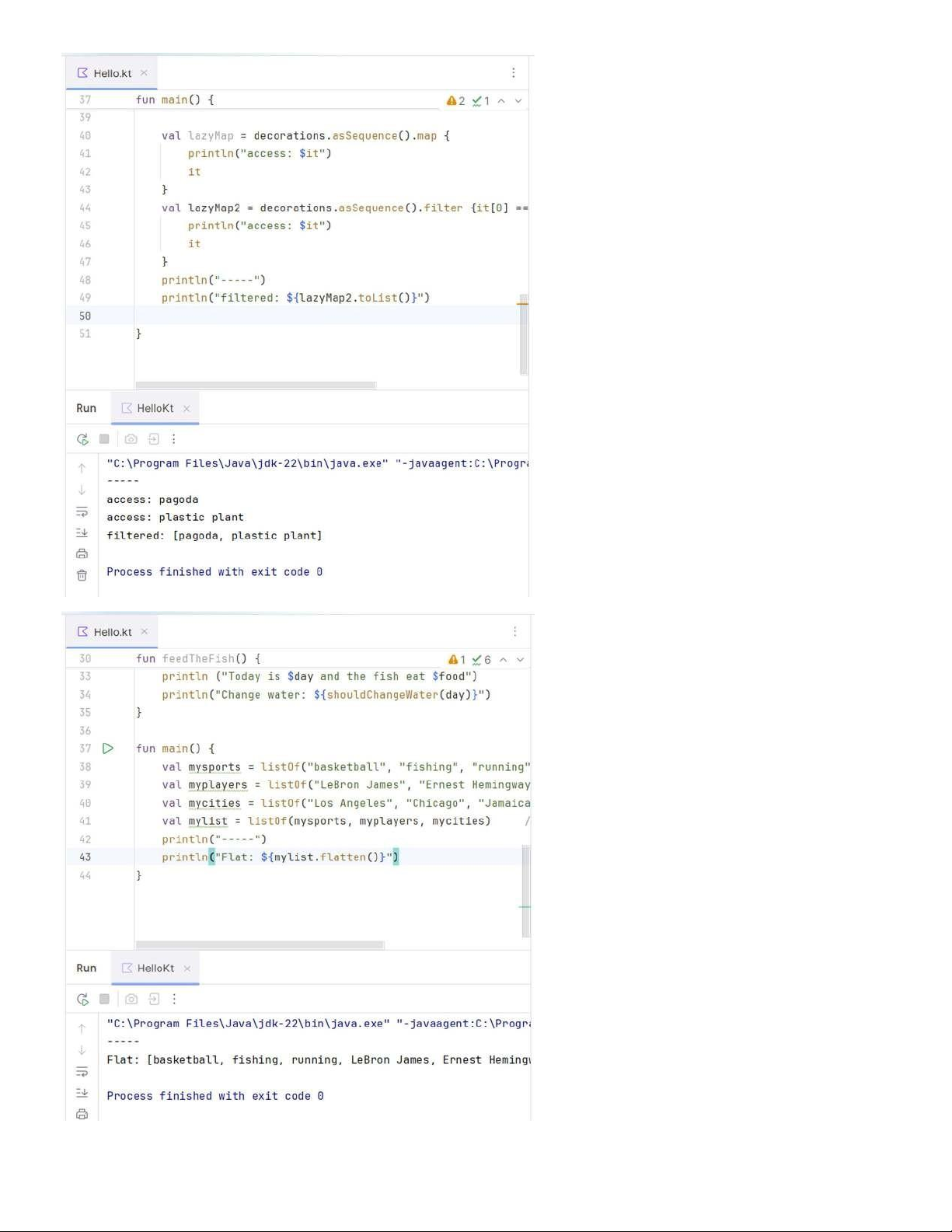
5. Get started with filters ................................................................................................ 8
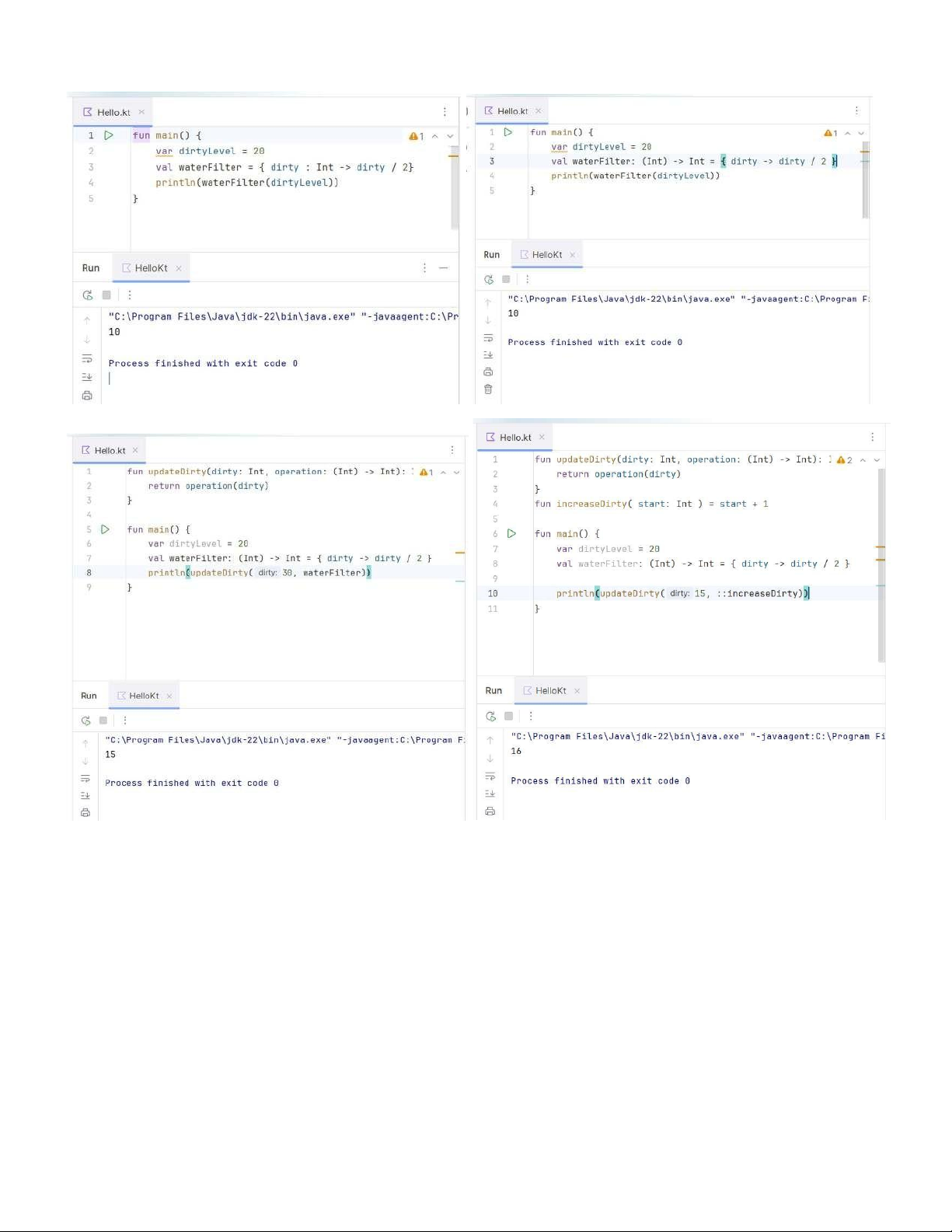
6. Get started with lambdas and higher-order functions .............................................. 10
7. Summary .................................................................................................................. 11 lOMoAR cPSD| 61552889
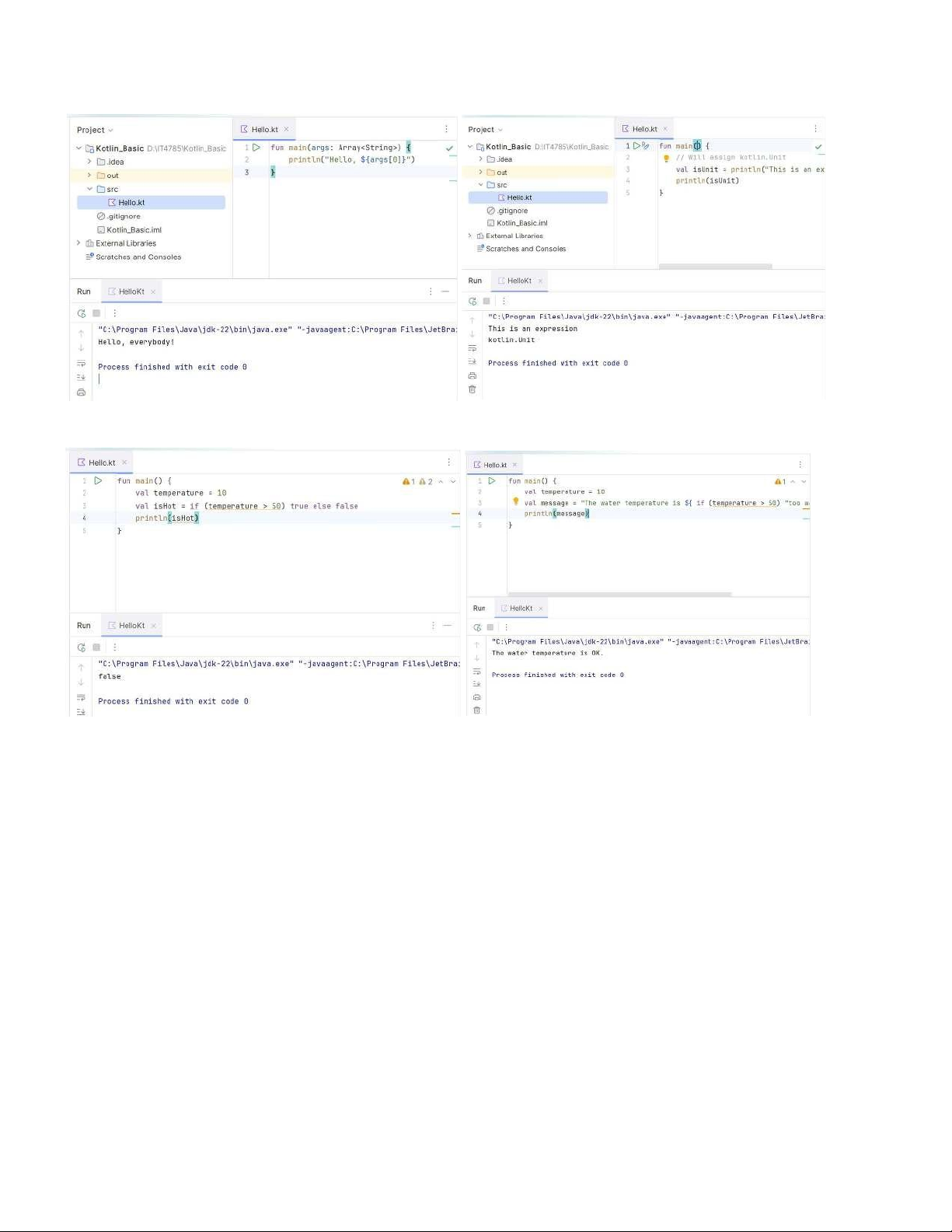
1. Explore the main() function lOMoAR cPSD| 61552889
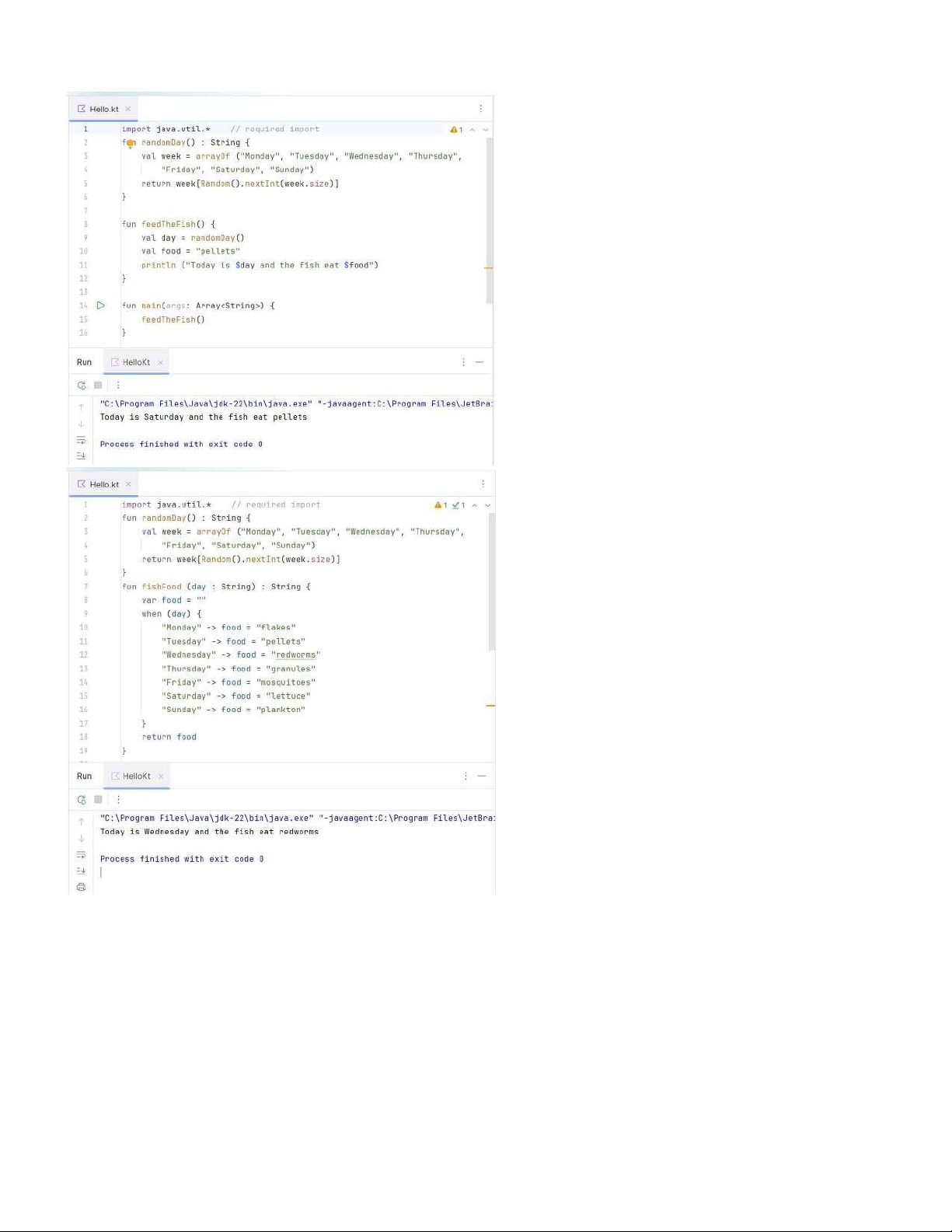
2. Learn why (almost) everything has a value lOMoAR cPSD| 61552889 3. Learn more about functions lOMoAR cPSD| 61552889 lOMoAR cPSD| 61552889
4. Explore default values and compact functions lOMoAR cPSD| 61552889 5. Get started with filters lOMoAR cPSD| 61552889 lOMoAR cPSD| 61552889
6. Get started with lambdas and higher-order functions lOMoAR cPSD| 61552889 7. Summary •
To create new Kotlin source files in IntelliJ IDEA, click on "src" in the Project pane and right-click to bring up
a menu. Select "New->Kotlin File/Class". •
To compile and run a program in IntelliJ IDEA, click the green triangle next to the function. Output appears in a window below.main() •
In IntelliJ IDEA, specify command line arguments to pass to the function in Run > Edit Configurations.main() •
Almost everything in Kotlin has a value. You can use this fact to make your code more concise by using the
value of an or as an expression or return value.ifwhen •
Default arguments remove the need for multiple versions of a function or method. For example: fun
swim(speed: String = "fast") { ... } •
Compact functions, or single-expression functions, can make your code more readable. For example: fun
isTooHot(temperature: Int) = temperature > 30 •
You've learned some basics about filters, which use lambda expressions. For example: val beginsWithP =
decorations.filter { it [0] == 'p' } •
A lambda expression is a function that is not bound to an identifier, i.e. it is an anonymous function.
Lambda expressions are defined between curly braces .{} lOMoAR cPSD| 61552889 •
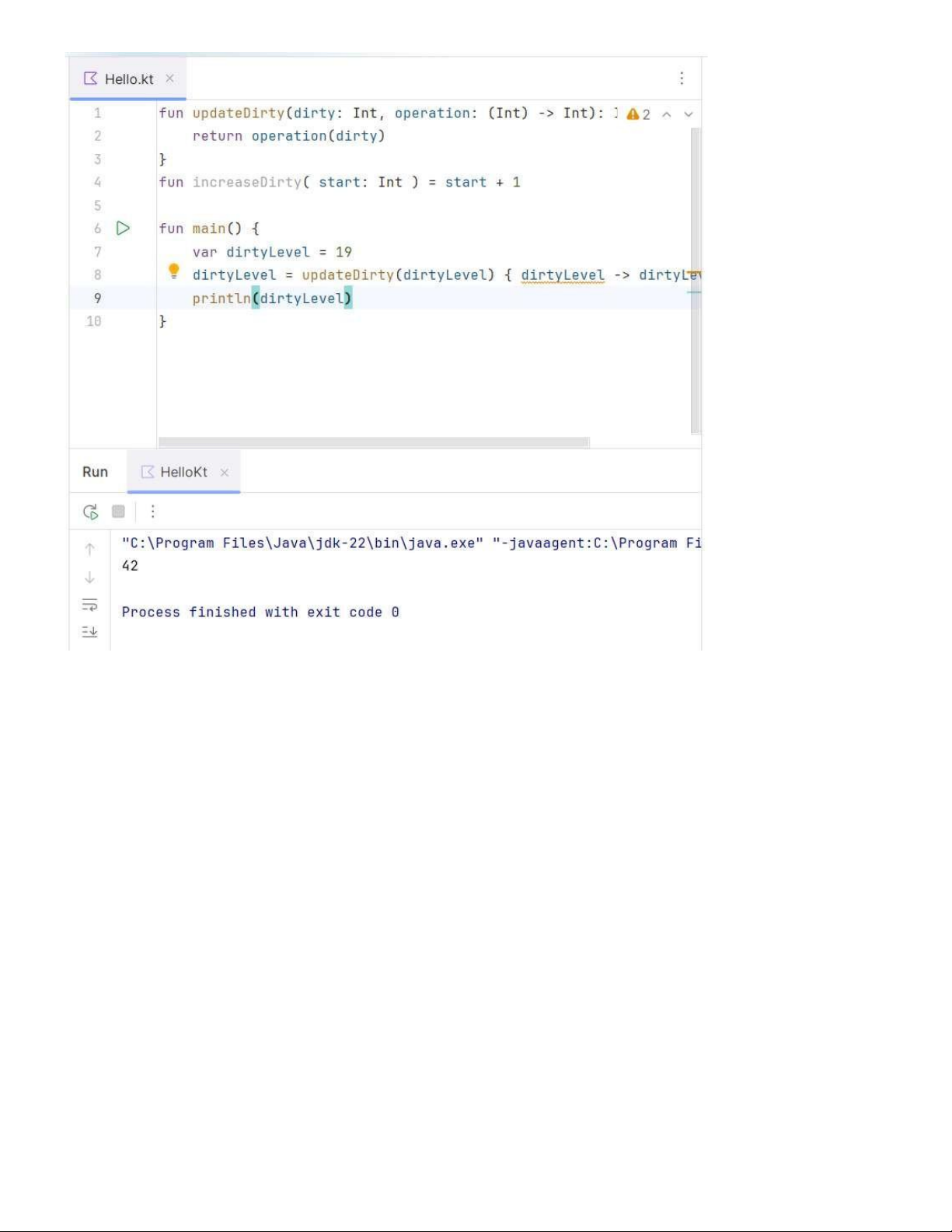
In a higher-order function, you pass a function such as a lambda expression to another function as data.
For example: dirtyLevel = updateDirty(dirtyLevel) { dirtyLevel -> dirtyLevel + 23}