English
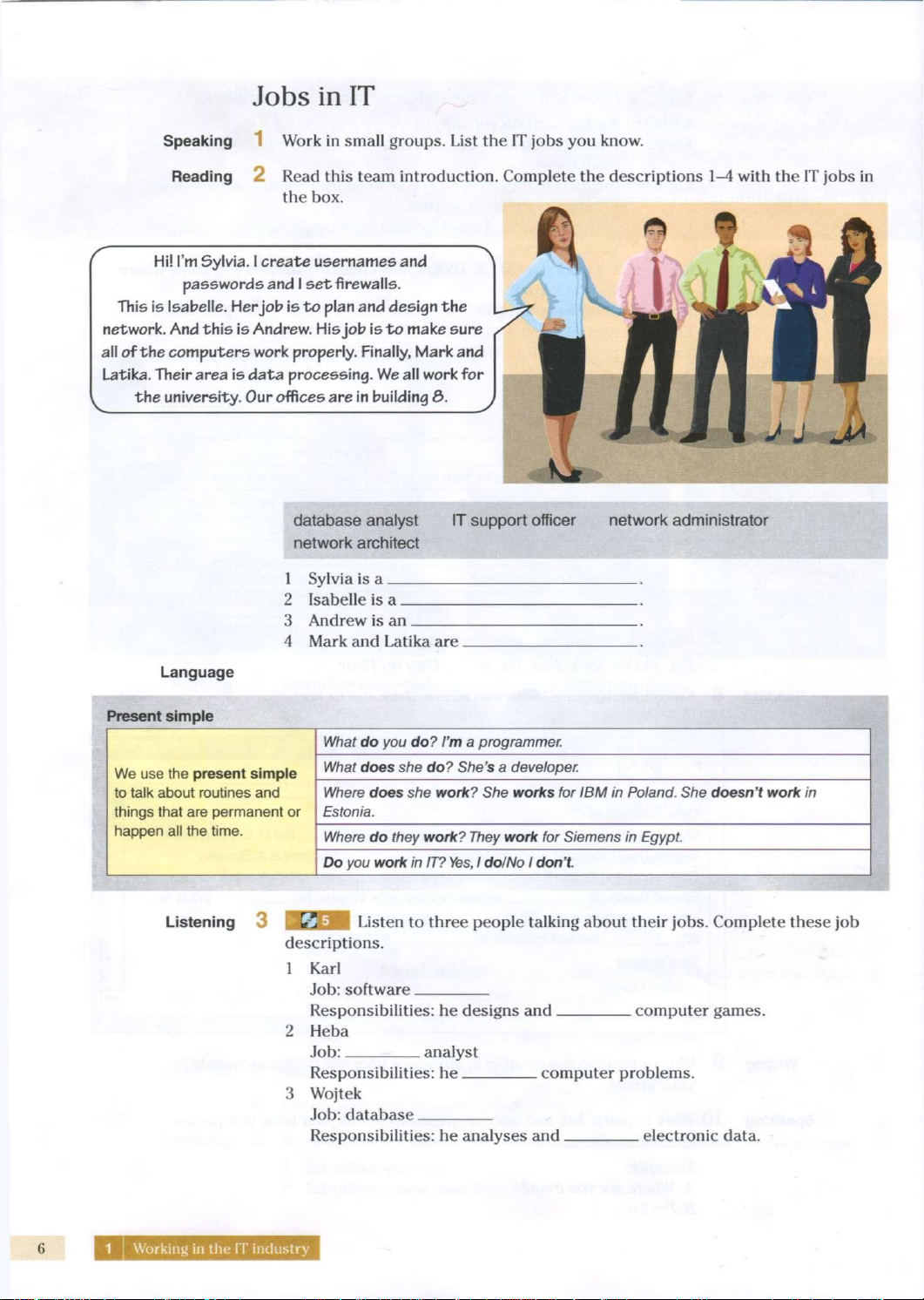
Information
Technology
Vocational
English
Course
Book
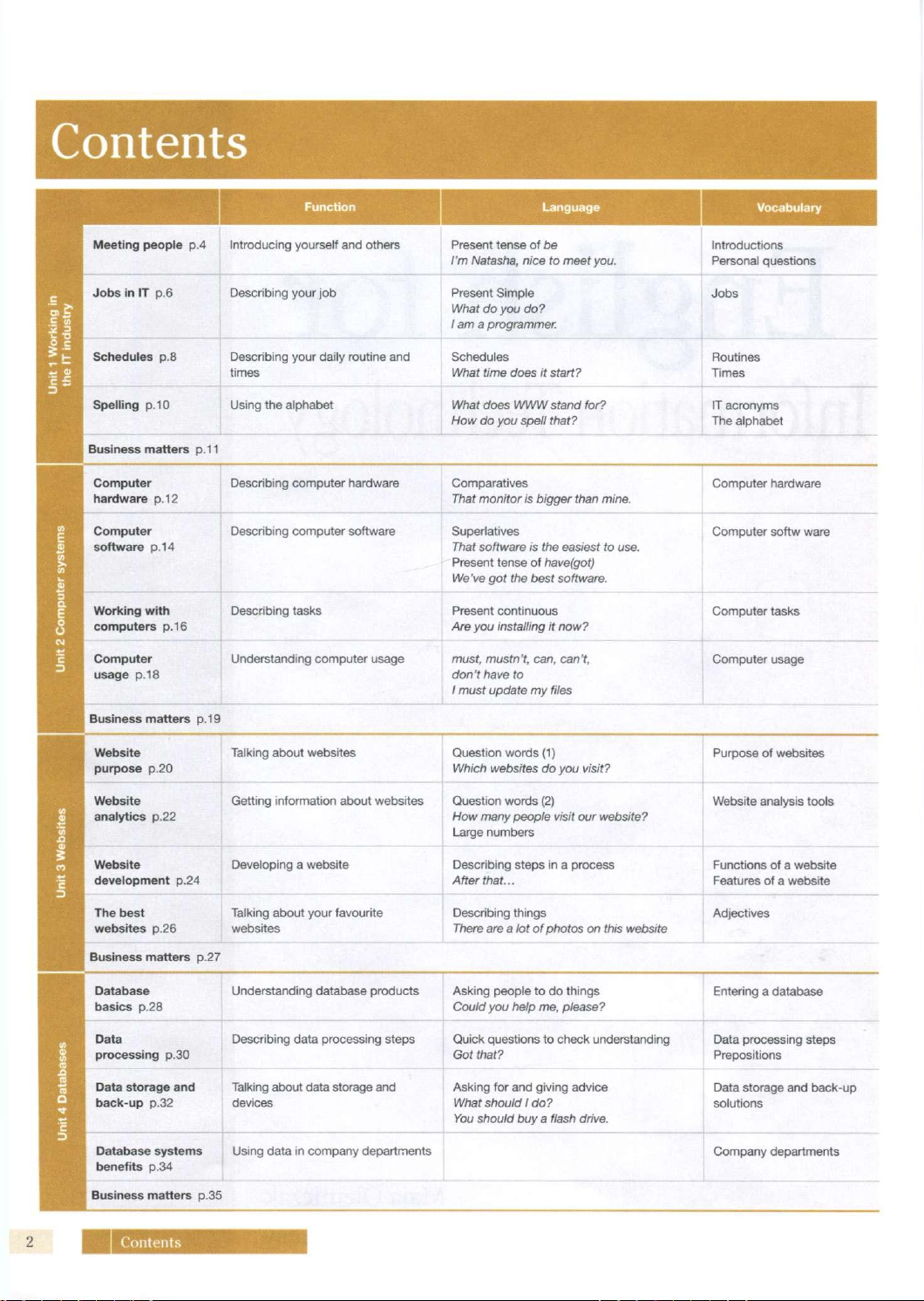
Contents
Function
Language
Vocabulary
Meeting
people
p.4
Introducing yourself and others
Present
tense
of be
I'm Natasha, nice
to
meet
you.
Introductions
Personal
questions
rking
in
dustry
Jobs
in IT p.6
Describing
your job
Present
Simple
What
do you do?
1
am a
programmer.
Jobs
nit
1
Wo
the
IT in.
Schedules
p.8
Describing
your daily routine and
times
Schedules
What time
does
it
start?
Routines
Times
Spelling p.
10
Using
the
alphabet What
does
WWW
stand for?
How
do you
spell that?
IT acronyms
The alphabet
Business
matters
p.11
Computer
hardware p. 12
Describing
computer hardware Comparatives
That
monitor
is
bigger than mine.
Computer hardware
ter
systems
Computer
software p. 14
Describing
computer software
Superlatives
That software
is the
easiest
to use.
Present
tense
of
have(got)
We've
got the
best
software.
Computer softw ware
:
Compu
Working
with
computers
p.16
Describing
tasks
Present
continuous
Are
you
installing
it
now?
Computer tasks
Unit2
Computer
usage
p.18
Understanding computer usage must, mustn't,
can,
can't,
don't have
to
1 must update
my
files
Computer usage
Business
matters p. 19
Website
purpose
p.20
Talking about websites
Question words
(1)
Which
websites
do you
visit?
Purpose
of
websites
Unit
3
Websites
Website
analytics
p.22
Getting information about websites
Question words
(2)
How
many people visit
our
website?
Large
numbers
Website analysis tools
Unit
3
Websites
Website
development
p.24
Developing
a
website
Describing
steps
in a
process
After
that...
Functions
of a
website
Features
of a
website
Unit
3
Websites
The best
websites
p.26
Talking about your favourite
websites
Describing
things
There
are a lot
of
photos
on
this website
Adjectives
Business
matters
p.27
Database
basics
p.28
Understanding database products
Asking
people
to
do
things
Could
you
help
me,
please?
Entering
a
database
ases
Data
processing
p.30
Describing
data processing steps
Quick
questions
to
check understanding
Got
that?
Data processing steps
Prepositions
nit 4 Datab
Data storage
and
back-up
p.32
Talking about data storage and
devices
Asking
for
and giving advice
What should
1
do?
You
should
buy a
flash drive.
Data storage and back-up
solutions
Database systems
benefits
p.34
Using
data
in
company departments
Company departments
Business
matters
p.35
Types
(
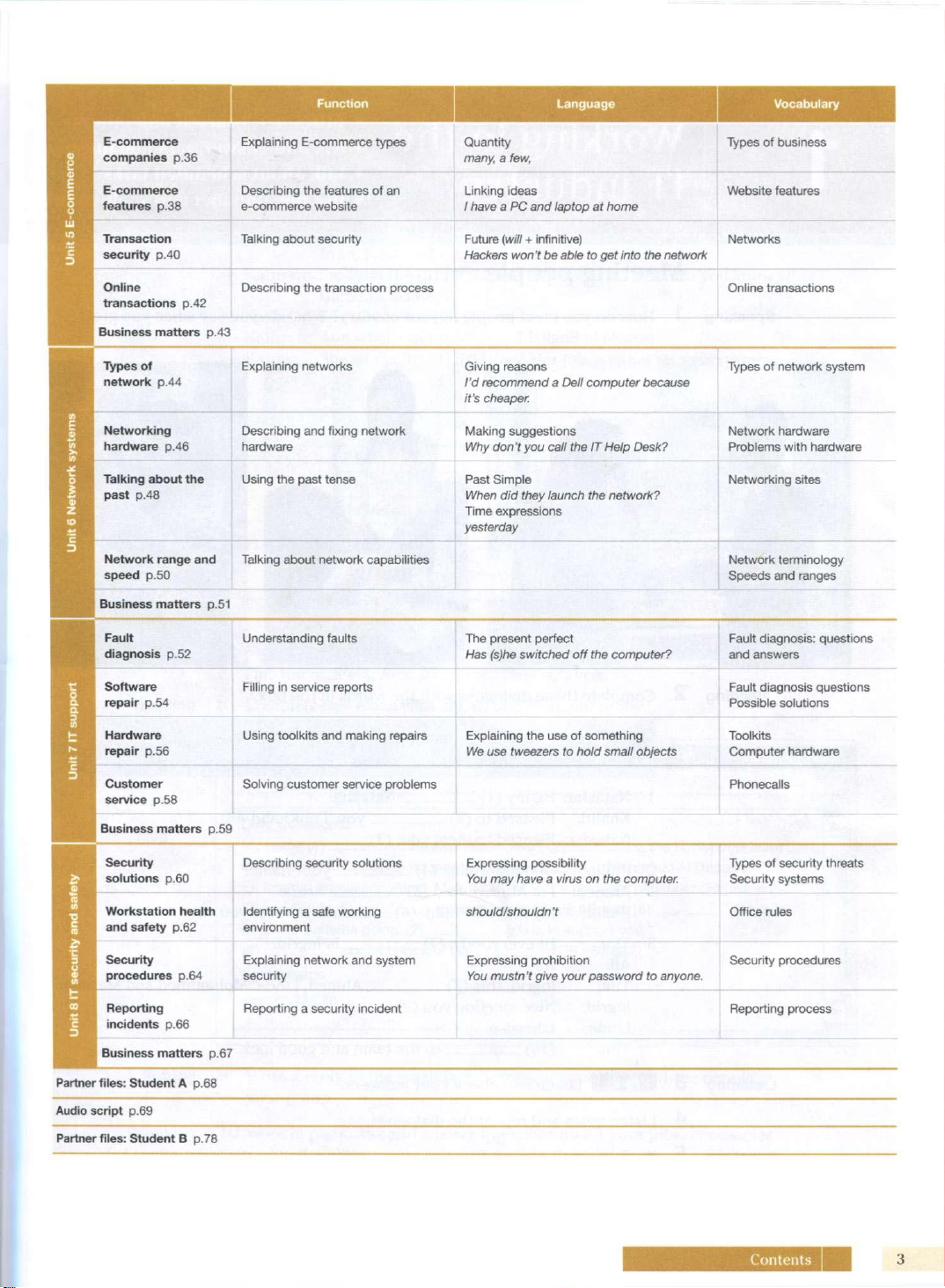
Contents
Function
Language Vocabulary
p
E-commerce
companies
p.36
Explaining E-commerce types
Quantity
many,
a few,
Types
of
business
-comme
E-commerce
features
p.38
Describing
the
features
of
an
e-commerce website
Linking ideas
/ have
a PC and
laptop
at
home
Website features
Unit
5 E
Transaction
security
p.40
Talking about security
Future
(will
+
infinitive)
Hackers
won't
be
able
to get
into
the
network
Networks
Online
transactions
p.42
Describing
the
transaction process
Online transactions
Business
matters
p.43
Types
of
network
p.44
Explaining networks
Giving reasons
I'd recommend
a
Dell computer
because
it's
cheaper.
Types
of
network
system
systems
Networking
hardware
p.46
Describing and
fixing
network
hardware
Making
suggestions
Why
don
t you
call
the IT
Help
Desk?
Network
hardware
Problems
with
hardware
lit 6
Network
Talking about
the
past
p.48
Using
the
past tense
Past
Simple
When
did
they launch
the
network?
Time expressions
yesterday
Networking
sites
3
Network
range
and
speed
p.50
Talking about
network
capabilities
Network
terminology
Speeds
and ranges
Business
matters
p.51
Fault
diagnosis
p.52
Understanding faults The present perfect
Has (s)he switched
off the
computer?
Fault diagnosis: questions
and answers
ipport
Software
repair
p.54
Filling
in
service reports
Fault diagnosis questions
Possible
solutions
lit 7
IT
si
Hardware
repair
p.56
Using toolkits and making repairs Explaining
the
use
of
something
We
use
tweezers
to
hold small objects
Toolkits
Computer hardware
i_
3
Customer
service
p.58
Phonecalls
Business
matters
p.59
a
Security
solutions
p.60
Describing security solutions
Expressing
possibility
You
may
have
a
virus
on the
computer.
Types
of
security threats
Security systems
t
and
sat
Workstation health
and safety
p.62
Identifying
a
safe working
environment
should/shouldn't Office rules
security
Security
procedures
p.64
Explaining
network
and system
security
Expressing
prohibition
Vou mustn't give your password
to
anyone.
Security procedures
Unit
8 IT
Reporting
incidents
p.66
Reporting
a
security incident
Reporting process
Business
matters
p.67
Partner files: Student
A p.68
Audio script
p.69
Partner files: Student
B p.78
Contents
3
Working in the
IT
industry
Introduce yourself and others
ask and answer personal questions
talk
about
scheduled
tasks
use the alphabet and spell out words
Meeting people
Speaking
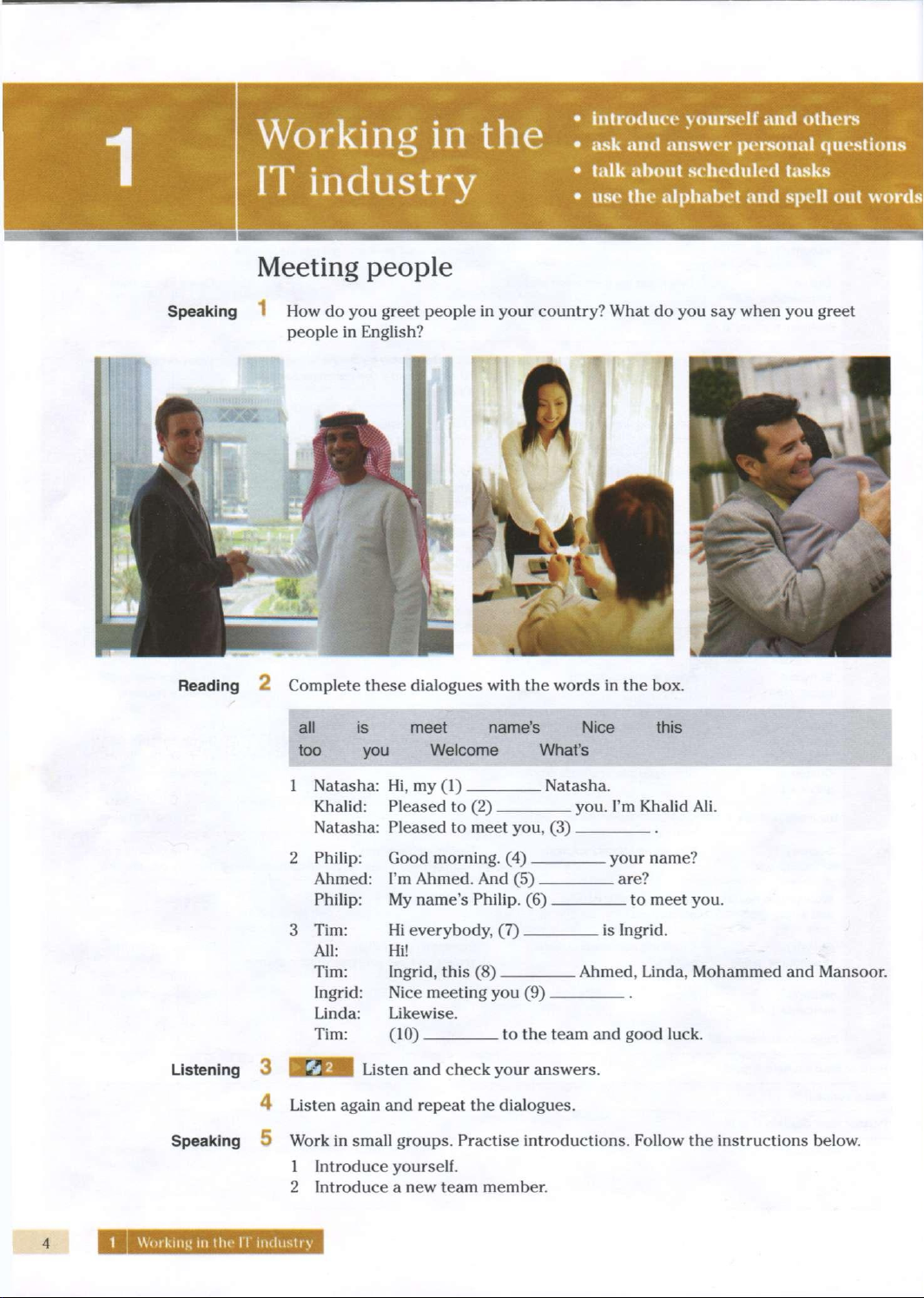
How do you greet people in your country? What do you say when you greet
people in English?
Reading
2 Complete these dialogues
with
the words in the box.
all
is meet name's
Nice
this
too you
Welcome
What's
1
Natasha: Hi, my (1)
Khalid:
Pleased
to (2) _
Natasha:
Pleased
to meet you, (3).
2 Philip: Good morning. (4)
Natasha.
you.
I'm Khalid Ali.
Ahmed: I'm Ahmed. And (5)
f'hilip:
My name's Philip. (6) .
. your name?
_
are?
to
meet you.
Hi
everybody, (7).
Hi!
Ingrid,
this
(8)
. is
Ingrid.
Tim:
All:
Tim:
Ingrid:
Nice
meeting you (9)
Linda:
Likewise.
Tim:
(10) to the team and
good
luck.
. Ahmed, Linda, Mohammed and Mansoor.
Listening
Speaking
3
4
5
Listen
and check your answers.
Listen
again and repeat the dialogues.
Work in small groups. Practise
introductions.
Follow the instructions below.
1
Introduce yourself.
2 Introduce a new team member.
1
Working
in the IT
industry
Listening
6
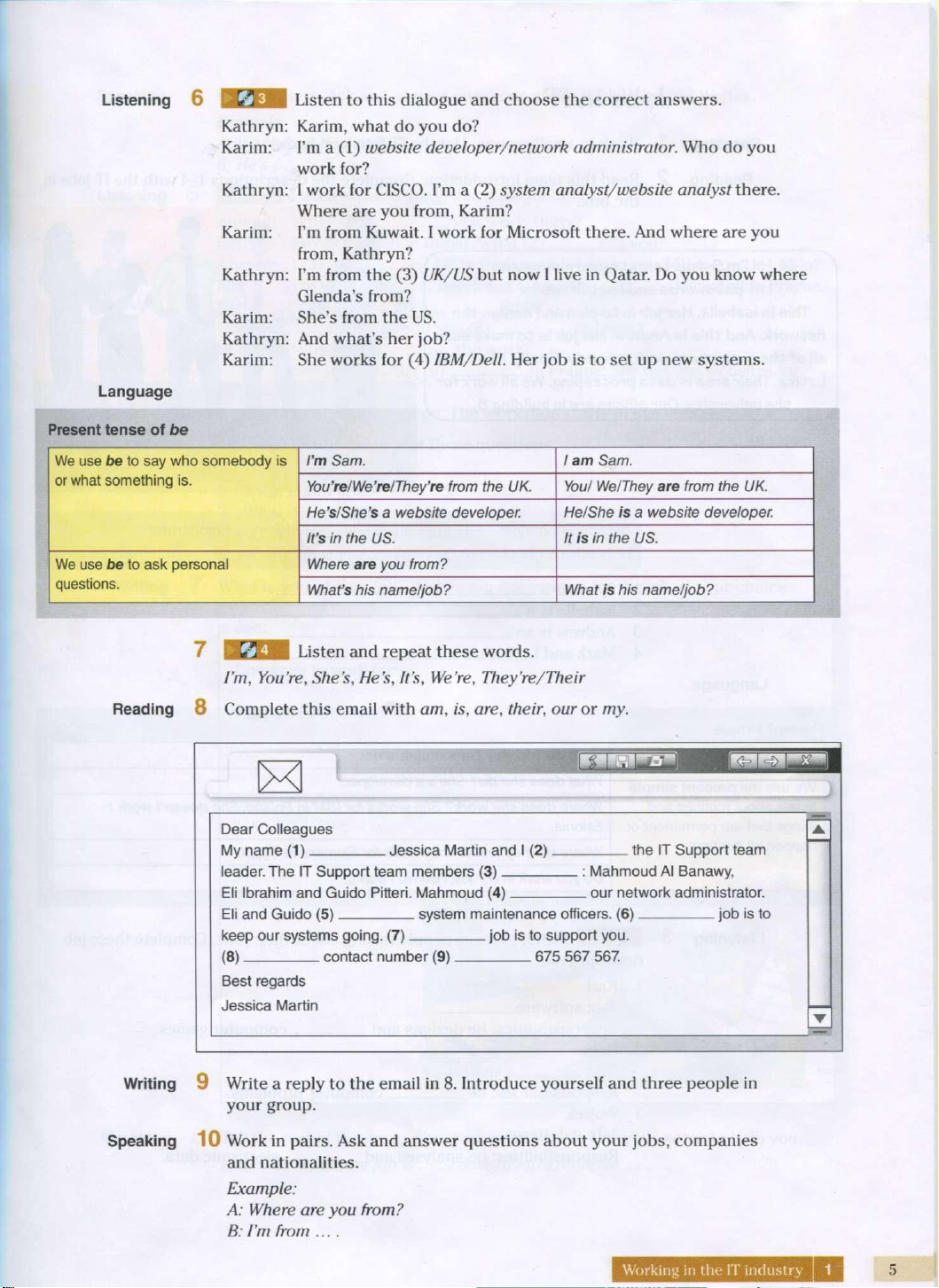
Language
Present
tense of be
Kathryn:
Karim:
Kathryn:
Karim:
Kathryn
Karim:
Kathryn
Karim:
Listen
to
this
dialogue
and choose the
correct
answers.
Karim,
what
do you do?
I'm
a (1)
website
developer/network
administrator.
Who do you
work
for?
I
work
for CISCO. I'm a (2)
system
analyst/website
analyst
there.
Where
are you
from,
Karim?
I'm
from
Kuwait.
I
work
for
Microsoft
there.
And
where
are you
from,
Kathryn?
I'm
from
the (3)
UK/US
but
now I
live
in
Qatar.
Do you
know
where
Glenda's
from?
She's
from
the US.
And
what's
her
job?
She
works
for (4)
IBM/Dell.
Her job is to set up new
systems.
We use be to say who somebody is
or what something is.
I'm Sam.
1
am Sam.
We use be to say who somebody is
or what something is.
You're/We're/They're
from the UK.
You/
We/They
are from the UK.
We use be to say who somebody is
or what something is.
He's/She's
a website developer.
He/She
is a website developer.
We use be to say who somebody is
or what something is.
It's
in the US.
It is in the US.
We use be to ask personal
questions.
Where
are you from? We use be to ask personal
questions.
What's
his name/job?
What is his name/job?
7
BcXH
Listen
and
repeat
these
words.
I'm,
You're,
She's,
He's, It's,
We're,
They're/Their
Reading
8
Complete
this
email
with
am, is, are,
their,
our or my.
Dear Colleagues
My name (1)
Jessica Martin and I (2).
leader. The IT Support team members (3)
the IT Support team
Mahmoud Al Banawy,
Eli Ibrahim and Guido Pitteri. Mahmoud (4) our network administrator.
Eli and Guido (5) system maintenance officers. (6) job is to
keep our systems going. (7) job is to support you.
(8)
contact number (9) 675 567 567.
Best regards
Jessica Martin
Writing
9
Write
a
reply
to the
email
in 8.
Introduce
yourself
and
three
people in
your
group.
Speaking
10
Work
in
pairs.
Ask and
answer
questions
about
your
jobs,
companies
and
nationalities.
Example:
A:
Where
are you
from?
B:
I'm
from
....
Working
in
the IT
industry
1
5
1
Speaking
4 Work in pairs. Ask and answer questions about
Karl,
Heba and Wojtek.
Example:
A:
What does Karl do?
B.He's
....
Listening
Ahmed:
Betty:
Ahmed:
Milo:
Betty:
Milo:
Betty:
Milo:
Listen
and complete
this
dialogue.
Where
(1) you work, Betty?
. you?
1
work for Dell in Dubai. What (2)
I
(3) for HP in Budapest. What do you (4)
, Milo?
.
developer.
I work (6).
Frida?
I'm
a (5)
Milo,
do you (7).
Yes, I do. What do you (8) to know?
Where
(9) she work?
. Microsoft in Prague.
She works
with
(10).
(11)
. in Prague. She designs websites for
Ahmed: I see. Right, let's go. The workshop starts in five minutes.
6 Listen and repeat these questions.
1
Where
do you work?
2 What about you?
3 What do you do?
4 What do you want to know?
5
Where
does
she work?
Writing
7 What is your dream job? Write a job description for the job of your choice.
Job:
Company
to
work
for:
Responsibilities:
Speaking
8 Tell the rest of the group about your dream job. Use your notes to help you.
Example:
My dream job is ... . I design/solve/analyse ....
Working
in the IT
industry
Schedules
Listening
Listen
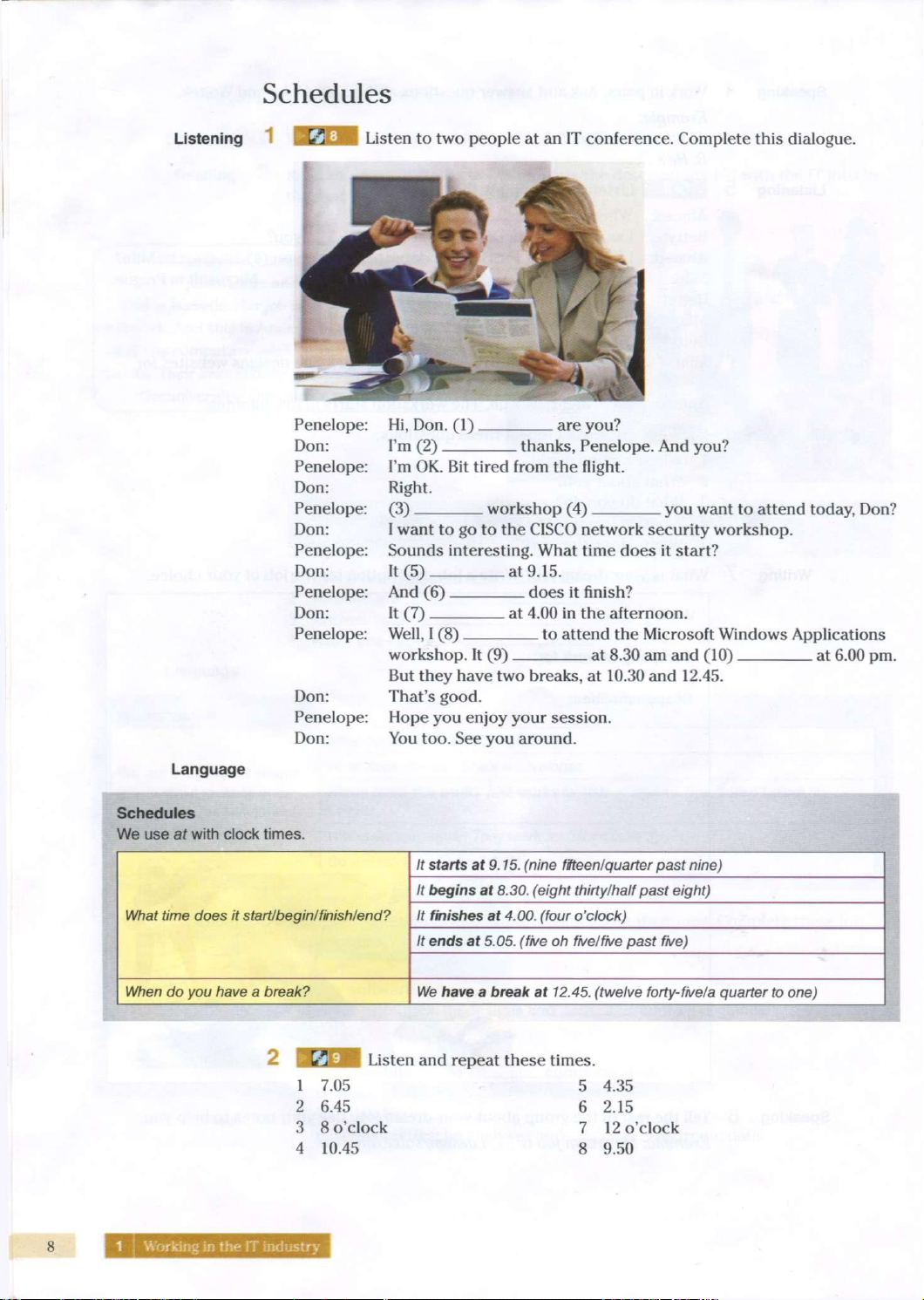
to two people at an IT conference. Complete
this
dialogue.
Penelope:
Don:
Penelope:
Don:
Penelope:
Don:
Penelope:
Don:
Penelope:
Don:
Penelope:
Don:
Penelope:
Don:
Hi,
Don.
(1)
I'm
(2)
are
you.'
thanks,
Penelope. And you?
I'm
OK. Bit
tired
from
the
flight.
Right.
(3)
workshop
(4) you
want
to
attend
today, Don?
I
want
to go to the CISCO
network
security
workshop.
Sounds
interesting.
What
time
does it
start?
It
(5) at 9.15.
And
(6) does it
finish?
It
(7) at 4.00 in the
afternoon.
Well,
I (8) to
attend
the
Microsoft
Windows
Applications
workshop.
It (9) at 8.30 am and (10) at 6.00 pm.
But
they
have two
breaks,
at 10.30 and
12.45.
That's
good.
Hope
you enjoy
your
session.
You
too. See you
around.
Language
Schedules
We use ar with clock times.
What
time
does
it start/begin/finish/end?
It starts at 9.15. (nine fifteen!quarter past nine)
What
time
does
it start/begin/finish/end?
It begins at 8.30. (eight
thirty/half
past eight)
What
time
does
it start/begin/finish/end? It finishes at 4.00. (four o'clock) What
time
does
it start/begin/finish/end?
It ends at 5.05. (five oh five/five past five)
What
time
does
it start/begin/finish/end?
When do you have a break?
We
have a break at 12.45. (twelve forty-five/a quarter to one)
Listen
and repeat these
times.
1
7.05 5 4.35
2 6.45 6 2.15
3
8 o'clock 7 12 o'clock
4
10.45 8 9.50
Speaking
4
Listen and
repeat
these
sentences.
1
It finishes at 5.00.
2 It
ends
at 8.00.
3 It starts at 6.00.
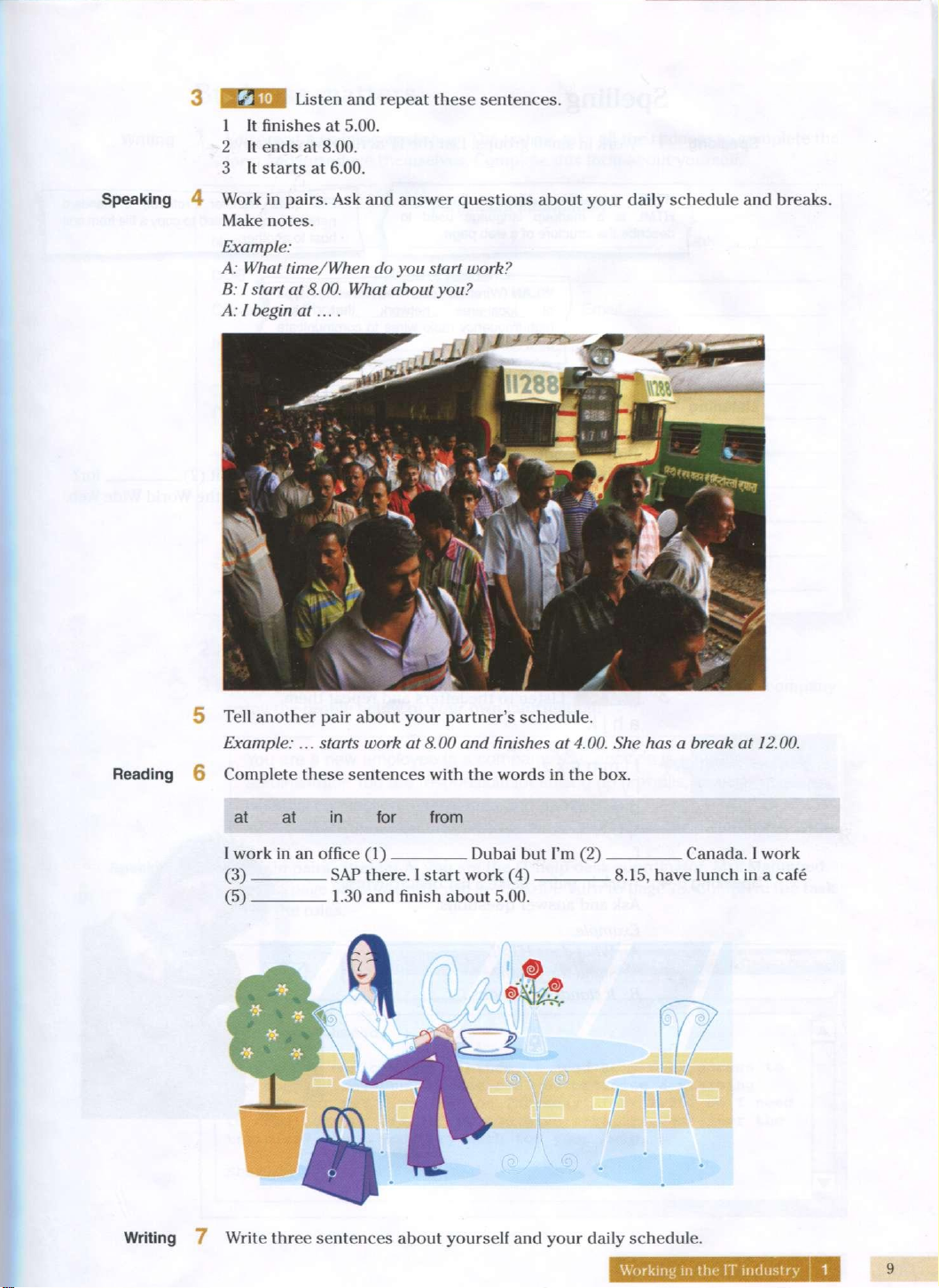
Work in pairs. Ask and answer questions about your daily schedule and breaks.
Make notes.
Example:
A:
What time/When do you start work?
B:
I start at 8.00. What about you?
A:
I begin at... .
5 Tell another pair about your partner's schedule.
Example:...
starts
work at 8.00 and finishes at 4.00. She has a break at 12.00.
Reading
6
Complete
these
sentences
with
the words in the box.
at at
in
for from
I
work in an
office
(1)
(3) SAP there. I start work (4)
(5) 1.30 and
finish
about 5.00.
Dubai
but I'm (2)
Canada. I work
. 8.15,
have
lunch
in a
cafe
/ I I
9
Writing
7 Write three
sentences
about yourself and your daily schedule.
Working
in the IT
industry
1
9
Spelling
Speaking
Work
in
small groups. List
the IT
acronyms
you
know.
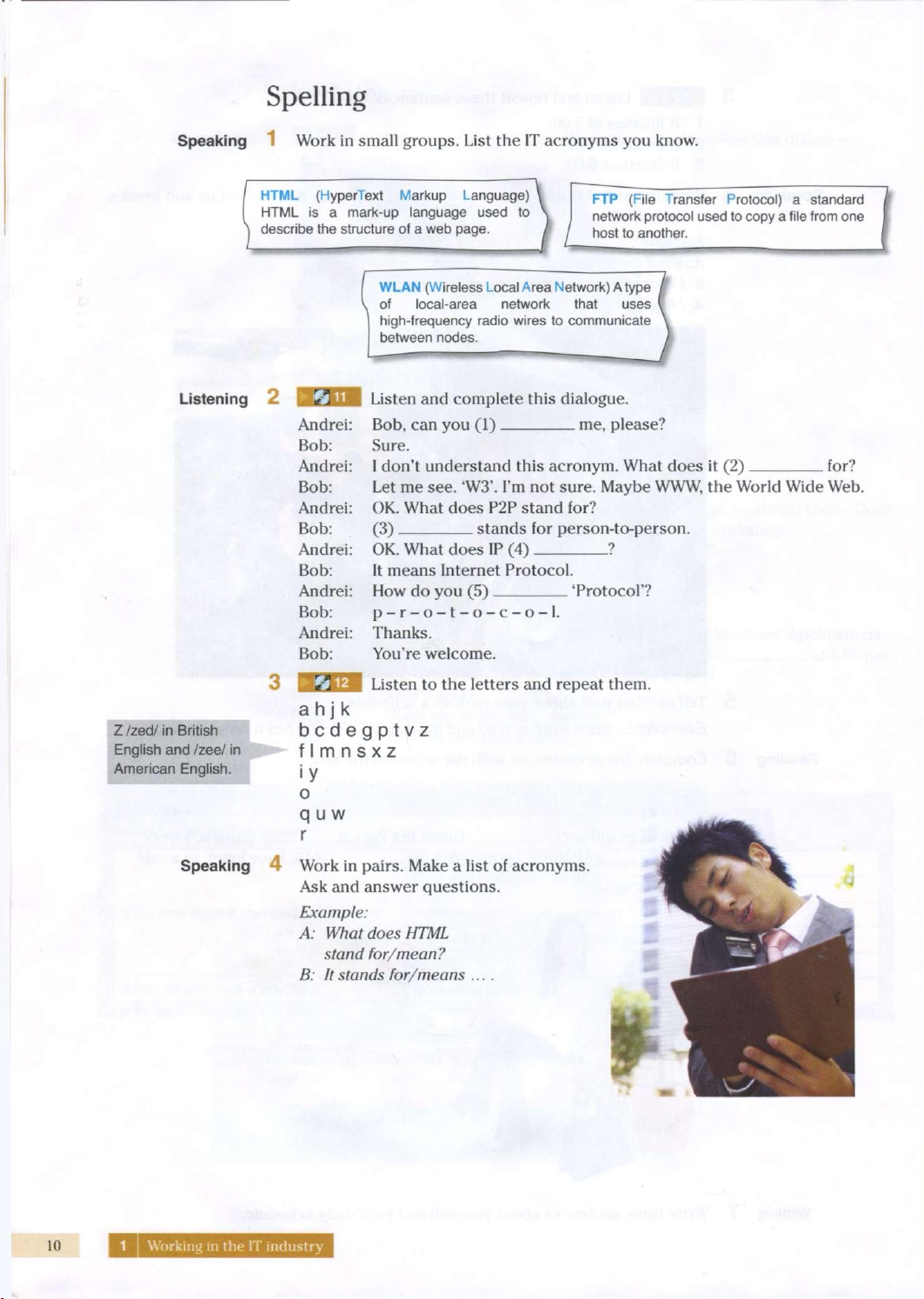
HTML (HyperText Markup Language)
HTML is a mark-up language used to
describe the structure of a web page.
FTP (File Transfer Protocol) a standard
network protocol used to copy a file from one
host to another.
WLAN (Wireless Local Area Network) A type
of local-area network that uses
high-frequency radio wires to communicate
between nodes.
Listening
2
Listen
and
complete
this
dialogue.
Bob,
can you (1) me, please?
Sure.
I
don't understand
this
acronym. What
does it (2)
for?
Let
me see. 'W3'. I'm not
sure. Maybe
WWW, the
World Wide
Web.
OK. What
does P2P
stand for?
(3)
stands
for
person-to-person.
OK. What
does IP (4) ?
It
means Internet Protocol.
How
do you (5)
'Protocol'?
p-r-o-t-o-c-o-1.
Thanks.
You're welcome.
Z /zed/ in British
English and /zee/ in
American English.
Listen
to the
letters
and
repeat them.
a h j k
bcdegptvz
f I m n s x z
i
y
o
q
u
w
r
Speaking
4
Work
in
pairs. Make
a
list
of
acronyms.
Ask
and
answer questions.
Example:
A:
What does HTML
stand
for/mean?
B:
It
stands
for/means
....
10
1 Working in the IT industry
Business matters
Writing
You are at a
training
workshop. The trainer asks all the trainees to complete the
form
and introduce themselves. Complete
this
form about yourself.
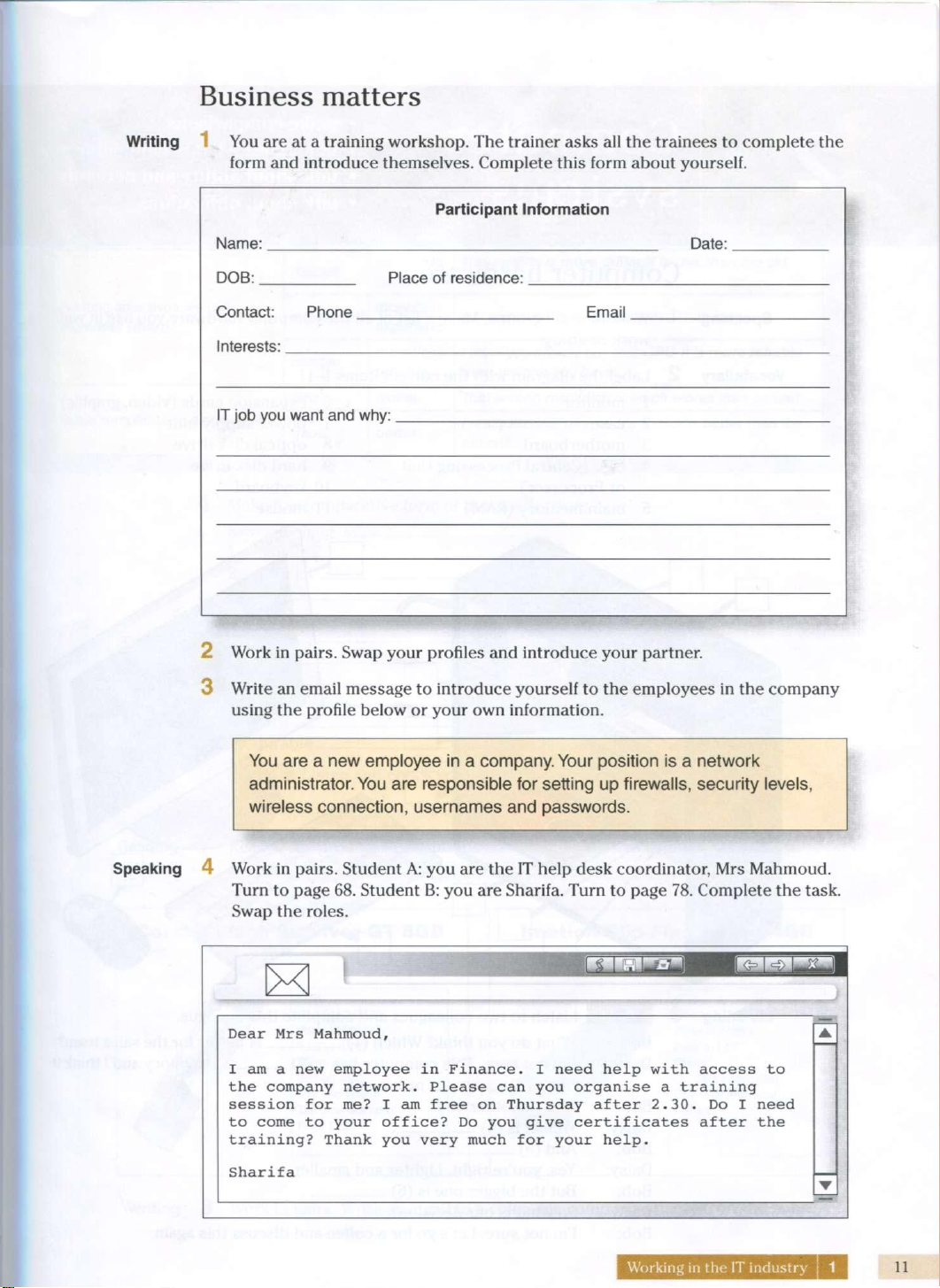
Participant
Information
Name:
Date:
DOB:
Place
of
residence:
Contact:
Phone
Email
Interests:
IT job you
want
and why:
2 Work in pairs.
Swap
your profiles and introduce your partner.
3 Write an email
message
to introduce yourself to the
employees
in the company
using
the profile
below
or your own information.
You are a new
employee
in a company. Your position is a network
administrator.
You are responsible for setting up firewalls, security
levels,
wireless connection, usernames and passwords.
Speaking
4 Work in pairs. Student A: you are the IT help desk coordinator, Mrs Mahmoud.
Turn
to
page
68. Student B: you are Sharifa.
Turn
to
page
78. Complete the task.
Swap
the roles.
Dear Mrs Mahmoud,
I
am a new
employee
in Finance. I
need
help
with
access
to
the company network.
Please
can you organise a
training
session for me? I am
free
on Thursday after 2.30. Do I
need
to
come
to your
office?
Do you
give
certificates after the
training?
Thank you very much for your help.
Sharifa
Working
in the IT
industry
I 1
11
rOmniltPr
*
make
comparisons
V> W ill
ULV/i
talk
about
what
is
happening
now
talk
about
ability
and
necessity
oyoldllo
talk
about
obligations
Computer hardware
Speaking
Work in small groups. Make a
list
of all the computer hardware you use in your
work
or study.
Vocabulary
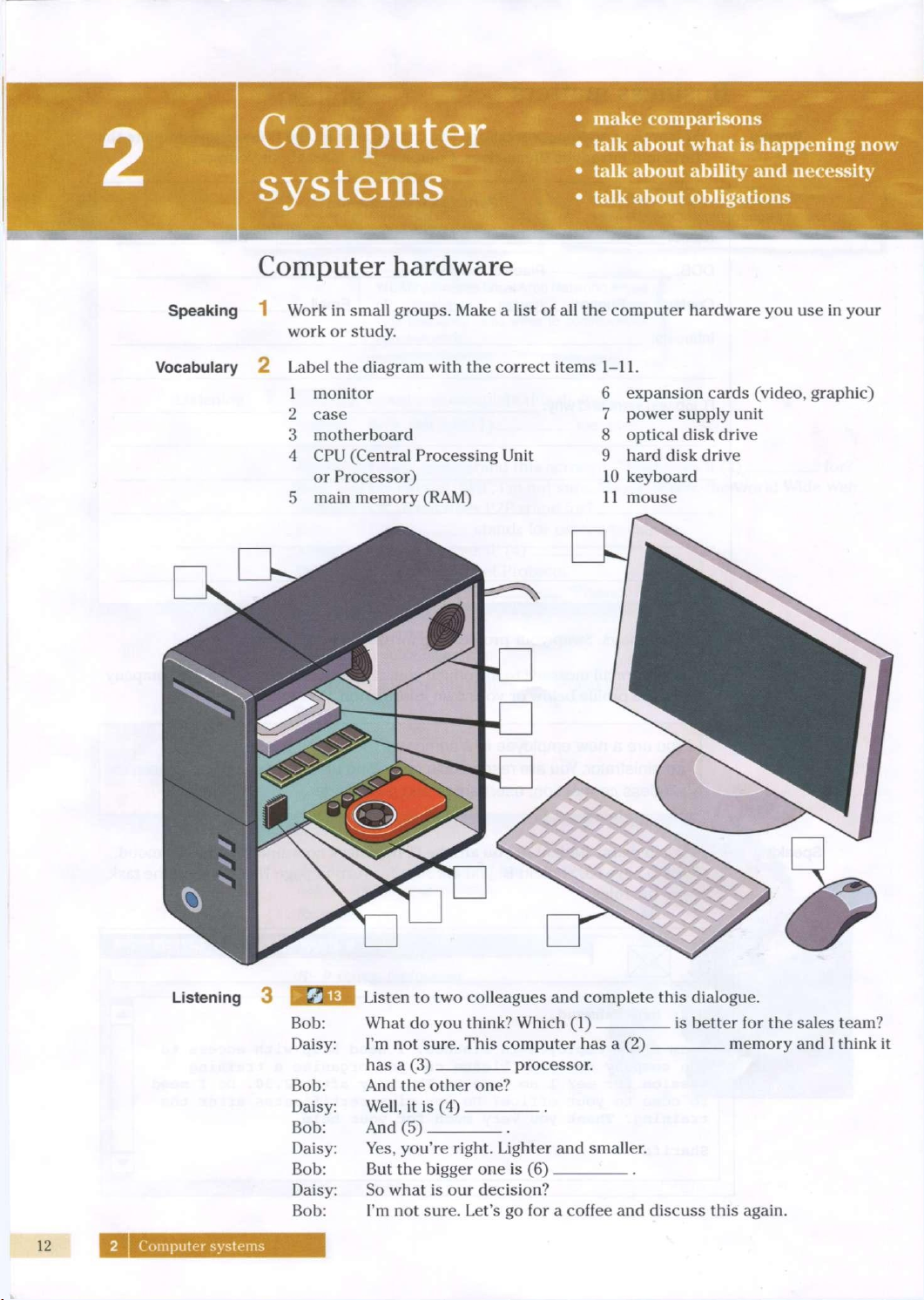
2 Label the diagram
with
the correct items 1-11.
1
monitor
2
case
3 motherboard
4 CPU (Central Processing
Unit
or
Processor)
5 main memory (RAM)
6 expansion cards (video, graphic)
7
power supply
unit
8 optical disk drive
9 hard disk drive
10 keyboard
11
mouse
Listening
3
ksj
M. Listen to two colleagues and complete
this
dialogue.
Bob: What do you
think?
Which (1) is better for the
sales
team?
Daisy: I'm not sure. This computer has a (2) memory and I
think
it
has a (3) processor.
Bob: And the other
one?
Daisy: Well, it is (4)
Bob: And (5)
Daisy: Yes, you're
right.
Lighter and smaller.
Bob: But the bigger one is (6)
Daisy: So what is our decision?
Bob: I'm not sure. Let's go for a
coffee
and discuss
this
again.
2
Computer
systems
Language
Comparatives
things.
For short adjectives we add -er
(than). Be careful of spelling.
big
bigger
The
new monitor was bigger than the old monitor.
For short adjectives we add -er
(than). Be careful of spelling.
fast
faster
Your
processor
is faster than mine.
For short adjectives we add -er
(than). Be careful of spelling.
easy
easier
It's
easier to use than the other one.
For long adjectives we use
more/less
(than).
difficult
more/less
difficult
This
version is more difficult to use than the old
version.
For long adjectives we use
more/less
(than).
expensive
more/less
expensive
His
computer is
less
expensive than
hers.
For long adjectives we use
more/less
(than).
reliable
more/less
reliable
1
think you should buy that CPU. It is more reliable
than the one you have.
Some comparatives are irregular.
bad
worse
That
screen
resolution is much worse than before!
Some comparatives are irregular.
good
better
1
really like this mouse. It's so much better than the
old
one.
Reading
Make
the
comparative
form
of these
adjectives.
Example:
long
longer
light
1
2
3
4
5
6
7
dark
8
soft
9
hard
10
durable.
efficient.
long
wide
heavy
fast
5
BEIQI
Listen
and
check
your
answers.
6
Listen
again
and
repeat
the
words.
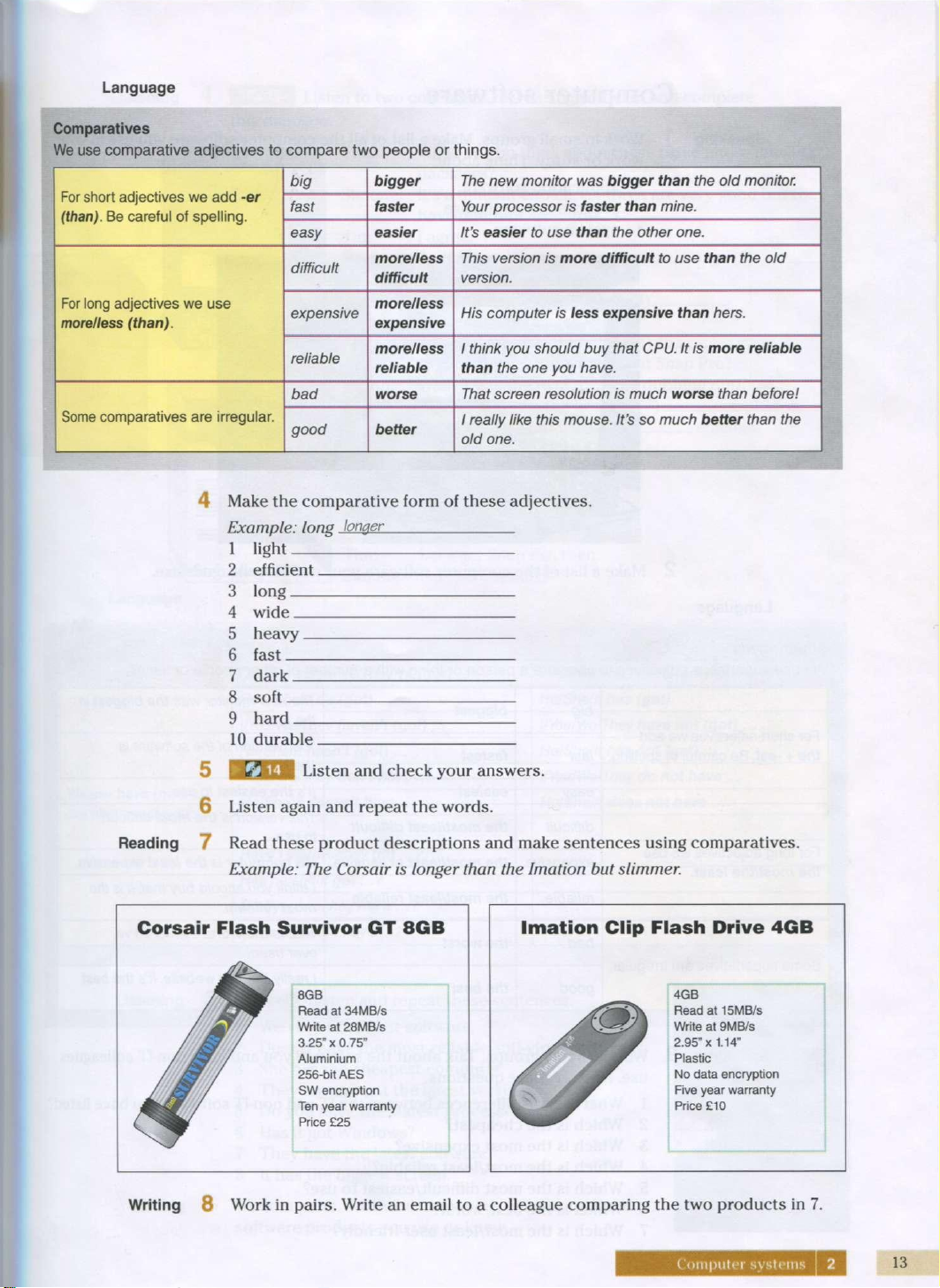
7 Read these
product
descriptions
and
make
sentences
using
comparatives.
Example:
The
Corsair
is
longer
than
the
Imation
but
slimmer.
Corsair
Flash
Survivor GT 8GB
8GB
Read at 34MB/S
/ M' /
Write
at 28MB/S
/ /
3.25" x 0.75"
/ fisr /
Aluminium
/ /
256-bit
AES
/
J*3r
/
SW
encryption
mtSM
/
Ten year
warranty
Price £25
Imation
Clip
Flash
Drive 4GB
4GB
Read at 15MB/S
Write
at 9MB/s
2.95" x 1.14"
Plastic
No
data
encryption
Five year
warranty
Price £10
Writing
8
Work
in
pairs.
Write
an
email
to a colleague
comparing
the two
products
in 7.
Computer
systems
2
13
Computer
software
Speaking
Work
in
small
groups.
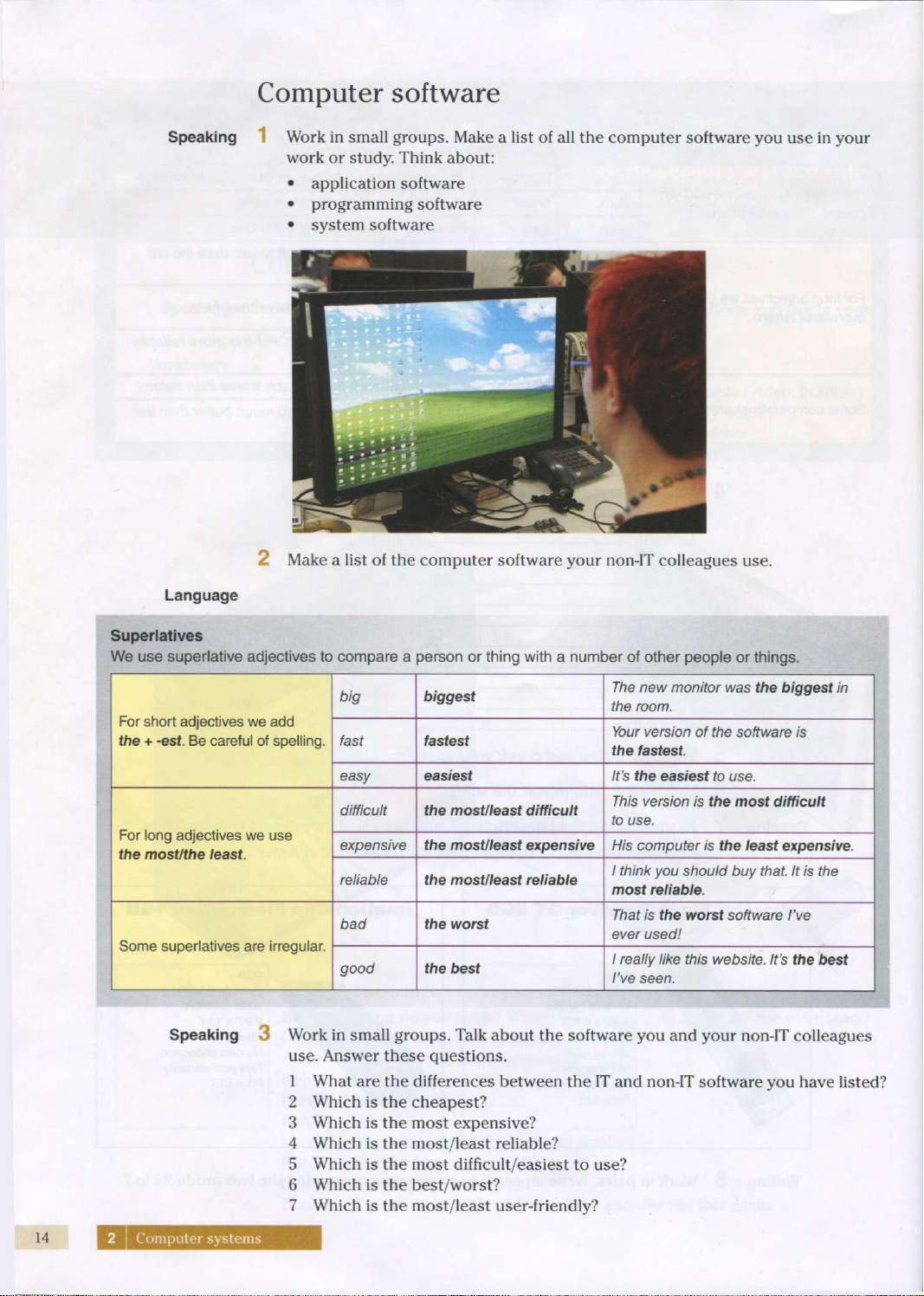
Make
a
list
of all the
computer
software
you use in
your
work
or
study.
Think
about:
application
software
programming
software
system
software
2
Make
a
list
of the
computer
software
your
non-IT
colleagues use.
Language
Superlatives
We use superlative adjectives to compare a person or thing with a number of other people or things.
For short adjectives we add
the + -est. Be careful of spelling.
big
biggest
The
new monitor was the biggest in
the room.
For short adjectives we add
the + -est. Be careful of spelling.
fast
fastest
Your
version of the software is
the fastest.
For short adjectives we add
the + -est. Be careful of spelling.
easy
easiest
It's
the easiest to use.
For long adjectives we use
trie
most/the least.
difficult the most/least difficult
This
version is the most difficult
to use.
For long adjectives we use
trie
most/the least.
expensive
the most/least expensive
His
computer is the least expensive.
For long adjectives we use
trie
most/the least.
reliable
the most/least reliable
1 think you should buy
that.
It is the
most
reliable.
Some superlatives are irregular.
bad
the worst
That
is the worst software I've
ever
used!
Some superlatives are irregular.
good
the
best
1 really like this website. It's the
best
I've
seen.
Speaking
3
Work
in
small
groups.
Talk
about
the
software
you and
your
non-IT
colleagues
use.
Answer
these
questions.
1
What
are the
differences
between
the IT and
non-IT
software
you have
listed?
2
Which
is the cheapest?
3
Which
is the
most
expensive?
4
Which
is the
most/least
reliable?
5
Which
is the
most
difficult/easiest
to use?
6
Which
is the
best/worst?
7
Which
is the
most/least
user-friendly?
14
2
Computer systems
Listening 4
B
Listen to two colleagues discussing software and complete
this
dialogue.
Tim:
Simone:
What
do you
think
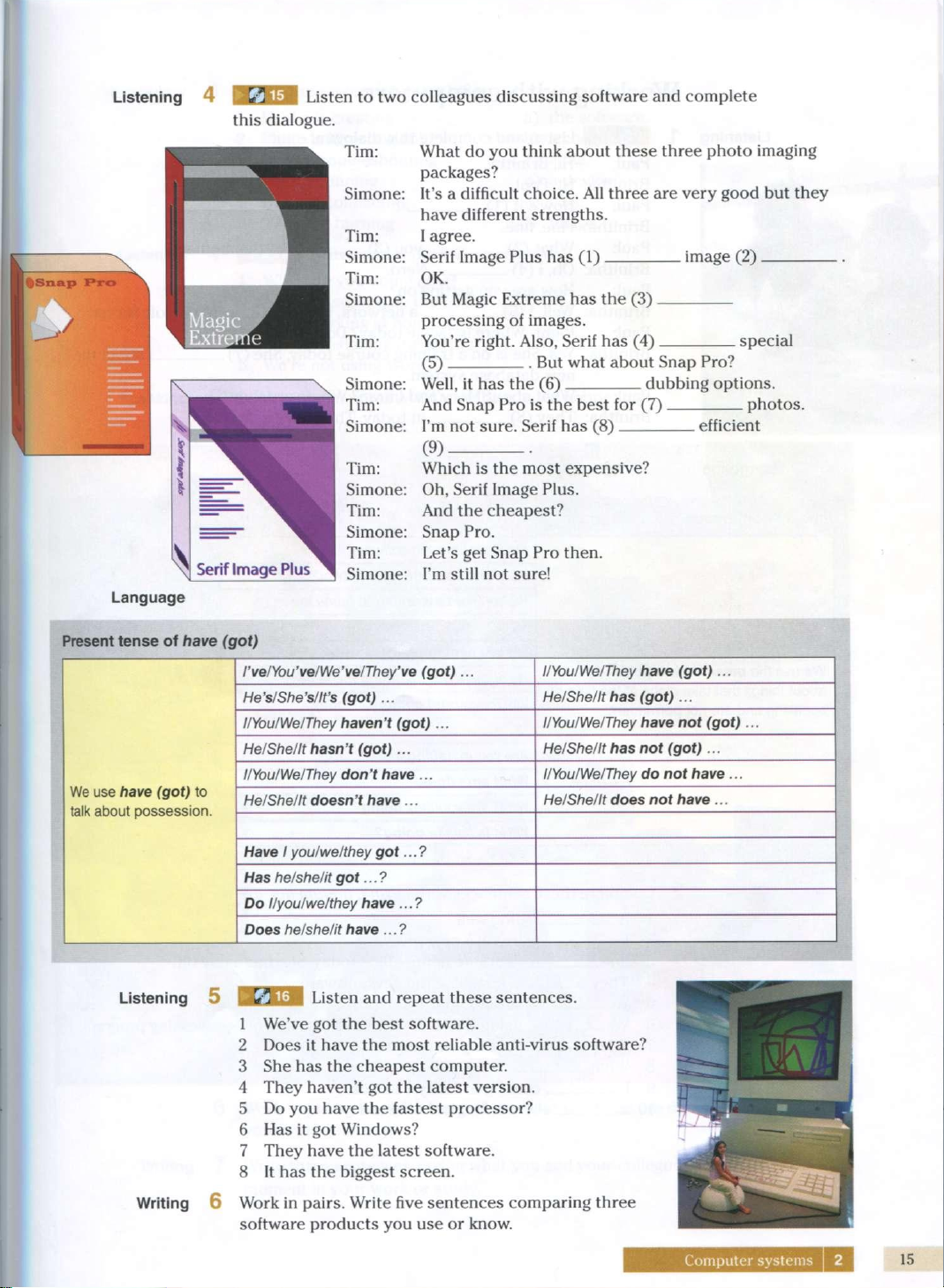
about these three photo imaging
packages?
It's
a
difficult
choice. All three are very good but they
have different strengths.
I
agree.
Serif
Image Plus has (1) image (2)
OK.
But
Magic Extreme has the (3)
processing
of images.
You're
right.
Also, Serif has (4) special
(5) But what about Snap Pro?
Well,
it has the (6).
dubbing
options.
And
Snap Pro is the best for (7)
I'm
not sure. Serif has (8)
(9)
Which
is the most expensive?
Oh,
Serif Image Plus.
And
the cheapest?
Snap Pro.
Let's get Snap Pro
then.
I'm
still
not sure!
photos.
efficient
Present tense of have (got)
I've/You've/We've/They've
(got)...
I/You/We/They have (got) ...
He's/She's/It's
(got)...
He/She/It
has (got) ...
I/You/We/They
haven't
(got) ...
I/You/We/They have not (got) ...
He/She/It
hasn't
(got)...
He/She/It
has not
(got)...
We use have (got) to
talk about
possession.
I/You/We/They don't have...
I/You/We/They do not have ...
We use have (got) to
talk about
possession.
He/She/It
doesn't have...
He/She/It
does not have ...
We use have (got) to
talk about
possession.
Have
1
you/we/they got...?
Has he/she/it got...?
Do l/you/we/they have...?
Does he/she/it have...?
Listening 5
IKJU3I
Listen and repeat these sentences.
1
We've
got the best software.
2 Does it have the most reliable
anti-virus
software?
3 She has the cheapest computer.
4 They haven't got the latest version.
5 Do you have the fastest processor?
6
Has it got Windows?
7
They have the latest software.
8 It has the biggest screen.
Writing
6 Work in
pairs.
Write five sentences comparing three
software
products you use or know.
Computer
systems
2
15
Working
with
computers
Listening
1
Paul:
Brinitha:
Paul:
Brinitha:
Paul:
Brinitha:
Paul:
Brinitha:
Paul:
Brinitha:
Paul:
Brinitha:
Listen and complete
this
dialogue.
Hi,
Brinitha.
Hi,
Paul.
How's
it (1) ?
Fine, fine.
What (2)
Oh,
1
(4)
- you (3)
Nero.
. at the moment?
How are you getting on?
Well, I (5) a network. I (6) Microsoft
Server.
Right.
Where
is Jackie today? Do you know?
Yes. She is on a
training
course today. She (7) about the
new database system.
What about Mary and Imran?
Where
are they?
They
(8) in today.
They
have
a day off.
Language
Present
continuous
We use the
present
continuous
to
talk
about
things
that
take
place
at the
time
of
speaking
and are not
permanent.
I'm
installing
the
software.
He's/She's
setting
up a
network.
We're/They're
working
at
home
today.
I'm not
setting
up the
network.
He's/She's
not
installing
the
software.
We/They
aren't
coming
in
today.
Are you
installing
it
now?
What
am I
doing?
What
are
you/they
doing?
What
is he/she
doing?
2 Complete
these
sentences
with
is/isn't,
am/am not, are/aren't.
1
It going well.
2 I learning a new program.
3 She working in the
office
today. She has a day off.
4
They
installing
the new software.
5 We setting up the network.
6 We using Word. We
have
a different word-processing program.
7
Where
they working today?
8 What he
installing
on the computer?
9 I coming in today. I'm sick.
10 she working at home today?
Vocabulary
3
Match
the
sentence
halves
1-8 to a-h.
Listening
4
Hanka
is
creating
Philip
is
inserting
an
Rob
is
troubleshooting
We are
running
Betty
is
connecting
They
are
burning
a) the
software.
b) a
check-up.
c) a
file.
d) a
device.
e) CDs.
f)
image.
fXH Listen
and
repeat
these
sentences.
What
are you
doing
now?
Are they setting
up the
network?
She's
working
at
home today.
I'm
not
installing
the
software.
We're
not
using Word.
Speaking
5
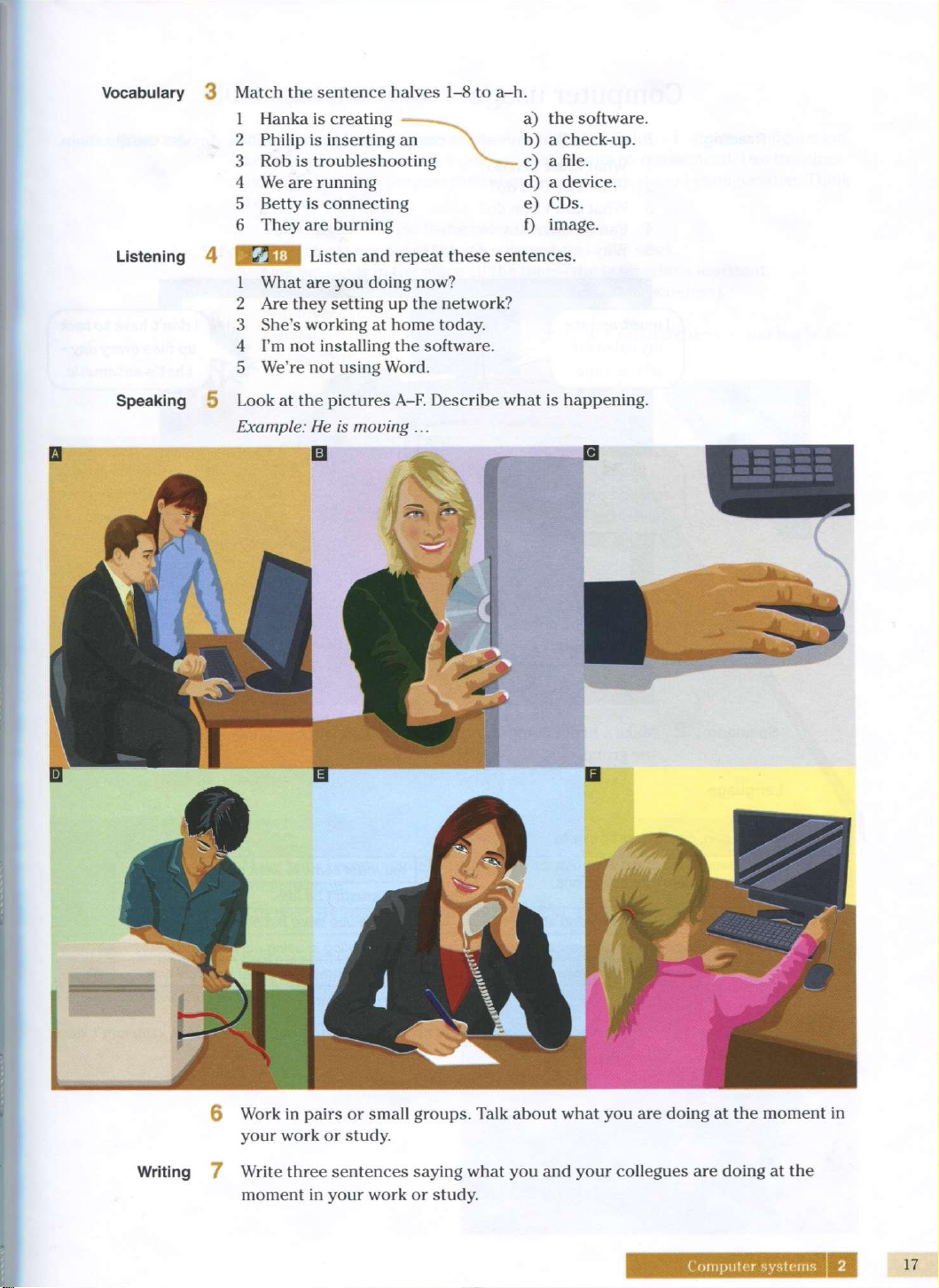
Look
at the
pictures
A-F.
Describe what
is
happening.
Example:
He is
moving
...
6
Work
in
pairs
or
small groups. Talk about what
you are
doing
at the
moment
in
your work
or
study.
Writing 7
Write three
sentences
saying what
you and
your
collegues
are
doing
at the
moment
in
your work
or
study.
Computer systems 2
17
Computer
usage
Reading
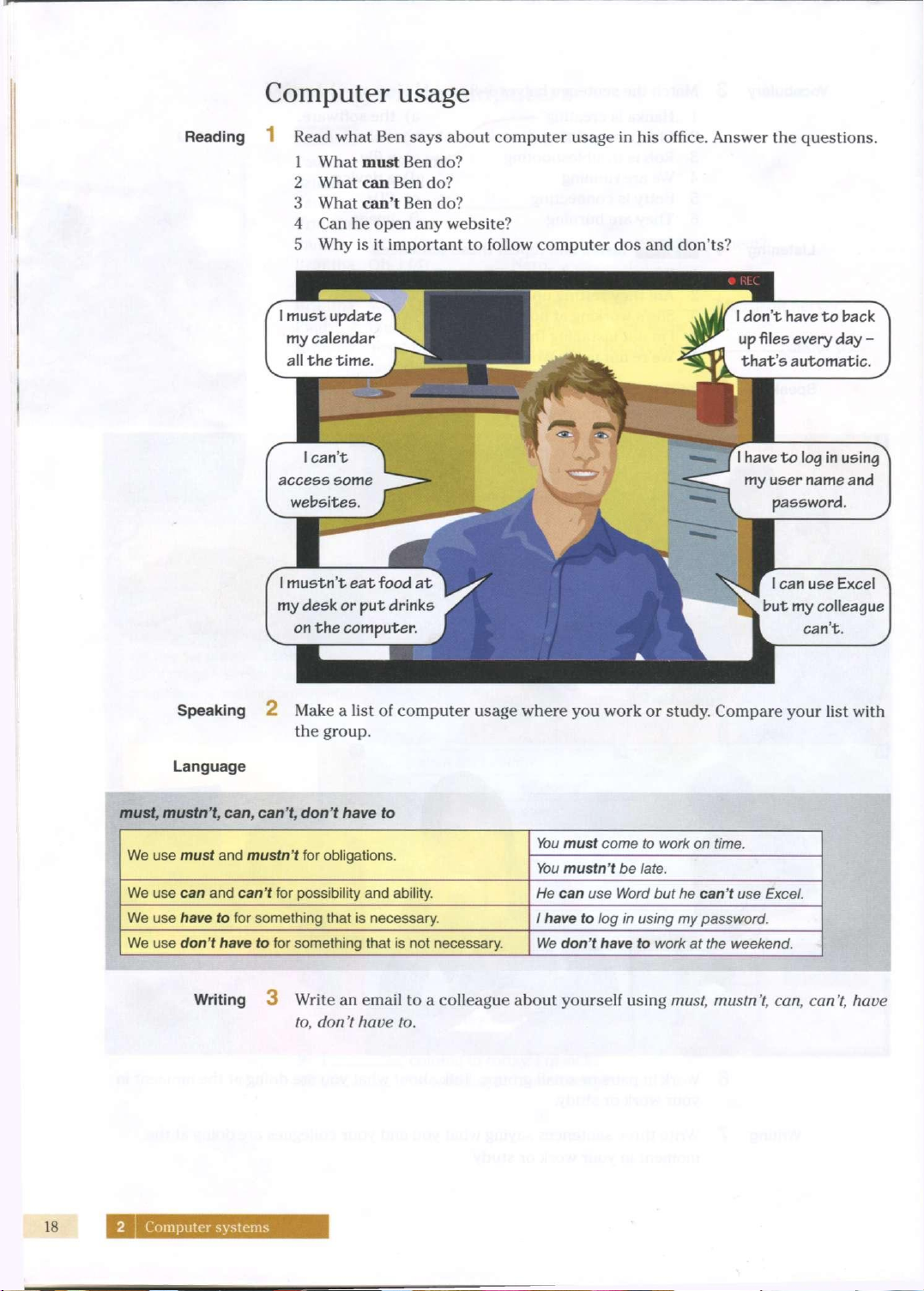
Read
what
Ben says
about
computer
usage in his
office.
Answer
the
questions.
1
What
must
Ben do?
2
What
can Ben do?
3
What
can't
Ben do?
4
Can he
open
any website?
5
Why is it
important
to
follow
computer
dos and
don'ts?
don't have to back^\
up files every day -
that's automatic.
I have to log in using
my user name and
password.
Speaking
2
Make
a
list
of
computer
usage
where
you
work
or
study.
Compare
your
list with
the
group.
Language
must, mustn't, can, can't, don't have to
We use must and mustn't for obligations.
You
must come to work on time.
We use must and mustn't for obligations.
You
mustn't be late.
We use can and can't for possibility and ability.
He
can use Word but he can't use
Excel.
We use have to for something that is necessary.
1 have to log in using my password.
We use don't have to for something that is not necessary.
We
don't have to work at the weekend.
Writing
3
Write
an
email
to a colleague
about
yourself
using
must,
mustn't,
can,
can't,
have
to,
don't
have
to.
18
2
Computer systems
Business matters
Speaking
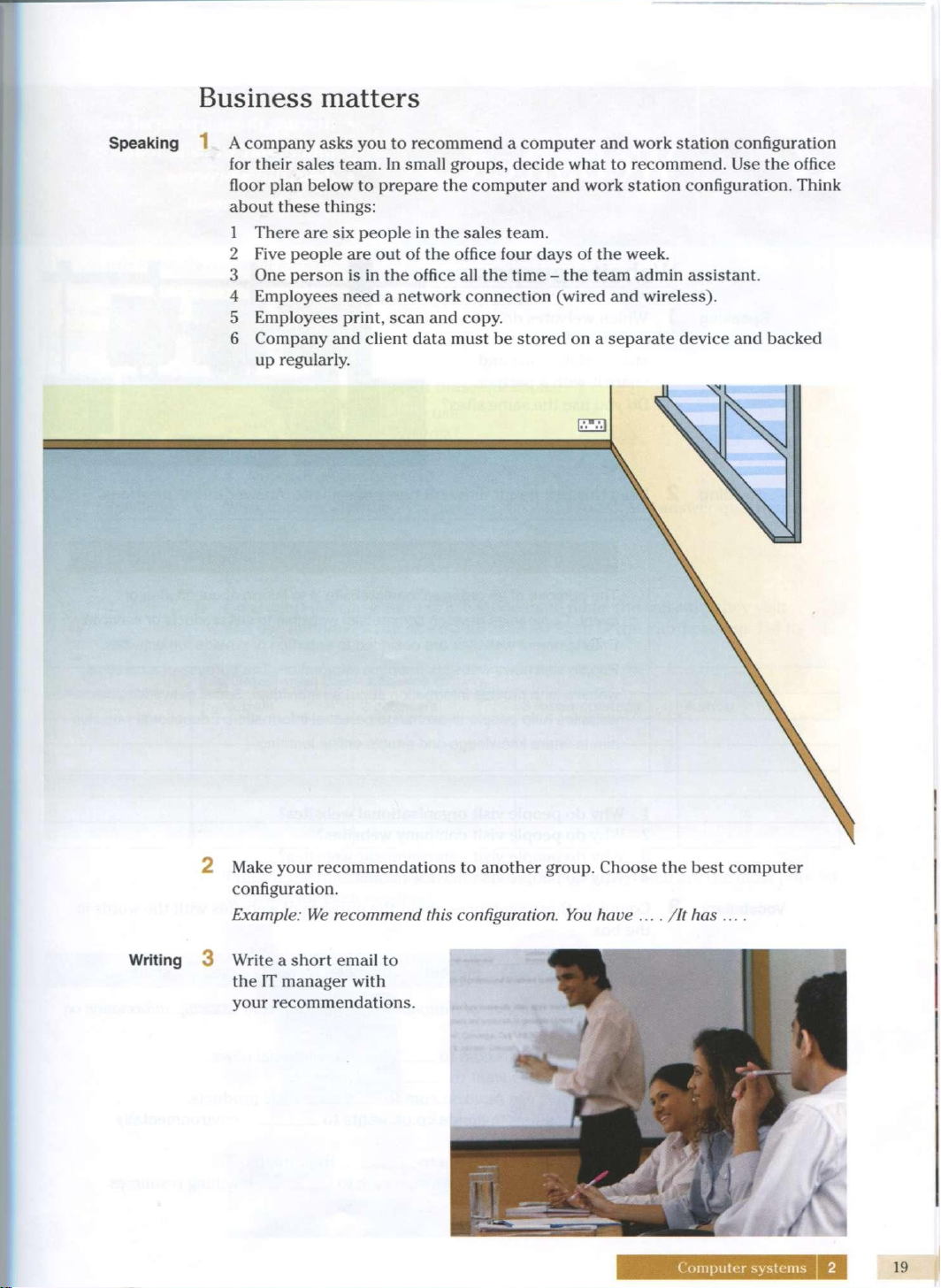
A company asks you to recommend a computer and work station configuration
for their
sales
team. In small groups,
decide
what to recommend. Use the
office
floor plan
below
to prepare the computer and work station configuration. Think
about
these
things:
1
There
are six
people
in the
sales
team.
2
Five
people
are out of the
office
four
days
of the
week.
3 One person is in the
office
all the time - the team admin assistant.
4
Employees
need
a network connection (wired and wireless).
5
Employees
print,
scan and
copy.
6 Company and client data must be stored on a
separate
device
and backed
up
regularly.
£3
2 Make your recommendations to another group.
Choose
the
best
computer
configuration.
Example: We recommend this configuration. You have ... . /It has ....
Writing
3 Write a short email to
the IT
manager
with
your recommendations.
Computer
systems
2
19
3
Websites
discuss
the
purpose
of
websites
talk
about website features
describe
a
process
write
a
proposal
Website purpose
Speaking
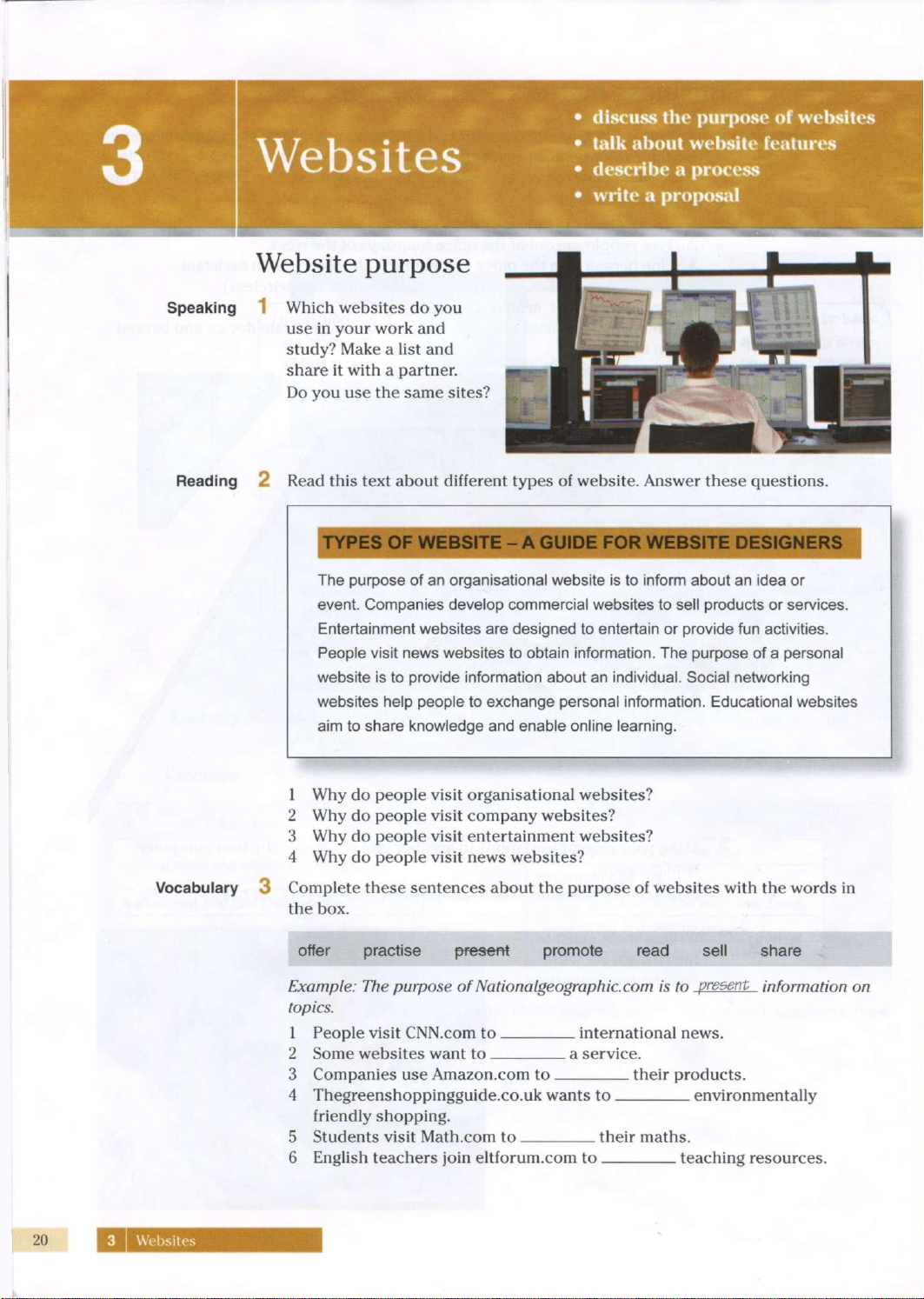
Which websites
do you
use
in
your work
and
study?
Make
a
list
and
share
it
with
a
partner.
Do
you use the
same sites?
Reading
2
Read
this
text about different types
of
website. Answer these questions.
TYPES
OF
WEBSITE
- A
GUIDE
FOR
WEBSITE DESIGNS
The purpose of an organisational website is to inform about an idea or
event. Companies develop commercial websites to sell products or services.
Entertainment websites are designed to entertain or provide fun activities.
People visit news websites to obtain information. The purpose of a personal
website is to provide information about an individual. Social networking
websites help people to exchange personal information. Educational websites
aim to share knowledge and enable online learning.
1
Why do
people
visit
organisational
websites?
2
Why do
people
visit
company websites?
3
Why do
people
visit
entertainment
websites?
4
Why do
people
visit
news websites?
Vocabulary
3
Complete these sentences about
the
purpose
of
websites
with
the
words
in
the
box.
offer practise present promote read sell share
Example:
The
purpose
of
Nationalgeographic.com
is to
present information
on
topics.
1
People
visit
CNN.com
to
international
news.
2
Some
websites want
to a
service.
3 Companies
use
Amazon.com
to
their
products.
4 Thegreenshoppingguide.co.uk wants
to
environmentally
friendly
shopping.
5 Students
visit
Math.com
to
their
maths.
6
English
teachers
join
eltforum.com
to
teaching resources.