HTML and CSS Overview
HTML Basic Tags, CSS Introduction

HTML (HyperText Markup
Language)
What is HTML?

What is HTML?
• The HTML language describes Web content (Web pages)
• Text with formatting, images, lists, hyperlinks, tables, forms, etc.
• Uses tags to define elements in the Web page
3
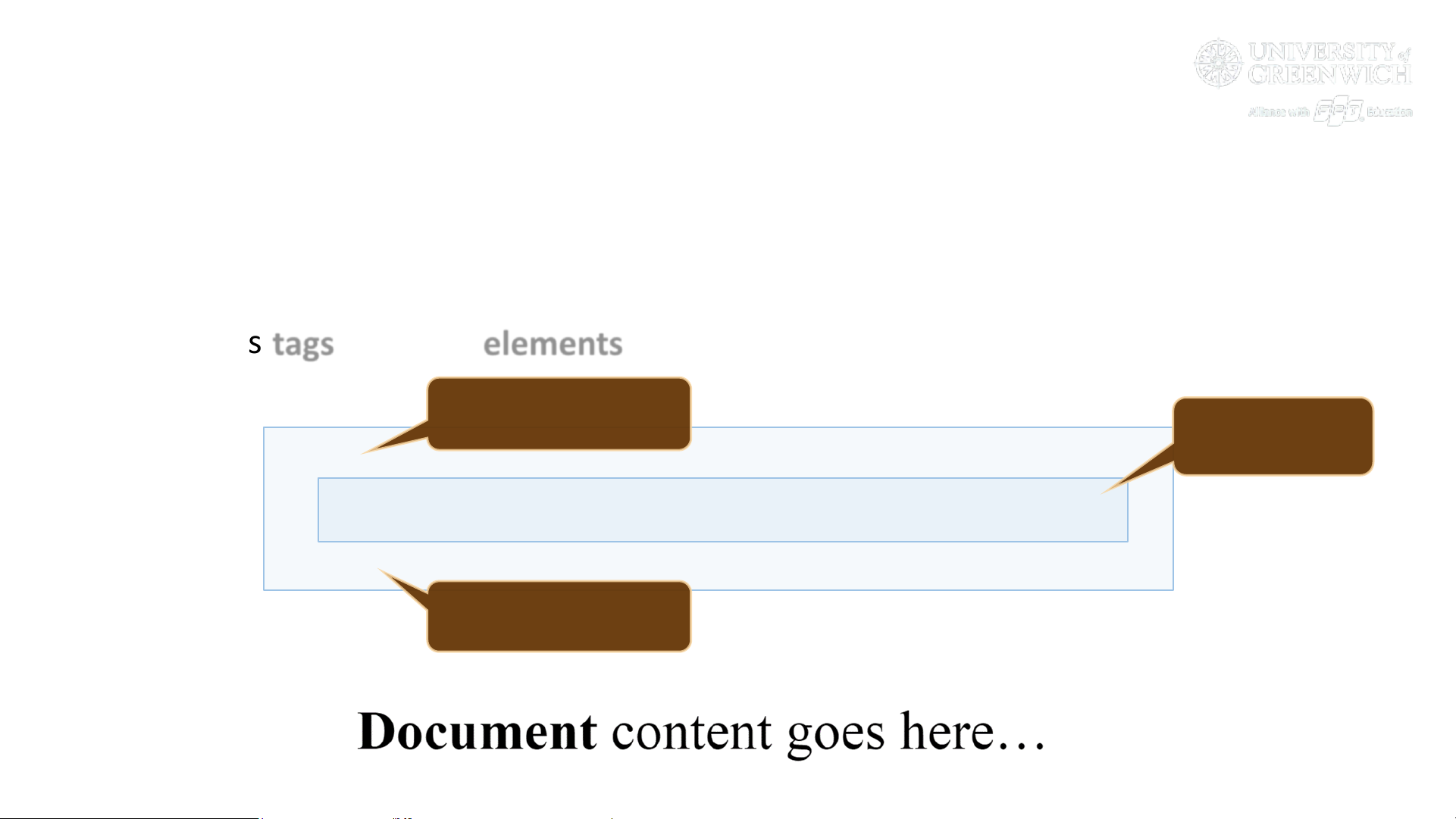
<p>
<b>Document</b> content goes here…
</p>
Opening tag
Closing tag
Element

<!DOCTYPE html>
<html>
<head>
<meta charset="UTF-8">
<title>HTML Example</title>
</head>
<body>
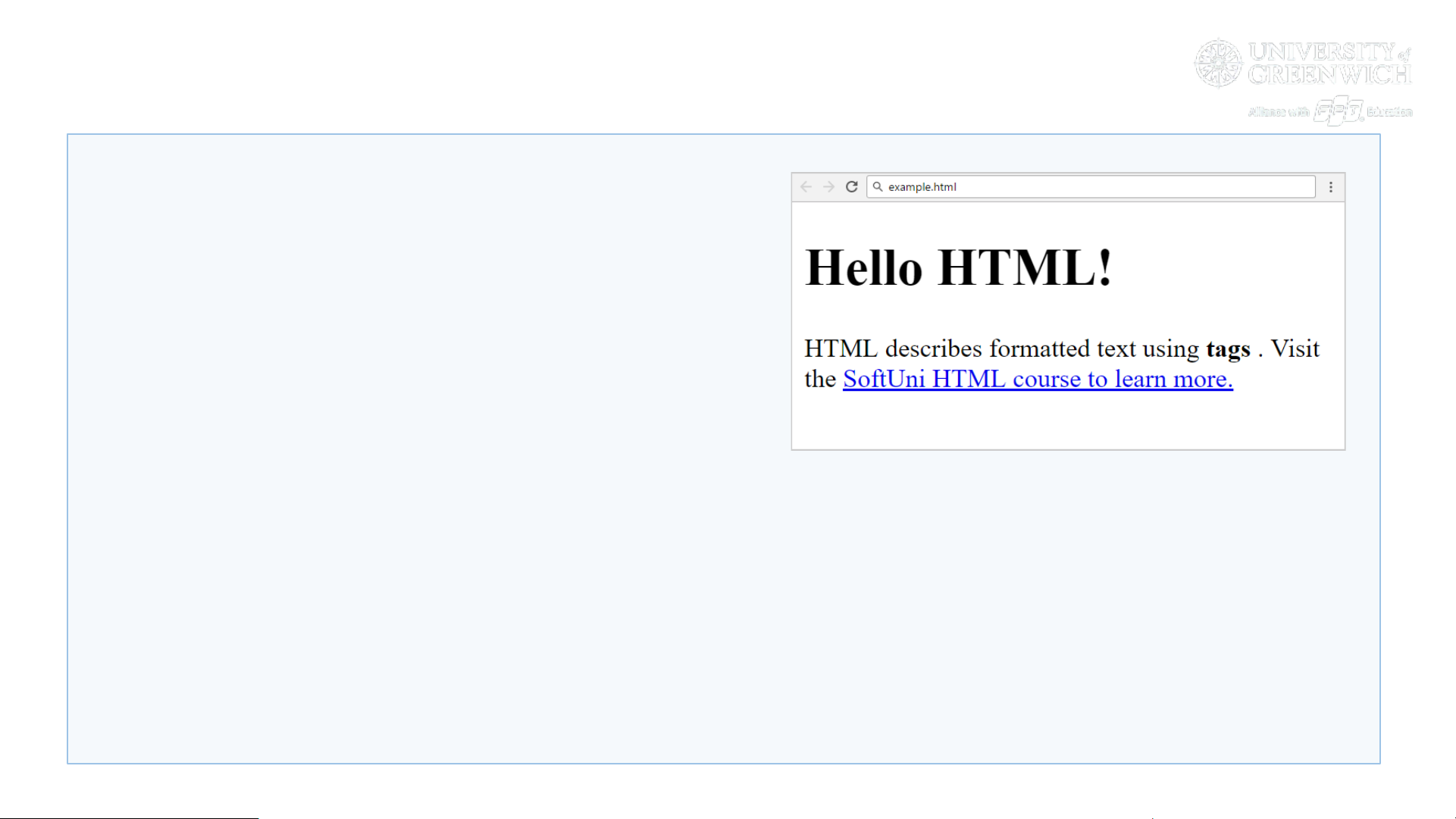
<h1>Hello HTML!</h1>
<p>HTML describes formatted text using <strong>tags
</strong>. Visit the <a href="https://softuni.bg/trainings/
courses">SoftUni HTML course to learn more.</a></p>
</body>
</html>
HTML Page – Example
4

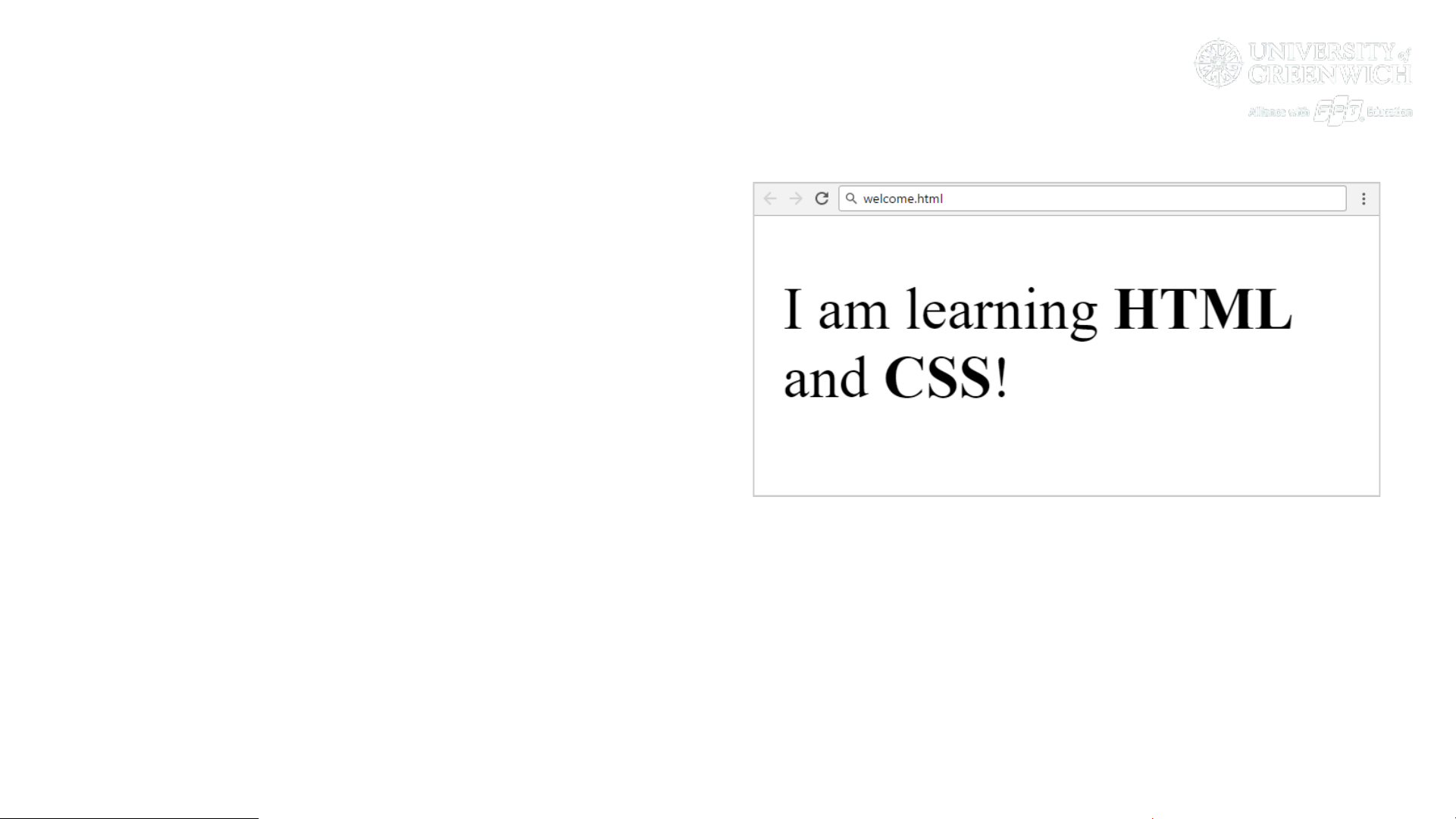
Problem: Welcome to HTML
• Create your first HTML page
• File name: welcome.html
• Title: Welcome
• Paragraph of text:
I am learning HTML and CSS!
• Hints:
• Modify the code from the previous slide, use <strong> tag
• Submit the page in the judge: welcome.html in a ZIP file
5

Developer Tools: [F12] in the Browser
7

Zen Coding (Emmet) for Fast HTML Coding
8
ul>li.red*6
<ul>
<li class="red"></li>
</ul>
div#page>div.logo+ul#menu>li
*3>a
<div id="page">
<div class="logo"></div>
<ul id="menu">
<li><a href=""></a></li>
</ul>
</div>

HTML Common Elements
Used in 90% of All Internet Sites

Headings and Paragraphs
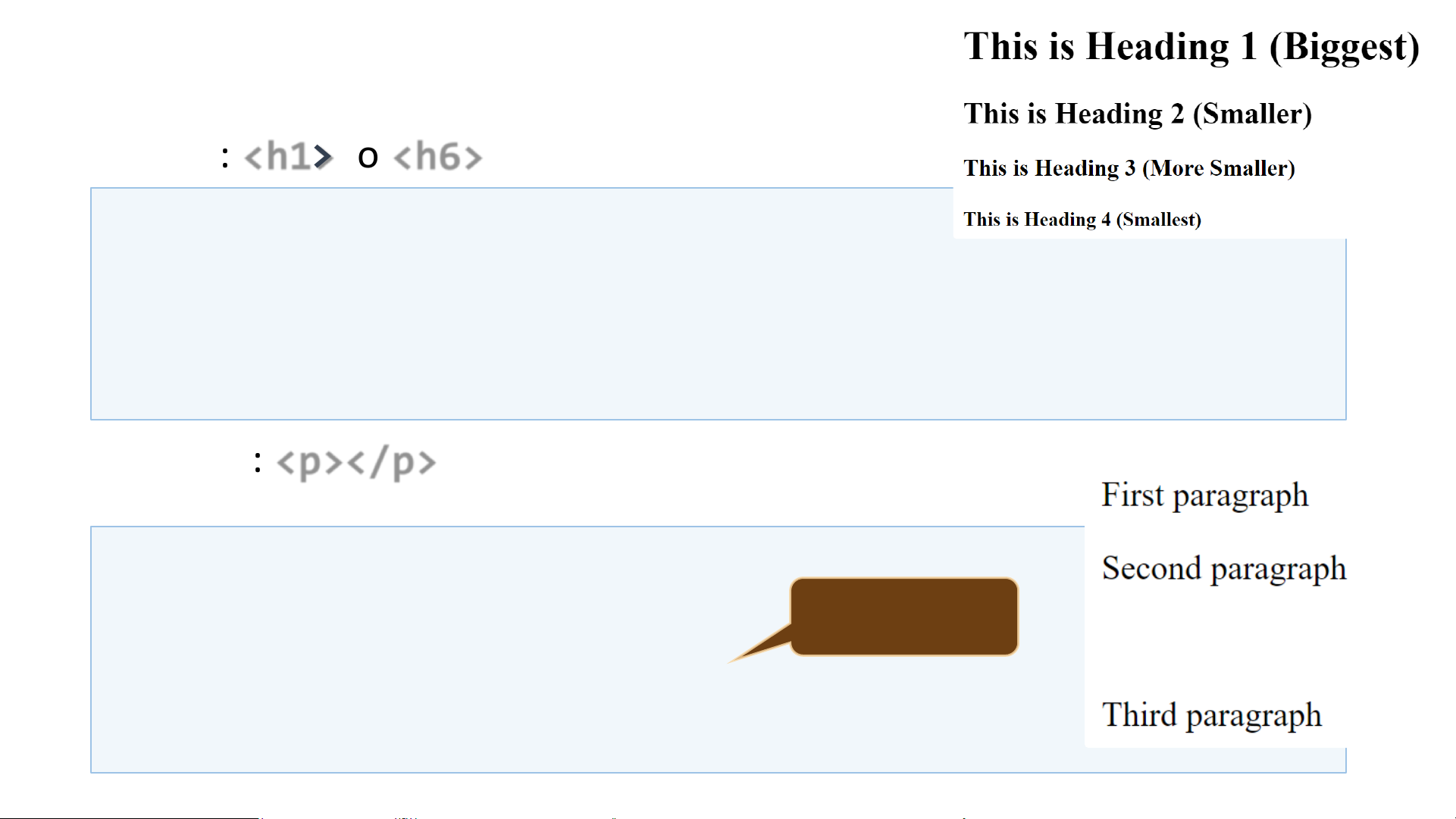
• Headings: <h1> to <h6>
• Paragraphs: <p></p>
10
<h1>This is Heading 1 (Biggest)</h1>
<h2>This is Heading 2 (Smaller)</h2>
<h3>This is Heading 3 (More Smaller)</h3>
<h4>This is Heading 4 (Smallest)</h4>
<p>First paragraph</p>
<p>Second paragraph</p>
<br /> <!-- empty line -->
<p>Third paragraph</p>
Comment

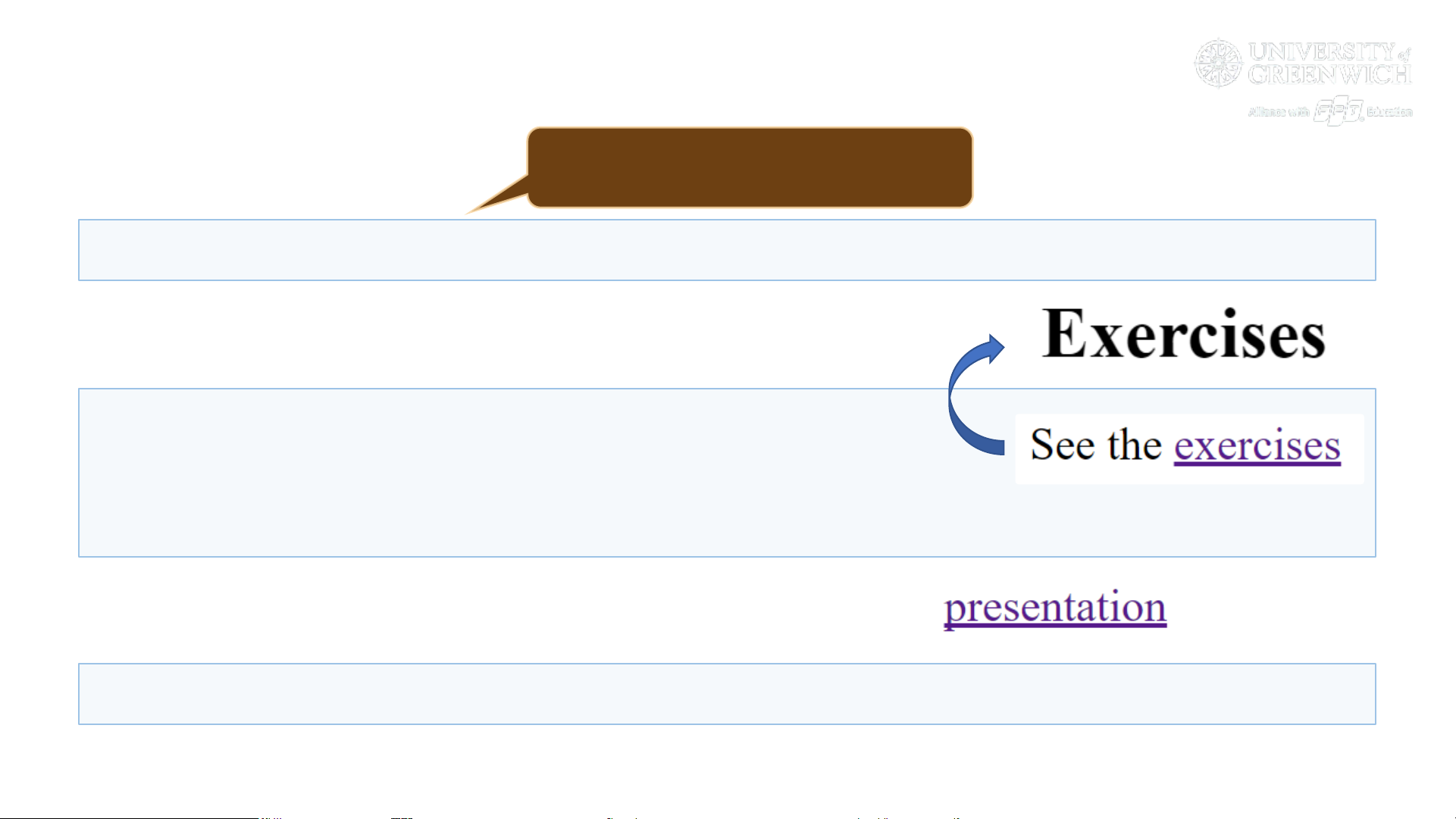
Hyperlinks
• External hyperlink
• Local hyperlink
• Relative hyperlink
11
<a href="https://google.com">Google</a>
<h1 id="exercises">Exercises</h1>
…
See the <a href="#exercises" target="_blank">exercises</a>
<a href="../2.%20HTML5-Overview.pptx">presentation</a>
Specify the URL

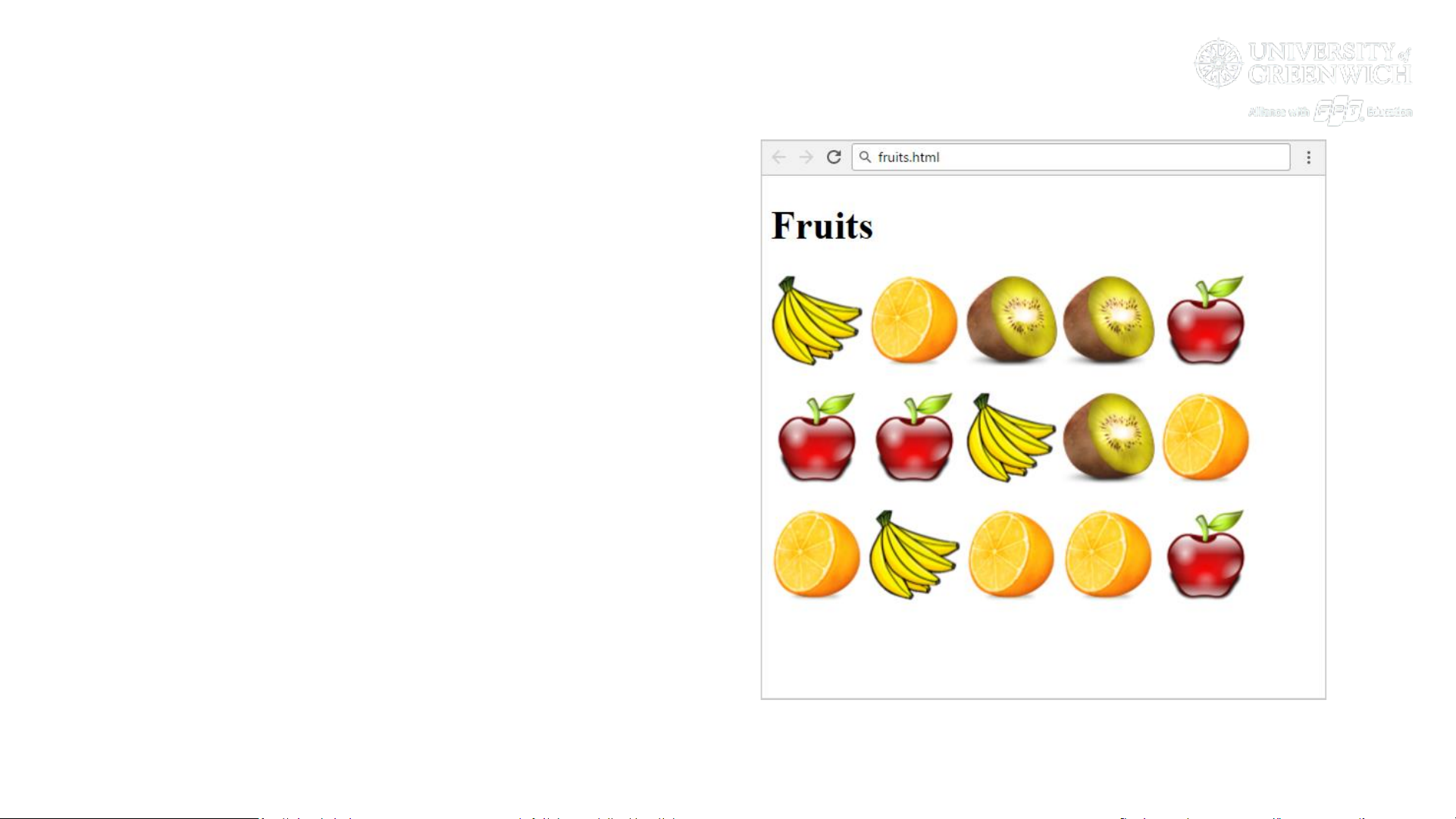
Problem: Fruits
• You are given 4 image files:
• apple.png, banana.png,
kiwi.png, organge.png
• Create a Web page like the
screenshot on the right
• Hints: use 3 paragraphs, each
holding 5 images
13

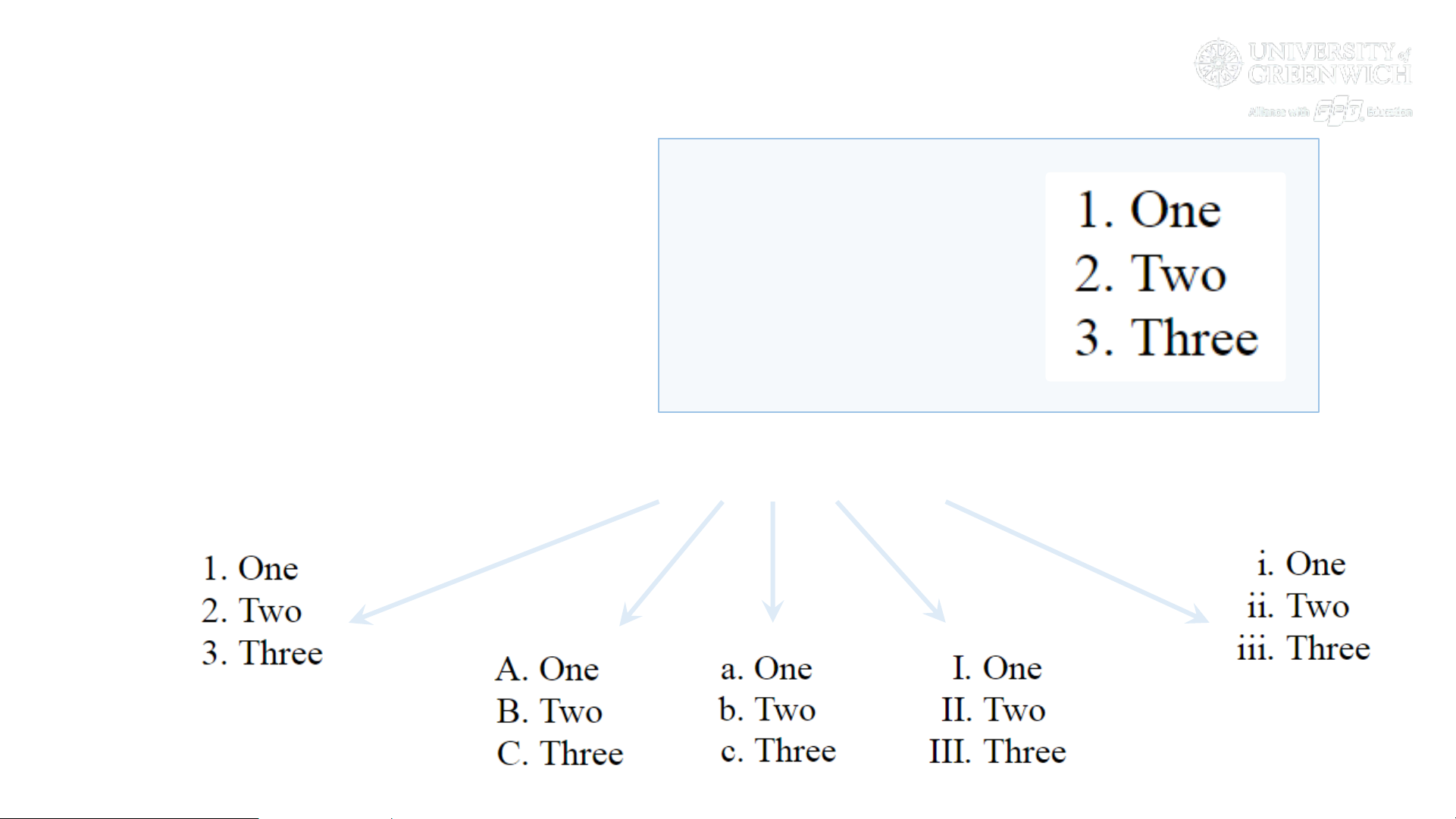
Ordered Lists: <ol> Tag
• Create an Ordered List
• Use <ol></ol>
• Each holding <li></li>
14
<ol type="1">
<li>One</li>
<li>Two</li>
<li>Three</li>
</ol>
▪ Attribute values for type are 1, A, a, I, or i

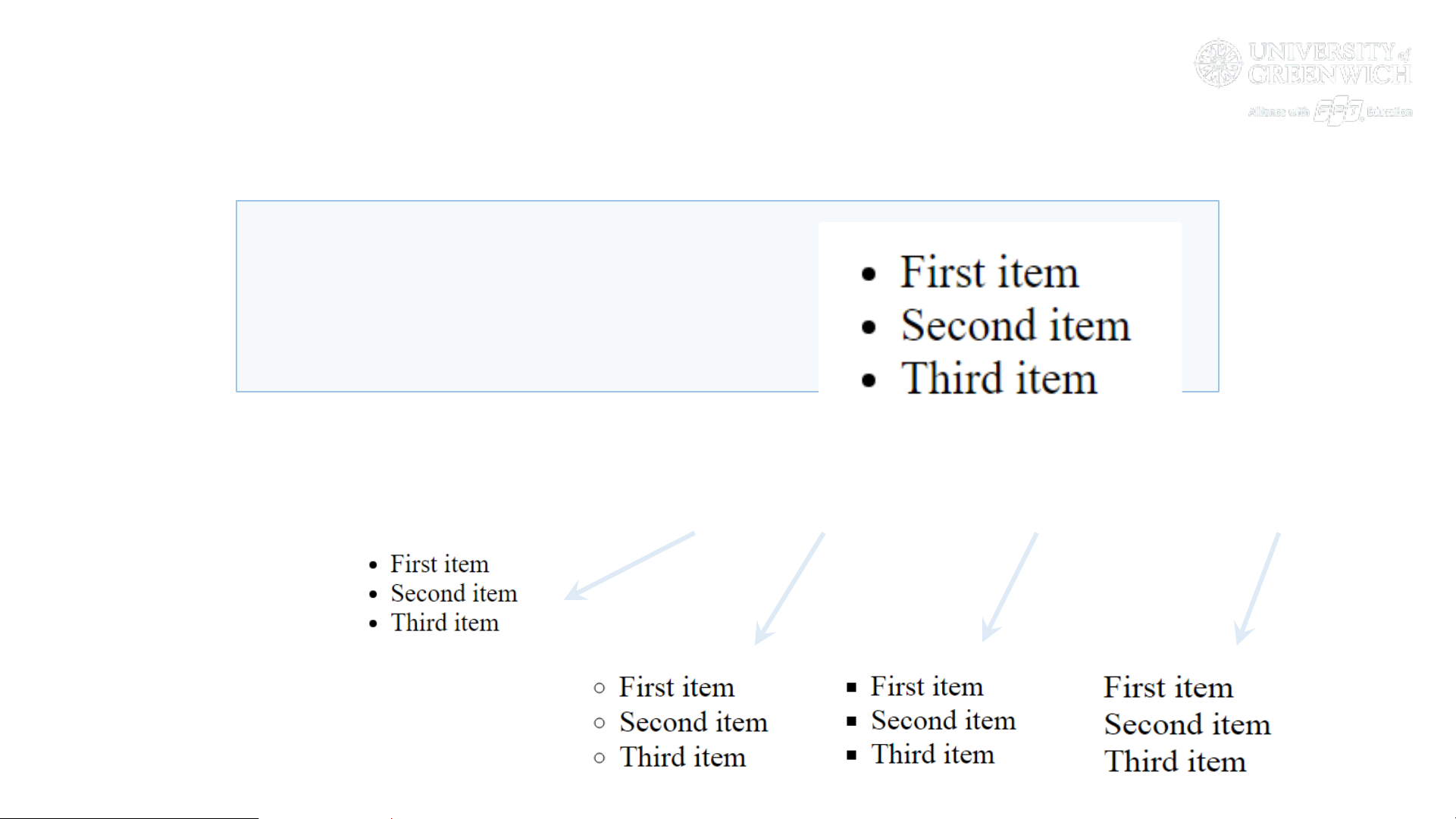
Unordered Lists: <ul> Tag
• Create an Unordered List using <ul></ul>:
15
<ul type="disc">
<li>First item</li>
<li>Second item</li>
<li>Third item</li>
</ul>
▪ Attribute values for type are: disc, circle, square and none

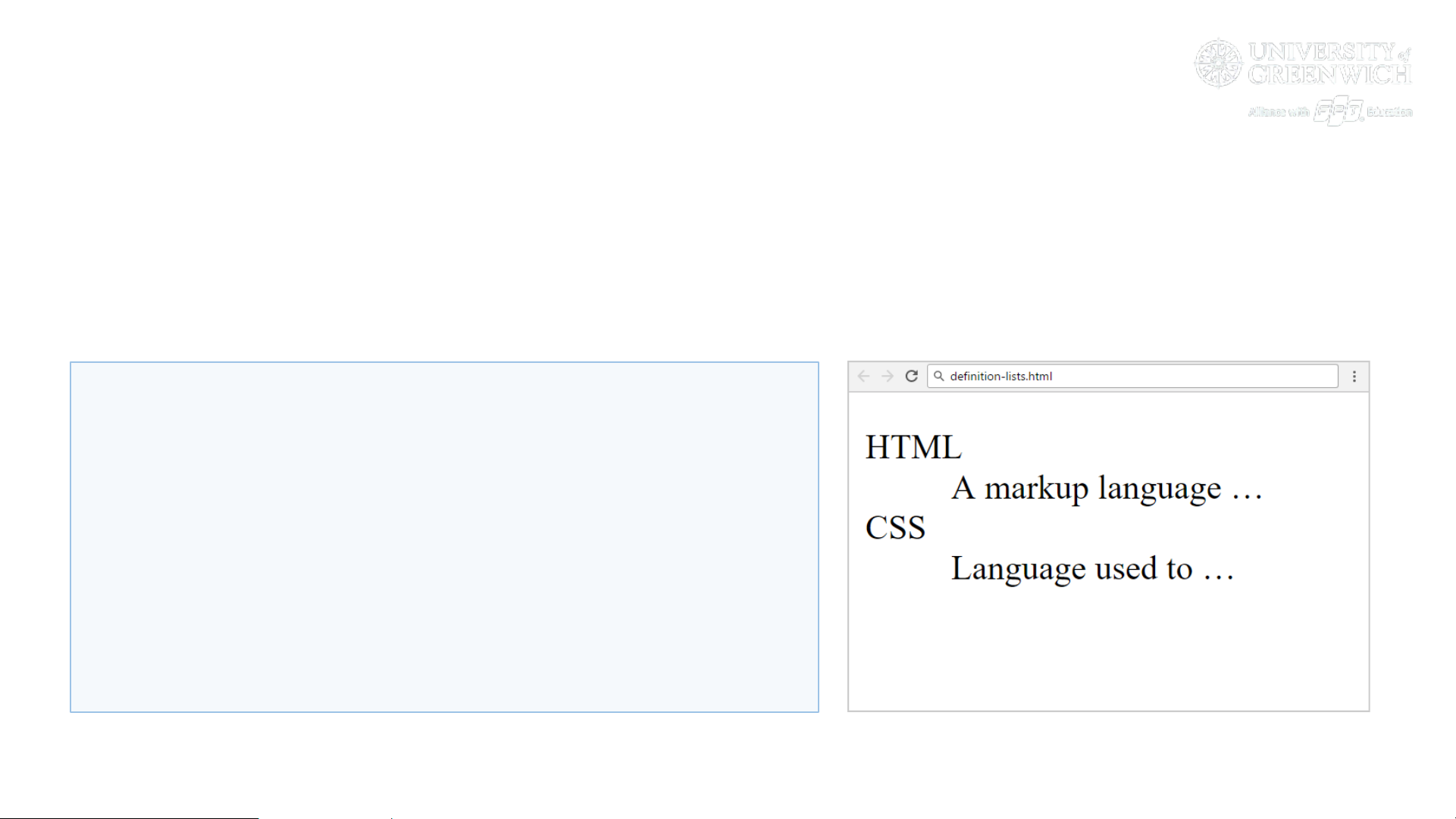
Definition Lists: <dl> Tag
• Create definition lists using <dl>
• Holds terms (<dt>) with their definitions (<dd>)
16
<dl>
<dt>HTML</dt>
<dd>A markup language …</dd>
<dt>CSS</dt>
<dd>Language used to …</dd>
</dl>

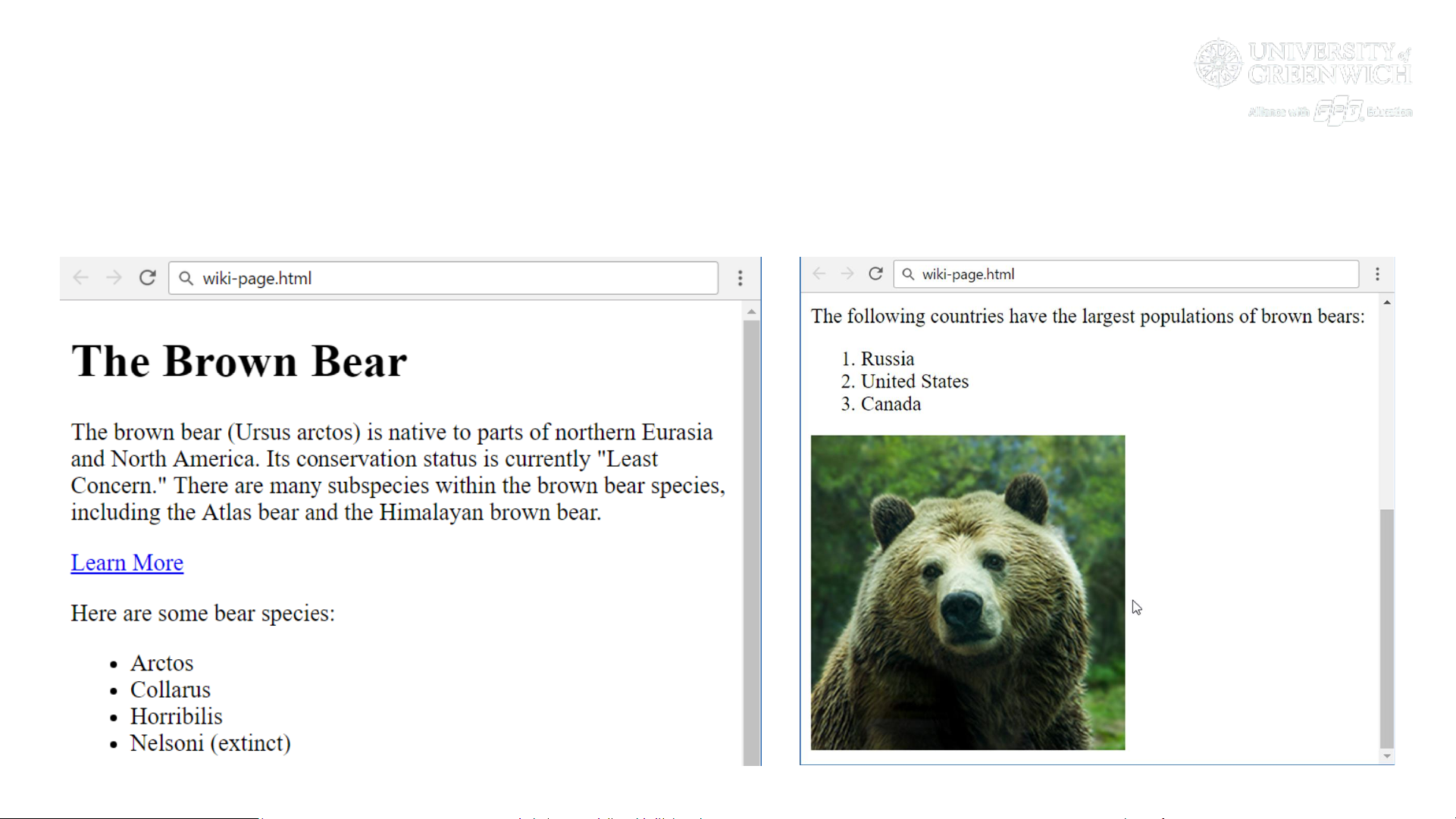
Problem: Wiki Page
• Create the following HTML page:
17
(page continues here …)

Hints: Wiki Page
• File name: wiki-page.html
• Title: The Brown Bear
• Use <h1>
• Hyperlink: https://en.wikipedia.org/wiki/Brown_bear
• List: use ordered list and unordered list
• Text: use paragraph
• Image: use the file bear.jpg
18

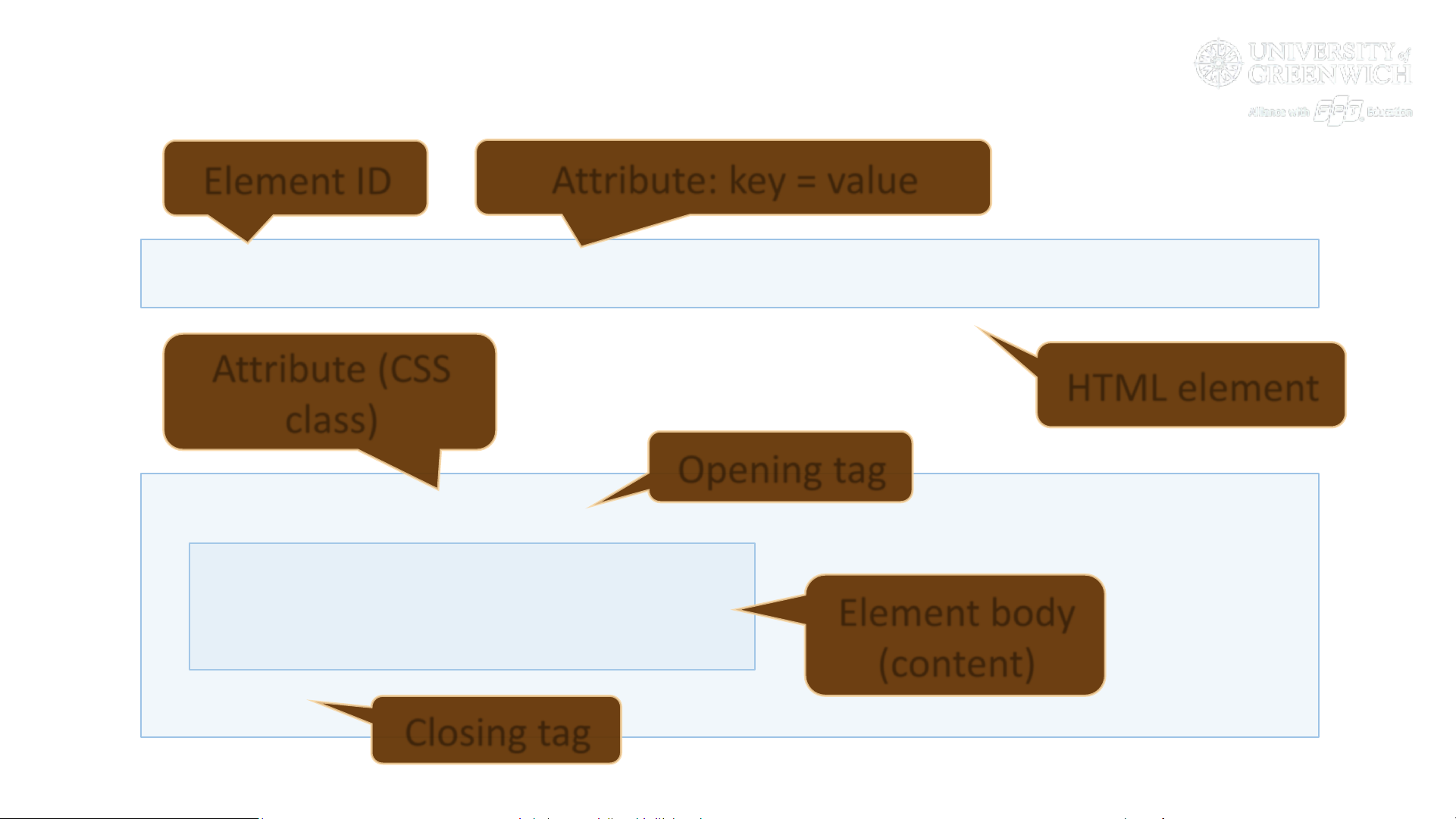
HTML Terminology
Tags, Attributes and Elements

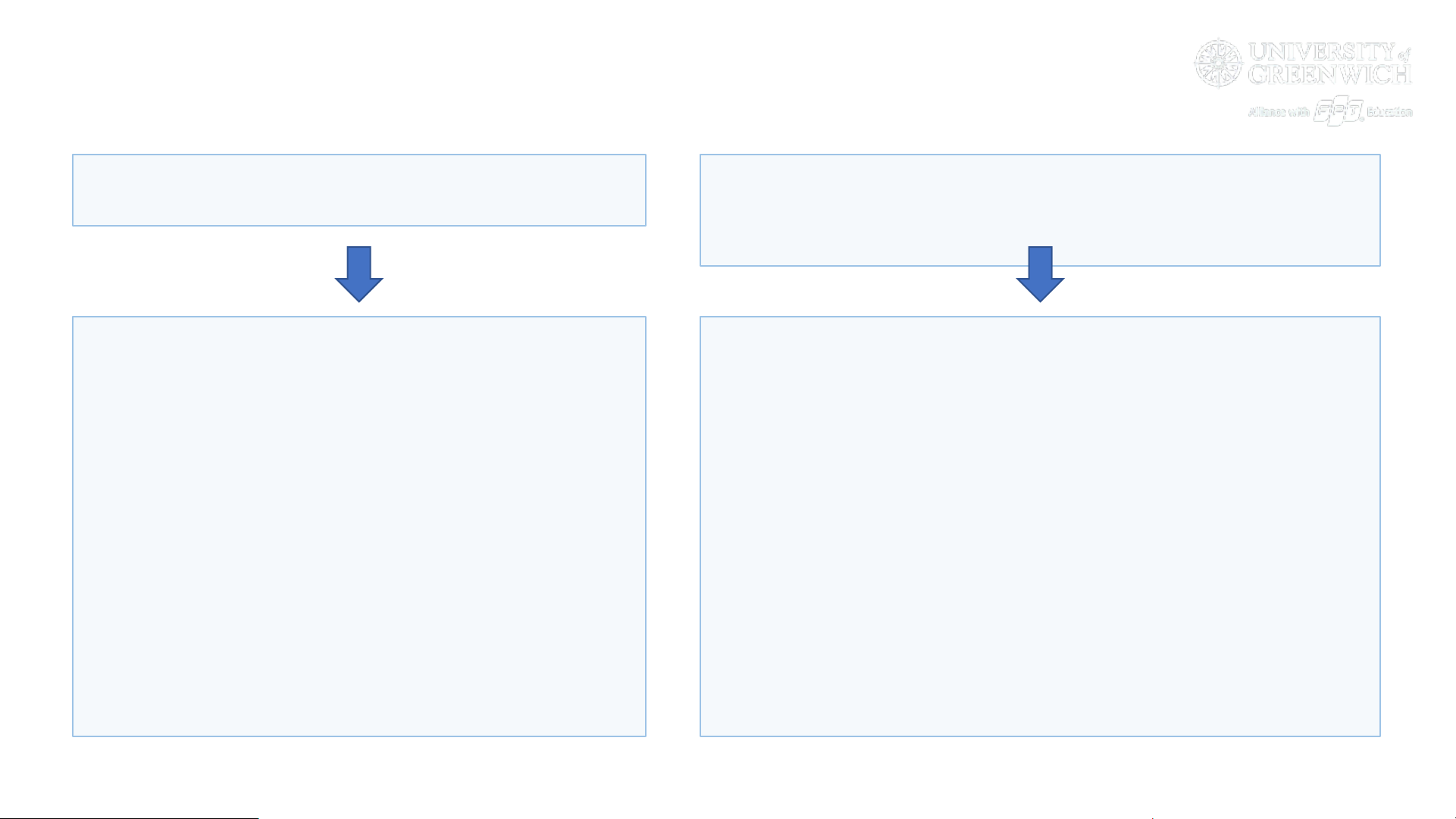
HTML Tags, Attributes and Elements
20
<a id="link" href="https://google.com">Google</a>
<div class="item">
<img src="books.png" />
<span>Books</span>
</div>
HTML element
Opening tag
Closing tag
Element body
(content)
Attribute (CSS
class)
Element ID
Attribute: key = value
Bấm Tải xuống để xem toàn bộ.
Preview text:
Hello HTML!
HTML describes formatted text using tags
. Visit the courses">SoftUni HTML course to learn more.